
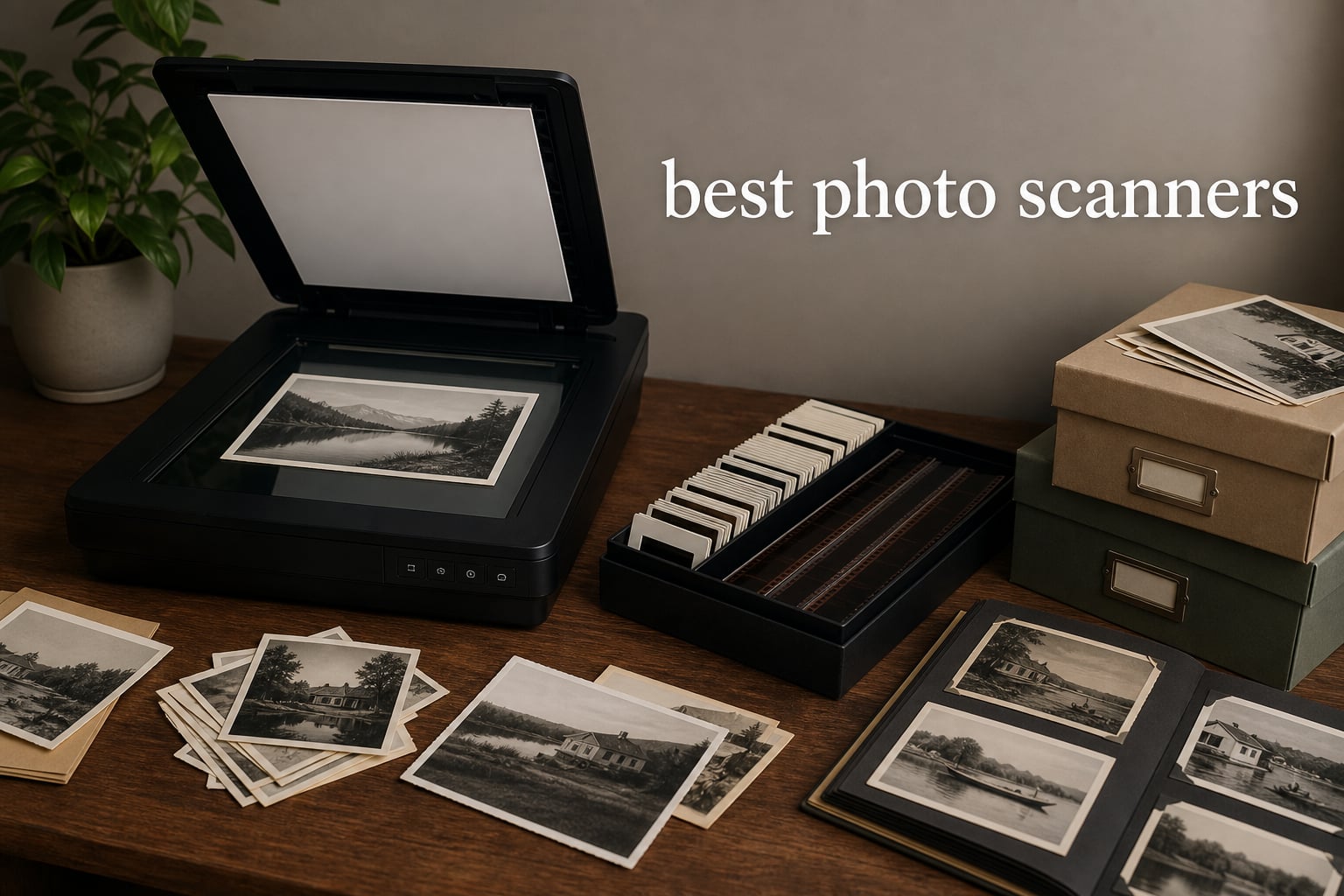
Physical photographs do not get easier to preserve with time. The best photo scanners give you a workable way to copy loose prints, family albums, slides, or negatives before handling, fading, and storage problems take a larger toll.
The right machine depends less on a single headline specification than on the collection in front of you. A flatbed scanner is the careful choice for fragile prints and albums, a sheet-fed model is the fast choice for sturdy loose photos, and a dedicated film scanner is the practical choice for slides and negatives.
We compared the published specifications, included software, media support, connectivity, warranty details, and customer-review summaries for 10 current models. The result is a clear split between high-volume photo digitization, careful flatbed work, film conversion, and portable document-first scanning.
One important warning comes up often in photo-archiving discussions: an auto feeder can save a huge amount of time, but it is not the place for curled, torn, glued, or irreplaceable prints. Set those aside for a flatbed, clean the scanner surface before each session, and work in small batches that you can check as you go.
The top 3 photo scanners are the ScanSnap iX2500, Epson Perfection V19 II, and KODAK Slide N Scan Max 2026
Pick the ScanSnap iX2500 Photo Edition for a large stack of sound loose photos and documents, the Epson Perfection V19 II for prints and album pages that need gentle handling, and the KODAK Slide N Scan Max for mixed slide and negative archives. Those three cover the most common home digitization jobs without pretending one scanner can do every format equally well.


Our top pick is a throughput-first machine, not a replacement for a flatbed. If you have a few hundred photos with creases, handwriting, or mounted edges, the Epson’s removable lid and 4800 dpi optical resolution make a more sensible starting point.
The best photo scanners in 2026 cover loose prints, albums, and film
The comparison below lists every model in this guide. Look first at the media type, then at feeding method and optical resolution, because a high number alone cannot make a sheet-fed scanner suitable for a delicate album page or turn a film-only model into a document scanner.
| Product | Specs | Action |
|---|---|---|
| ScanSnap iX2500 Photo Edition |
|
View Product |
 HPPS100 Portable Scanner HPPS100 Portable Scanner |
|
View Product |
 HPFS500 Film and Slide Scanner HPFS500 Film and Slide Scanner |
|
View Product |
 ClearScan MINI Film Scanner ClearScan MINI Film Scanner |
|
View Product |
| KODAK Slide N Scan Max |
|
View Product |
 Epson Perfection V19 II Epson Perfection V19 II |
|
View Product |
 HPPS200 Duplex Scanner HPPS200 Duplex Scanner |
|
View Product |
 Hczrc Handheld Scanner Hczrc Handheld Scanner |
|
View Product |
 Kedok 4-in-1 Scanner Kedok 4-in-1 Scanner |
|
View Product |
 Epson Perfection V39 II Epson Perfection V39 II |
|
View Product |
There are two broad paths here. The ScanSnap and HP document scanners prioritize moving paper through a feed path, while the Epson flatbeds keep a photo stationary; the KODAK, HPFS500, ClearScan MINI, and Kedok models are purpose-built around film or mixed-format conversion.
These picks are compared by media type, resolution, throughput, setup, and review signals
We did not treat every specification as equally useful. A 4800 dpi flatbed figure matters when making a larger copy from a small print, while a stated photo-per-minute rate matters most when you have a box full of standard, clean prints.
We also separated optical resolution from interpolated output. Optical resolution describes detail captured by the scanner’s hardware, while interpolation is software-created enlargement; both may be helpful, but they are not the same measurement.
Customer review averages and counts are included in the product cards as context, not as a substitute for matching the machine to the job. Forum discussions repeatedly flag the same practical issues: auto feeders can be hard on fragile originals, bundled software can be frustrating during big jobs, and scan speed becomes decisive once a collection reaches hundreds or thousands of items.
That is why the rankings favor fit over a one-size-fits-all claim. A good result starts with the right media path, a clean workflow, realistic expectations about film quality, and a plan for file names and backups after scanning.
1. ScanSnap iX2500 Photo Edition is the best choice for fast loose-photo batches
ScanSnap iX2500 Photo Edition Wireless or USB High-Speed Scanner, Black
600 dpi
100 photos per minute
100-sheet ADF
Pros
- 100-photo-per-minute speed
- 100-sheet ADF
- Wi-Fi 6 and USB-C
- Photo organization tools
- 5 inch touchscreen
Cons
- 24-bit color depth
- Needs supported operating system
The ScanSnap iX2500 Photo Edition is the most focused pick here for someone facing a large stack of sturdy, loose prints. PFU lists speeds of up to 100 photos per minute, a feeder that holds up to 36 photos or 100 documents, and automatic optimization, naming, and sorting tools.
Its 5-inch touchscreen gives it a more self-contained feel than a basic USB scanner. Built-in Wi-Fi 6 and USB-C also give you a choice between a wired desk setup and sending files to a supported computer, mobile device, or cloud service.
The key limitation is physical, not digital: the feeder is for photos that are flat and in good condition. Keep torn, curled, sticky, thick, or one-of-a-kind prints out of any feeder, since a flatbed leaves you in control of placement and pressure.
The listed 600 dpi resolution is a sensible archive setting for standard prints when speed matters. It is not a film scanner, so do not choose it for slides or negatives, and do not expect it to handle an album that cannot be disassembled.
The ScanSnap iX2500 fits large loose-print collections best
Choose this model when the primary goal is clearing a backlogged box of standard photos while also digitizing receipts or paperwork. The 100-photo-per-minute claim and 36-photo capacity point to a much shorter session than placing prints one by one on glass.
It also suits a household that wants files routed into a repeatable system. Create a profile for each family group or decade, check a small batch before moving on, and keep originals in the same order until you verify the files.
The ScanSnap iX2500 is less suitable for albums and damaged originals
Do not make this your only scanner if your archive is mostly bound albums, fragile heirloom prints, or film. The machine’s CIS sensor, feeder design, and 24-bit color depth fit speed-led photo and document work rather than careful archival film capture.
It supports current Windows, macOS, iOS, iPadOS, Android, and ChromeOS versions listed by the manufacturer. Confirm your own system before committing to a workflow around its companion software.
2. Epson Perfection V19 II is the best flatbed for prints, albums, and faded photos
Epson Perfection V19 II Flatbed Photo Scanner 4800 dpi Optical Resolution
4800 dpi optical
High-rise removable lid
USB powered
Pros
- 4800 dpi optical resolution
- Easy Photo Fix
- High-rise removable lid
- OCR support
- USB powered
Cons
- One item at a time
- Some software issues reported
The Epson Perfection V19 II is the careful counterpoint to a fast feeder. Its flatbed design keeps a print still on the scan surface, and its high-rise removable lid is made for books, albums, or thicker material that cannot sit perfectly flat under a fixed cover.
Epson specifies 4800 dpi optical resolution, 48-bit internal color depth, and Easy Photo Fix for faded-photo restoration. It also includes ScanSmart software, searchable PDF output, OCR for editable office documents, and one-touch scanning controls.
For old family prints, this approach is often less stressful than feeding originals through rollers. It is slower because you position each item individually, but that trade-off is useful when the photo has curled edges, a fragile surface, or notes on the back that you want to preserve.
The V19 II is USB powered and measures 9.9 by 9.9 by 1.5 inches, with a listed weight of 3.1 pounds. It can stand vertically with its kickstand when not in use, which makes it easier to leave near a computer between scanning sessions.
The Epson Perfection V19 II is right when handling comes before throughput
This is the better fit for a scrapbook, family album, small set of important photos, or prints that have become brittle with age. Its removable lid is especially useful when an album page or book cannot lie flat beneath a normal low-profile cover.
It also makes sense when you want a larger output from a small print. The 4800 dpi optical specification gives you more capture detail than a basic portable sheet-fed scanner, though extra resolution also creates larger files and longer scan times.
The Epson Perfection V19 II is not built for a thousand-photo rush
You must place each print manually, so it will not match an automatic feeder for a huge run of standard prints. Plan a calm session, clean the glass regularly, and scan a few test photos first to settle on a resolution and file format.
Customer review summaries praise image quality and ease of use, while some users report software issues. Save periodically during a large project and inspect a completed batch before you put originals away.
3. KODAK Slide N Scan Max is the best dedicated choice for slides and common film sizes
KODAK Slide N Scan Max Film Scanner, Slide Scanner, Black/Yellow
7 inch tiltable LCD
135 110 126 film
Direct SD saving
Pros
- Large tiltable display
- Quick-feed tray
- Supports three film sizes
- Direct SD saving
- One-touch editing
Cons
- Not for loose print batches
- LED light may not suit every film type
The KODAK Slide N Scan Max is the dedicated film choice for households with boxes of mounted slides and negative strips. Its quick-feed tray is designed to keep the workflow moving, while the tiltable 7-inch LCD provides a much larger preview than the small screens found on compact film scanners.
It supports 135, 110, and 126 formats, along with slides and negatives. The listed 13MP CMOS sensor produces up to 22MP interpolated output at 4208 by 3120, and images can save directly to SD or SDHC cards up to 32GB.
Gallery mode is a pleasant extra when the scanner is idle, but the practical attraction is computer-free capture. You can preview, resize, convert, and adjust an image using its one-touch controls before moving to the next frame.
This is not the right tool for a carton of loose paper photos. Its strengths are film media, its feed system is for film and slides, and its direct-save workflow works best when you have an SD card prepared before you begin.
The KODAK Slide N Scan Max works best for varied slide and negative collections
Pick this KODAK model when your collection includes more than one popular film size. Supporting 135, 110, and 126 avoids buying separate equipment for each of those common formats, and the 7-inch tiltable display makes frame selection more comfortable.
Its 1,797 listed reviews give it the largest review sample among the dedicated film models in this guide. The 4.2 average rating is useful context, but check that your film formats match its trays before you choose it.
The KODAK Slide N Scan Max cannot repair a poor original frame
Dust, scratches, color shifts, and underexposure already present in film will still affect the digital file. Clean each strip or slide carefully with appropriate film-safe methods, and treat the scanner’s adjustment controls as a first pass rather than a substitute for image editing.
The unit weighs 16 ounces and uses an LED light source. It is portable enough to move, but the larger screen favors a stable table setup over travel scanning.
4. HPFS500 is the best computer-free film scanner with a touchscreen preview
HP Film & Slide Scanner HPFS500, Negative Scanner, Slide Viewer, USB-C
5 inch touchscreen
13MP sensor
135 126 110 film
Pros
- All-angle touchscreen
- Supports 135 126 and 110 film
- USB-C power
- SD card slot
- Gallery mode
Cons
- SD card not included
- Film-only workflow
HP’s HPFS500 centers the film-scanning experience on a 5-inch all-angle touchscreen rather than a computer monitor. That is useful when you want to work at a table, preview each image on the device, and save files through the built-in SD card slot.
The scanner accepts 135, 126, and 110 negative strips and slides with a quick-load tray. HP lists a 13MP CMOS sensor with up to 22MP interpolation, USB-C power, and compatibility with Windows 10 or later and macOS 10.15 or later.
Its gallery mode lets the screen display photos when the scanner is not scanning. That feature does not affect the digitization result, but the large display and direct-save option can make the basic capture process less dependent on a desk computer.
Bring your own SD card, because one is not included. The small device measures 4.66 by 5.7 by 3.54 inches and weighs 13.4 ounces, so it needs little permanent desk space.
The HPFS500 suits people who want a self-contained film setup
This is a sound choice if a computer-tethered process would stop you from starting the project. Load a supported strip or slide, preview it on the screen, make basic adjustments, and save the result to a card for later organization.
The 5-inch display is also easier to inspect than a tiny status screen. It will not replace editing on a larger monitor, but it helps you spot an upside-down frame or a scan that needs another pass before you pack the film away.
The HPFS500 is not a general photo-archiving scanner
It does not replace a flatbed for paper prints, album pages, or documents. Keep the purchase focused on slide and negative conversion, and make a separate plan if your archive includes loose photographs.
Its listed 4.3 rating comes from 164 reviews. That is a useful but smaller review base than the KODAK model, so the format support and touchscreen workflow should matter more than a small rating difference.
5. HPPS200 is the best portable duplex scanner for photo-and-document households
HP Compact Desktop Duplex USB Mobile Document & Photo Scanner with Auto-Feed Tray for Portable 2-Sided Digital Scanning, Model HPPS200, for Home & Office, PC and MAC, HP WorkScan Software Included
25 ppm duplex
25-sheet auto-feed
1200 dpi
Pros
- Two-sided scanning
- 25 ppm speed
- 25-sheet feeder
- 1200 dpi
- USB powered
Cons
- Thin paper can jam
- Document-first feed path
The HPPS200 makes the most sense when photos are only part of the job. It handles documents, receipts, business cards, IDs, and photos, but its stand-out feature is duplex scanning: it can capture both sides of a document at up to 25 pages per minute through a 25-sheet auto-feed tray.
HP lists 1200 dpi resolution, USB power, PC and Mac compatibility, and included HP WorkScan software. At 3.1 pounds and 4.1 by 11.8 by 2.9 inches, it is a compact desktop option for a home office that needs paper digitization as often as it needs photo copies.
For photos, the same rule applies as it does with every sheet-fed machine. Feed only clean, flat, sturdy loose prints, and reserve fragile or textured photos for a flatbed scanner where you can position them without rollers.
This is not a replacement for a dedicated slide scanner or a high-resolution flatbed. It is a productive compromise for people who need two-sided documents and occasional standard photos in one compact unit.
The HPPS200 is strongest when documents and photos share the same backlog
Choose it for tax records, receipts, cards, and ordinary photo prints that all need digitizing. Duplex capture saves steps on two-sided pages, and the 25-sheet feeder is more practical for an office run than a single-sheet portable scanner.
Set up separate scan profiles for documents and photos rather than treating all paper identically. A photo needs visual inspection and a sensible image format, while a document may need searchable PDF and different naming rules.
The HPPS200 is a poor match for thin or irreplaceable photos
The review summary notes that some users report paper jams with thin paper. That makes it wise to avoid feeding damaged prints, very thin originals, or any photo you cannot risk catching in the path.
The listed customer average is 4.0 from 106 reviews. That smaller sample is another reason to prioritize its clear duplex and feeder advantages instead of expecting it to be a specialist photo-restoration machine.
6. HPPS100 is the best ultralight scanner for one-sided photos and paperwork
HP Small USB Document & Photo Scanner for Portable 1-Sided Sheetfed Digital Scanning, Model HPPS100, for Home, Office & Business, PC and Mac Compatible, HP WorkScan Software Included
15 ppm simplex
USB powered
3-ounce portable body
Pros
- Very light
- USB powered
- 15 ppm speed
- HP WorkScan included
- Auto-size detection
Cons
- One-sided scanning only
- 300 dpi
- 10-sheet capacity
The HPPS100 is a straightforward mobile sheet-fed scanner that weighs just 3 ounces. It is USB 2.0 powered, scans one side at a time, and has a listed operating speed of 15 pages per minute for light work away from a full desktop setup.
Its supported media list includes paper, photos, receipts, and business cards, and HP WorkScan offers auto-scan and size detection. The scanner accepts paper sizes from 2 by 2.9 inches to 8.5 by 14 inches, which covers many everyday documents and standard prints.
That small footprint is its point, but it also signals its limits. The 10-sheet capacity, 300 dpi resolution, and simplex-only design make it better for a modest batch than for creating detailed enlargements or processing a large collection in a weekend.
Because it draws power from USB, you do not need an external power adapter for basic scanning. That is helpful for travel, a shared workspace, or a small home desk where storing another power brick is unwelcome.
The HPPS100 is right for light, mobile scanning jobs
Pick this model if you need to scan a few standard photos, receipts, or documents at a time and value minimum carry weight. The 3-ounce body is much easier to pack than a flatbed or a high-capacity feeder.
It also works for someone who wants a simple routine: connect USB, scan a small group, and sort the files later. Its 4.3 average is based on 380 reviews, with customers highlighting the portable design and basic setup.
The HPPS100 is not suited to detailed preservation work
The 300 dpi resolution is lower than the 4800 dpi optical figures on the Epson flatbeds. It can be enough for an on-the-go copy, but it gives you less flexibility if you later want a substantially larger print.
Its one-sided scan path also means you need to turn over a photo or document manually when the reverse matters. Do not feed fragile prints simply because the scanner is convenient to carry.
7. BEONEGLOBAL ClearScan MINI is the best compact scanner for 35mm and 126 film
BEONEGLOBAL ClearScan MINI Film Scanner 16MP Slide & Film Scanner, Converts 35mm/135/126 Film & Slides to Digital Photos, Easy-to-Use Film Digitizer,2.31″ LCD Screen
16MP output
35mm and 126 film
Built-in image edits
Pros
- Compact body
- 16MP scanning
- 35mm and 126 support
- Built-in edits
- Direct SD saving
Cons
- Small 2.31 inch screen
- SD card not included
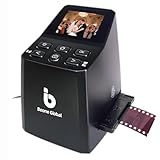
The BEONEGLOBAL ClearScan MINI is a compact film digitizer for 35mm or 135 and 126 film formats. It has a listed 16MP resolution, a 2.31-inch LCD screen, direct SD card saving up to 32GB, and built-in controls for brightness, color, flip, and rotation.
The front-facing buttons sit below the screen, and the unit weighs 10.08 ounces. Those design details make this a small-device option for someone who wants to work through a modest film box without a large scanner permanently on the desk.
It needs an SD card, which is not included, and the small display is mainly for checking framing and basic orientation. Copy the files to a computer after each session, where you can make more considered corrections and keep a second backup.
This scanner handles film rather than paper prints. Its compact size should not be confused with broad media support; choose it only if your archive is specifically 35mm or 126 negatives and slides.
The ClearScan MINI fits small-format film projects with simple needs
This is a practical starting point for a family collection of 35mm or 126 film when portability matters. The on-device editing controls mean you can correct basic brightness, color, and orientation before writing a file to the card.
The 4.3 average comes from 63 reviews, and the summary praises ease of use and portability. Use that small review base as a signal of early customer response rather than evidence for an extremely demanding archival job.
The ClearScan MINI is limited by its preview screen and formats
The 2.31-inch LCD is small for judging fine dust, grain, or color detail. Check selected results on a full-size monitor before you decide that a whole roll has been captured well enough.
It does not support the 110 format listed for the KODAK and HPFS500 models. Confirm each box or sleeve of film before you begin, because film format compatibility cannot be solved by a software setting.
8. Kedok 4-in-1 is the best all-in-one choice for photos, cards, slides, and film
KEDOK Photo,NameCard,Slide & Negative Scanner with Large 5″ LCD Screen,Film and Slide Digitizer-Convert 35mm,110 Film/Photo(3R,4R,5R)/NameCard to 22MP Digital JPEG-8GB SD Card Included
Photos cards slides and film
5 inch LCD
22MP output
Pros
- Four media categories
- 5 inch preview screen
- No computer required
- 8GB card included
- Three-year warranty
Cons
- Heavy unit
- Results vary with old negatives
The Kedok 4-in-1 is designed for mixed boxes rather than a single media type. It can convert 35mm and 110 negatives, 135 slides, 3R, 4R, and 5R photos, and name cards, all with a 5-inch LCD preview and no computer required for basic capture.
Kedok lists 22MP digital output, 128MB of internal memory, and an included 8GB SD card. That bundled storage is convenient for beginning a session, while the three-year warranty is longer than the one-year coverage listed for several other scanners here.
Versatility is the reason to choose it, not minimal size. The listed 2.2-kilogram weight and 9.5 by 7.9 by 5.1-inch dimensions favor a stable home station rather than a scanner that you casually pack in a bag.
Customer summaries also raise an important expectation check: results with older negatives can vary with the source material. A scanner can copy a frame, but it cannot add original shadow detail or repair heavy damage that never made it onto the film.
The Kedok 4-in-1 is useful for mixed family-media boxes
Choose it when you have different sources sitting together: small paper photos, name cards, slides, and supported negatives. The ability to preview on a 5-inch screen and work without a computer lowers the setup barrier for a shared family project.
Move completed files off the included card frequently and label them as you work. Internal memory and a single SD card are temporary transfer points, not a durable photo-archiving plan.
The Kedok 4-in-1 needs realistic expectations about image quality
Its listed 3.8 average from 307 reviews is the lowest rating in this group of desktop scanners. That does not erase its wide format support, but it does make a test batch essential before you commit an entire archive to one set of settings.
It is also not a flatbed for damaged large prints or an auto feeder for thousands of loose photos. Think of it as a flexible digitizer for supported sizes, with source condition still shaping the outcome.
9. Epson Perfection V39 II is the best cloud-connected flatbed for careful scans
Epson Perfection V39 II Flatbed Photo Scanner 4800 dpi Optical Resolution
4800 dpi optical
Cloud scanning
High-rise removable lid
Pros
- 4800 dpi optical
- Scan to cloud
- Easy Photo Fix
- High-rise lid
- USB powered
Cons
- One item at a time
- Lower customer rating
- Availability can vary
The Epson Perfection V39 II is another careful flatbed option, with 4800 dpi optical resolution, a high-rise removable lid, USB power, and ScanSmart software. Its distinguishing feature is scan-to-cloud support, which can fit a photo organization process that already has a secure cloud folder structure.
Like the V19 II, it includes Easy Photo Fix for faded photos and can scan a letter-size document in 10 seconds according to the listed technical details. It also supports stitching oversized images together, which can help when a print or page is larger than the scan bed.
The flatbed approach matters more than its cloud feature for photo preservation. Put the print on the glass, avoid forcing a thick album under the lid, and scan the front and back separately when handwriting or stamps on the reverse are part of the story.
Its official product details contain a 300 dpi field, while its technical details specify 4800 dpi optical resolution for photo scans. We rely on the explicit optical-resolution specification for photo work and recommend checking the current software settings before scanning a full archive.
The Epson Perfection V39 II fits careful scans with cloud organization
Choose this model when a USB-powered flatbed and cloud handoff fit the way you already store family files. A simple folder structure such as year, event, and person makes the cloud destination useful rather than a pile of unnamed scans.
The removable lid helps with books and thicker originals, and the included software covers common photo and document tasks. It is a stationary, one-at-a-time process that rewards patience with more control over each image.
The Epson Perfection V39 II calls for a test batch before a major archive
The listed customer rating is 3.7 from 1,187 reviews, lower than the V19 II’s 4.0 average. That makes a short test session especially sensible, including a faded photo, a normal print, and an album page if those are your main sources.
It is not available as a Prime listing in the supplied product data, and stock status can change. Availability should never be the reason to put fragile originals through a sheet-fed scanner that is wrong for them.
10. Hczrc handheld scanner is the best untethered option for simple documents and quick copies
Hczrc Portable Scanner, Photo Scanner for A4 Documents, Handheld Scanner for Business, Photo, Picture, Receipts, Books, JPG/PDF Format Selection, UP to 900 DPI, with 16G SD Car
300 600 or 900 dpi
Battery powered
JPG and PDF
Pros
- Battery powered
- No software installation
- Three resolution modes
- JPG and PDF output
- 16GB card included
Cons
- Handheld movement affects results
- AA batteries not included
The Hczrc handheld scanner is a battery-powered option for A4 documents, receipts, photos, and book pages when a desktop machine is impractical. It has 300, 600, and 900 dpi modes, JPG and PDF output choices, and a supplied 16GB SD card.
It weighs 0.6 pounds, measures 2 by 11 by 1.5 inches, and needs two AA batteries that are not included. No software installation is required for basic operation, which can make it approachable for an occasional capture away from a computer.
Handheld scanning has a built-in trade-off: you have to move the device evenly across the source. A crooked pass, uneven speed, or a pause can affect the result, so it is less dependable for treasured photos than placing a print on a flatbed glass surface.
Think of this as a quick-copy tool, not a primary photo-archiving system. Its best role is grabbing a receipt, document, book page, or noncritical image while traveling or working where a USB-powered scanner is not available.
The Hczrc handheld scanner works when a desk scanner cannot travel with you
Choose it for simple, untethered scanning where battery power and a supplied card are more useful than a fixed scanner bed. The multiple resolution settings let you balance speed and file size, while direct JPG or PDF output keeps the workflow simple.
At 0.6 pounds, it is easy to store or pack. It can be helpful for field notes and everyday paper, provided you accept that operator technique affects the scan.
The Hczrc handheld scanner is not the right tool for irreplaceable photographs
A handheld path gives you less consistency than a flatbed or automatic feed path. The 3.9 average from 396 reviews and the review summary both point to portability as the benefit, with battery dependency and hand-guided operation as the trade-offs.
If the original is a family print you cannot replace, use a flatbed scanner instead. You get a stable surface, repeatable positioning, and the chance to check the full image before moving to the next photo.
Choose the scanner type that matches the photos you have
The first decision is not brand; it is media path. A flatbed scanner is the safer route for anything fragile, mounted, curled, oversized, or still attached to an album, while a sheet-fed model is for flat, clean, loose prints that can move through rollers without risk.
Dedicated film scanners are for slides and negatives, not paper photos. Check the exact formats in your collection before selecting one: this guide includes machines that support combinations of 135, 126, and 110 film, but no model should be assumed to accept every film type.
A flatbed scanner is the careful choice for fragile prints and albums
Use a flatbed when the original matters more than finishing quickly. The Epson V19 II and V39 II put the photo on glass and offer high-rise removable lids, so you can work with thicker books and album pages more carefully.
A flatbed also gives you time to align the image, scan the back, and adjust resolution for a particular original. The slower pace is a feature when you are dealing with images that cannot be replaced.
A sheet-fed scanner is the fast choice for sturdy loose photos
Use an auto feeder only after sorting the collection. Remove staples, loose adhesive, heavily curled prints, cracked images, and photos with a sticky or delicate surface; a single damaged photo can interrupt the work and may be harmed by a feed path.
For the remaining stack, start with a small batch and inspect every result. The ScanSnap iX2500 is the clear throughput choice with its 36-photo feeder capacity and claim of up to 100 photos per minute, while the HP models favor lighter mixed document-and-photo work.
Optical resolution matters most when you may crop or enlarge a print
DPI means dots per inch, and it describes image detail in a scan. For a standard print that you mainly want to view and share at its original size, a moderate setting can be practical; higher settings become more useful when the original is small or you expect to crop and enlarge.
Pay attention to the word optical. The Epson flatbeds list 4800 dpi optical resolution, while several film machines list a sensor resolution plus a higher interpolated output; interpolation can enlarge a file, but it does not capture detail that the sensor did not see.
Scan a representative sample at two settings before committing to a whole collection. Compare the results at normal viewing size, compare the file sizes, and select the setting that preserves the detail you care about without creating a difficult storage burden.
A batch workflow keeps a large scanning project organized
Start by sorting originals into groups such as decade, event, household, or person. Then divide each group into feeder-safe prints, flatbed-only prints, and film, because switching methods every few minutes makes it harder to maintain names and quality checks.
Work in batches small enough to review before continuing. A simple pattern is scan, inspect for missed edges and orientation, name the folder, copy the files to a second location, and then return the originals to a labeled envelope or box.
Users discussing very large archives often praise auto feeders because they can process thousands of images far faster than a flatbed. The time saved is real only if the prints are safe to feed and if you stop often enough to catch a wrong setting before it affects hundreds of files.
File names and backups turn scanned images into an archive
Pick a file naming rule before you start. A format such as 1978-07-family-reunion-001 sorts naturally and gives relatives useful context; if an exact date is unknown, use an approximate year or a clear label rather than leaving the file unnamed.
Keep at least two copies after every session, stored separately. A scanner creates the digital file, but photo archiving only begins when you can find that file later and have another copy if a drive fails or a folder is deleted.
Bundled scanner software can be enough for capture, yet forum users often describe trouble during very large jobs. Save in short sessions, export predictable formats, and avoid relying on a single program or memory card as the only home for the work.
Connectivity and setup should fit where you will actually scan
USB-powered models such as the Epson flatbeds and the HP mobile scanners are simple for a computer-side desk. The ScanSnap iX2500 adds Wi-Fi 6 and USB-C, while the KODAK, HPFS500, ClearScan MINI, and Kedok models can save to SD cards for a computer-free capture step.
Choose the path that you will keep using. A scanner with an excellent specification is not helpful if it remains in a closet because the required computer, card, cable, or workspace is inconvenient to set up.
These photo-scanner answers address the main first-time questions
What is the best device to scan old photos?
The Epson Perfection V19 II is the best choice in this guide for old prints, album pages, and fragile photos because its flatbed design keeps originals stationary, its removable high-rise lid accommodates thicker material, and it has 4800 dpi optical resolution. For large batches of clean, loose prints, the ScanSnap iX2500 Photo Edition is the better fit because it can scan up to 100 photos per minute and has a 36-photo feeder capacity.
What is the best portable scanner for photos?
For a portable sheet-fed option, the HPPS100 is the lightest choice here at 3 ounces and is USB powered, though it is limited to 300 dpi and one-sided scanning. The Hczrc handheld scanner is the untethered option because it runs on AA batteries and writes JPG or PDF files to an SD card, but a flatbed remains the safer choice for irreplaceable photos.
What is the best way to scan all my old photos?
Sort the collection first into sturdy loose prints, fragile or album-bound prints, and film. Scan sturdy loose prints in small feeder batches, scan fragile prints one at a time on a flatbed, inspect every batch for cropping and orientation, name folders as you work, and copy the files to a second storage location before returning the originals to labeled storage.
What DPI do I need for photo scanning?
Choose DPI based on the original and the intended output. A moderate setting can work for sharing a standard-size print at its original size, while a higher optical resolution is more helpful for small prints, cropping, or enlargements. Optical resolution captures sensor detail; a higher interpolated output enlarges the file through software and should not be treated as the same thing.
The right photo scanner depends on whether speed, gentle handling, or film support comes first
For fast batches of healthy loose prints, the ScanSnap iX2500 Photo Edition is the strongest match because of its 36-photo capacity and stated speed of up to 100 photos per minute. For albums, faded prints, and originals you want to handle slowly, the Epson Perfection V19 II is the more sensible choice with its 4800 dpi optical flatbed and high-rise removable lid.
For slides and negatives, choose the KODAK Slide N Scan Max when you need 135, 110, and 126 support with a large preview screen, or the HPFS500 when a touchscreen-led, computer-free setup appeals more. The best photo scanners in 2026 are the ones that fit the physical condition and format of the collection you actually own.
Start with a small test batch, check the results on a full-size screen, name the files before the next session, and make a second copy. That steady process protects both the originals and the time you put into preserving them.