
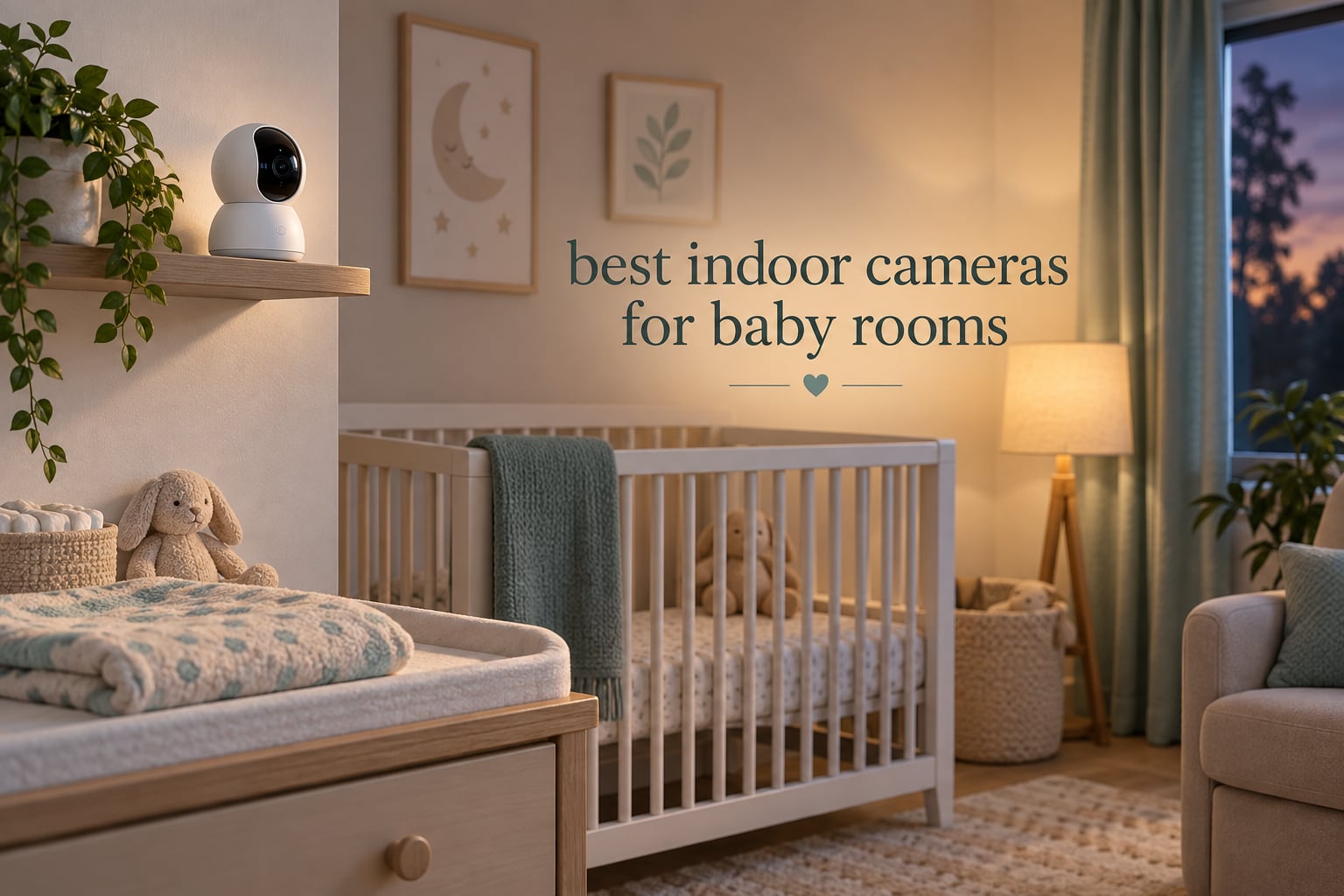
Yes, an indoor security camera can absolutely work as a baby monitor, and for a lot of families it is the better buy. The catch is that a security camera is built to spot motion and people, not to track a baby’s sleep or wake you for a cry. A dedicated baby monitor is built the other way around. Our picks below cover both sides of that split, so you can match the camera to the job instead of the other way round.
We looked at ten of the highest-reviewed indoor cameras and baby monitors on the market right now, and ranked them on the things that actually change a night in a nursery: night vision in a fully dark room, whether a subscription is required, how the sound alerts behave, two-way audio quality, and whether the camera keeps working when the Wi-Fi does not. If you only want three answers, they are the Tapo C210 for the best overall experience, the Kasa EC70 if the quietest pan motor matters most, and the Tapo C100 if full colour night vision is your priority.
The single most useful thing we found while comparing ten units is that the price gap between a general indoor camera and a purpose-built monitor is not about picture quality. It is about the alert system. Security cameras send you a push notification when a person or motion crosses a zone. Baby monitors wake the parent unit on sound and often add cry detection, room temperature alarms, and a parent unit you can carry to another room. That difference matters far more than resolution, and it is why we name a winner from each category rather than ranking a Tapo directly against a Nanit.
One honest note before we start: no camera in this list prevents SIDS or replaces safe sleep practices. We cover the safety boundaries in detail further down, because that is where a lot of marketing copy goes quiet.
Top 3 Picks for Baby Rooms for September 2026

Tapo C210 Pan Tilt Camera
- 2K resolution
- 360 degree pan and tilt
- baby cry detection
- microSD storage with no subscription

Kasa EC70 1080p Pan Tilt
- Quiet pan and tilt motor
- 1080p video
- 30ft night vision
- 256GB microSD

Tapo C100 1080p Indoor Camera
- Full color night vision
- 512GB microSD
- person detection
- no subscription needed
The Tapo C210 takes the top slot because it does three things at once: baby cry detection with no added fee, a microSD slot so you never need a subscription for continuous recording, and 360-degree pan coverage from a single mount. The Kasa EC70 takes the budget slot because its pan motor is quiet enough to reposition in a dark nursery without waking anyone, and it is the most heavily reviewed camera in this roundup. The Tapo C100 is the value pick, with full colour night vision and a 512GB card at a price most families will not notice, and a subscription that is genuinely optional rather than a toll.
All 10 Picks at a Glance in September 2026
| Product | Specs | Action |
|---|---|---|
| Tapo C210 2K Pan Tilt Camera |
|
Check Latest Price |
| Kasa EC70 1080p Pan Tilt Camera |
|
Check Latest Price |
| Tapo C100 1080p Indoor Camera |
|
Check Latest Price |
 VTech VM819 No WiFi Monitor VTech VM819 No WiFi Monitor |
|
Check Latest Price |
 HelloBaby HB6550 No WiFi Monitor HelloBaby HB6550 No WiFi Monitor |
|
Check Latest Price |
 GoodBaby SM663 5 Inch No WiFi Monitor GoodBaby SM663 5 Inch No WiFi Monitor |
|
Check Latest Price |
 iFamily SM650 5 Inch No WiFi Monitor iFamily SM650 5 Inch No WiFi Monitor |
|
Check Latest Price |
 Nanit Smart Baby Monitor and Stand Nanit Smart Baby Monitor and Stand |
|
Check Latest Price |
 Babysense Touch 7 Inch Monitor Babysense Touch 7 Inch Monitor |
|
Check Latest Price |
 Owlet Dream Duo 3 System Owlet Dream Duo 3 System |
|
Check Latest Price |
Two things in this table deserve calling out before the individual reviews. First, the no-WiFi monitors in this list transmit over encrypted 2.4GHz FHSS with no account, no app, and no internet connection at all. Second, every Wi-Fi camera in the roundup except the Nanit and the Babysense can record continuously to a microSD card, which removes the subscription question entirely for anyone who does not want cloud storage.
1. Tapo C210 2K Pan Tilt Camera – The Best Overall Camera for a Baby Room
Tapo TP-Link 2K Pan Tilt Security Camera for Baby Monitor, Dog Camera w/Motion Detection, 2-Way Audio Siren, Night Vision, Cloud &SD Card Storage (Up to 256 GB), Works with Alexa & Google Home (C210)
2K 2304x1296 video
360 degree horizontal pan
114 degree tilt
baby cry detection with no fee
Pros
- Baby cry detection included with no subscription
- 2K detail clear enough to read a room in dim light
- 360 degree pan and 114 degree tilt from one mount
- microSD up to 512GB
- device sharing for two caregivers
Cons
- Wired power only and 2.4GHz WiFi only
- continuous audio can require the app to stay open
- pan adjustment is slightly laggy so presets are worth setting
This is our editor’s choice, and the reason is specific: it pairs baby cry detection with motion and person alerts and charges you nothing extra for either. Other brands market crying detection on indoor cameras too, and we get to that further down, but here the alert set is documented and free, which is why it leads a roundup that mixes general cameras with purpose-built monitors.
Video is 2K at 2304 by 1296, and owners consistently single out the detail as a step up from 1080p in a dim room, where extra pixels matter more than they would in daylight. The camera sweeps 360 degrees horizontally and 114 degrees vertically, so one unit on a shelf or wall mount covers the crib, the changing table, and the door in a single frame.

Recording works two ways. A microSD card up to 512GB gives you continuous local footage with no subscription, and Tapo Care is available if you want 30 days of cloud history and motion tracking. Device sharing also means two parents can watch the same live feed from two different phones, which quietly removes the single most common source of household friction during a night feeding rotation.
Two limitations are worth planning around. It is a wired camera restricted to 2.4GHz networks, so it needs an outlet nearby and a router band that still exists. And some owners report that continuous audio streaming only runs while the app is open on screen, so if you want to leave an audio monitor running in the background all night, test that before you rely on it.

Cry detection is a convenience, not a medical alarm
What this feature does is classify audio on the device and send a push notification when it hears sustained crying. It is genuinely useful as a backstop when you are washing dishes or working in another room, and plenty of owners treat it as such. What it is not is a health alarm: it can be silenced by a white noise machine, it depends on Wi-Fi and the app, and it will not distinguish a crying baby from a crying toddler three rooms away. Treat it as a helpful nudge and keep a dedicated sound monitor as your actual overnight alarm.
Set your presets on day one
Pan and tilt adjustment on this model is a touch laggy, so preset viewpoints are worth spending ten minutes on during setup. Most families end up with two saved positions: one over the crib for sleep and one angled at the door for daytime. That single step removes most of the frustration owners describe with the motor catching up to a drag on the phone screen.
2. Kasa EC70 Pan/Tilt Camera – The Quiet Motor You Will Not Hear Over the Baby
Kasa 1080p Indoor Pan/Tilt Wired Security Camera, Baby & Pet Monitor, EC70
1080p video
120 degree field of view
30ft infrared night vision
256GB microSD card
Pros
- Quiet pan and tilt motor covers a whole room
- 34000+ owner reviews at 4.4 stars
- local microSD recording up to 256GB with no subscription
- 2.4GHz WiFi
- two year warranty
Cons
- Two-way audio is garbled and quiet
- pan and digital zoom are limited for larger rooms
- some owners report missed motion events and laggy app controls
This is the camera I keep coming back to for a small nursery, and the reason is the motor. At 4.4 stars across more than 34000 reviews, it is by far the most reviewed unit in this roundup, and the pan mechanism is genuinely quiet enough that it does not wake a sleeping newborn when it repositions. Owners repeatedly describe it as a budget pet or nursery camera rather than a home security tool, which tells you how it gets used in practice.
The Kasa Pan/Tilt Camera gives you 1080p video at 15fps with a 120 degree field of view and infrared night vision reaching 30 feet. For a crib-sized space that is more than enough coverage, and the physical dimensions of 3.23 by 3.23 by 4.43 inches make it easy to tuck onto a shelf or mount high on a wall out of reach.
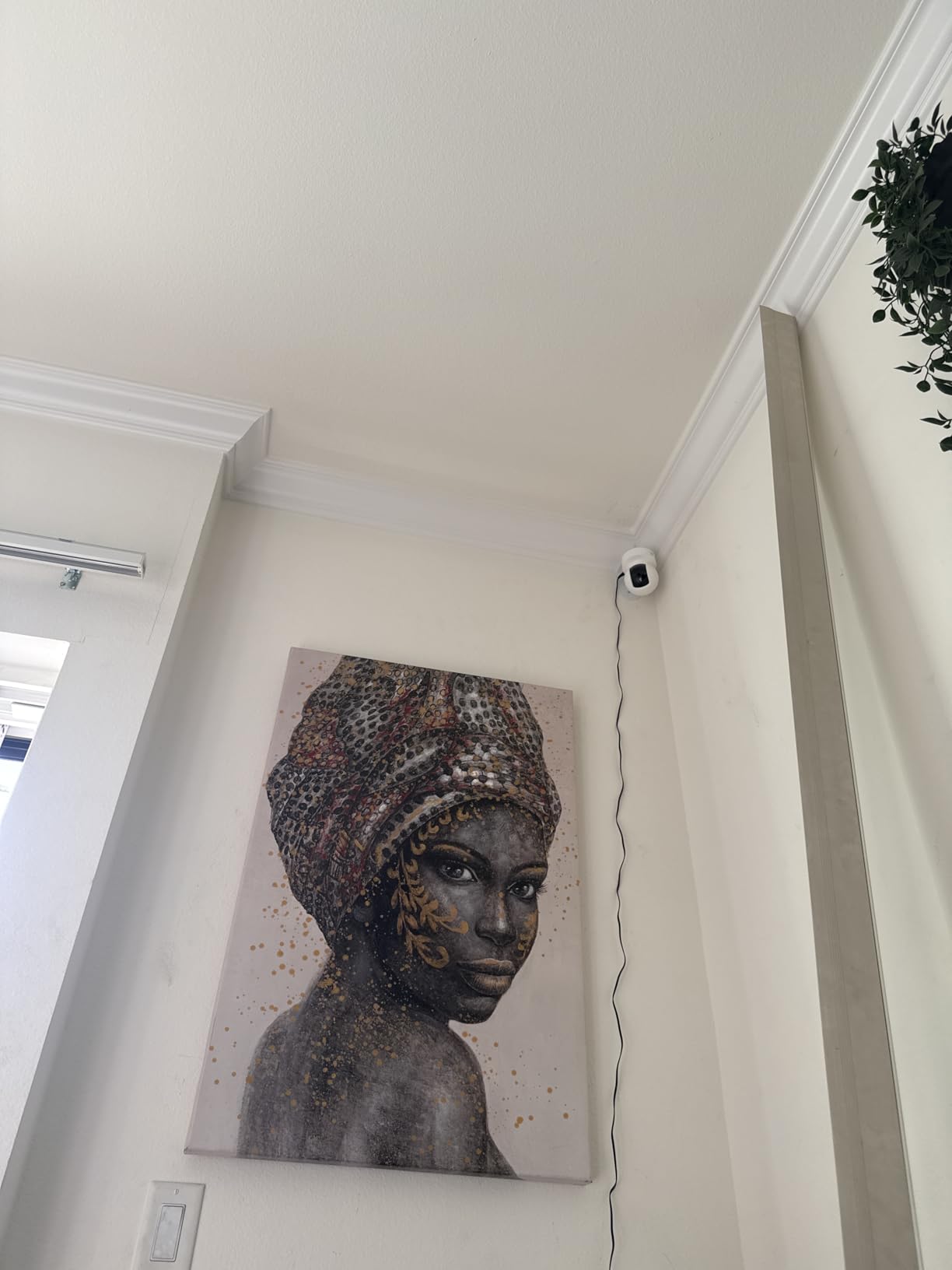
Storage is where this model earns its keep. It records continuously to a microSD card up to 256GB with no monthly fee, which means you get full overnight coverage without handing over a credit card or accepting a trial that expires. Recording also works without any cloud account, which matters more than it sounds once you start thinking about who else can log into your home network.
Two-way audio is the weak point, and owners say so directly. The microphone and speaker are quiet and can sound garbled, so if you plan to talk your baby down from another room, this is not the model to pick. The 120 degree lens with pan and tilt also covers a small room well but starts to feel narrow if the nursery is the whole second floor.
Check the room size before you commit
At 120 degrees this is a one-room camera. If your baby sleeps in a larger space with a play mat, a rocking chair, and a changing table, you will spend most of your time panning to follow movement rather than watching a fixed view. The Tapo C210 at the top of this list covers 360 degrees horizontally and solves exactly this problem, at a similar tier of hardware.
Who should skip it
Skip the EC70 if soothing from another room is part of your routine, because the audio is too quiet to do that job well. It also joins 2.4GHz networks only, so homes that have migrated everything to 5GHz will need a dual-band router or an extender before setup. For owners who want a wider view and a longer storage card, the Tapo C210 in this roundup is the more capable sibling.
3. Tapo C100 – The Simplest Camera That Still Does Full Color in the Dark
Tapo 1080P Indoor Security Camera, Baby Monitor, Dog Camera, Wired, C100
1080p full color night vision
110 degree view
30ft range
512GB microSD support
Pros
- Full color night vision instead of black and white
- accurate person detection with few false alarms
- microSD up to 512GB or optional cloud
- encrypted video with two-factor authentication
- compact 2.66 by 2.15 by 3.89 inch body
Cons
- Fixed lens with no pan or tilt
- quiet two-way audio speaker
- autofocus favours distant subjects
- plug-in only with no internal battery
The Tapo C100 is the model to look at if your priority is seeing clearly rather than moving around. It records 1080p at 15fps and, unusually at this level, it holds full colour through the night out to 30 feet. Most indoor cameras switch to a monochrome infrared image in the dark, so if you want to tell the difference between a sleeping baby and a blanket bunched over a chair, this is the one.
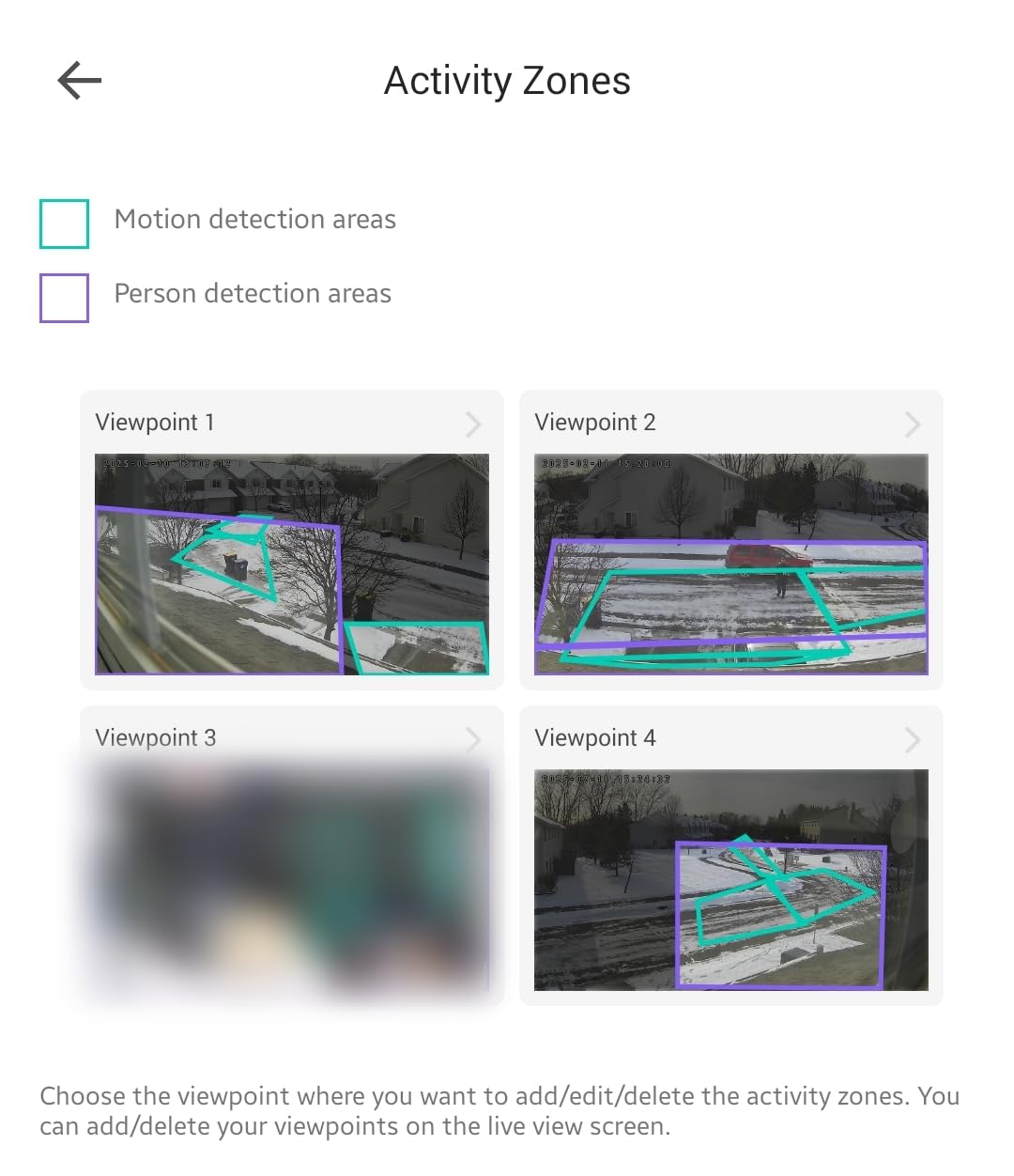
It sits at 4.4 stars across more than 28000 reviews, and the consistent theme in owner feedback is dependable person detection. Users report that setting activity zones cuts false alerts from lighting changes almost entirely, which is exactly what you want in a room where a mobile can light up the whole frame at 5 p.m.
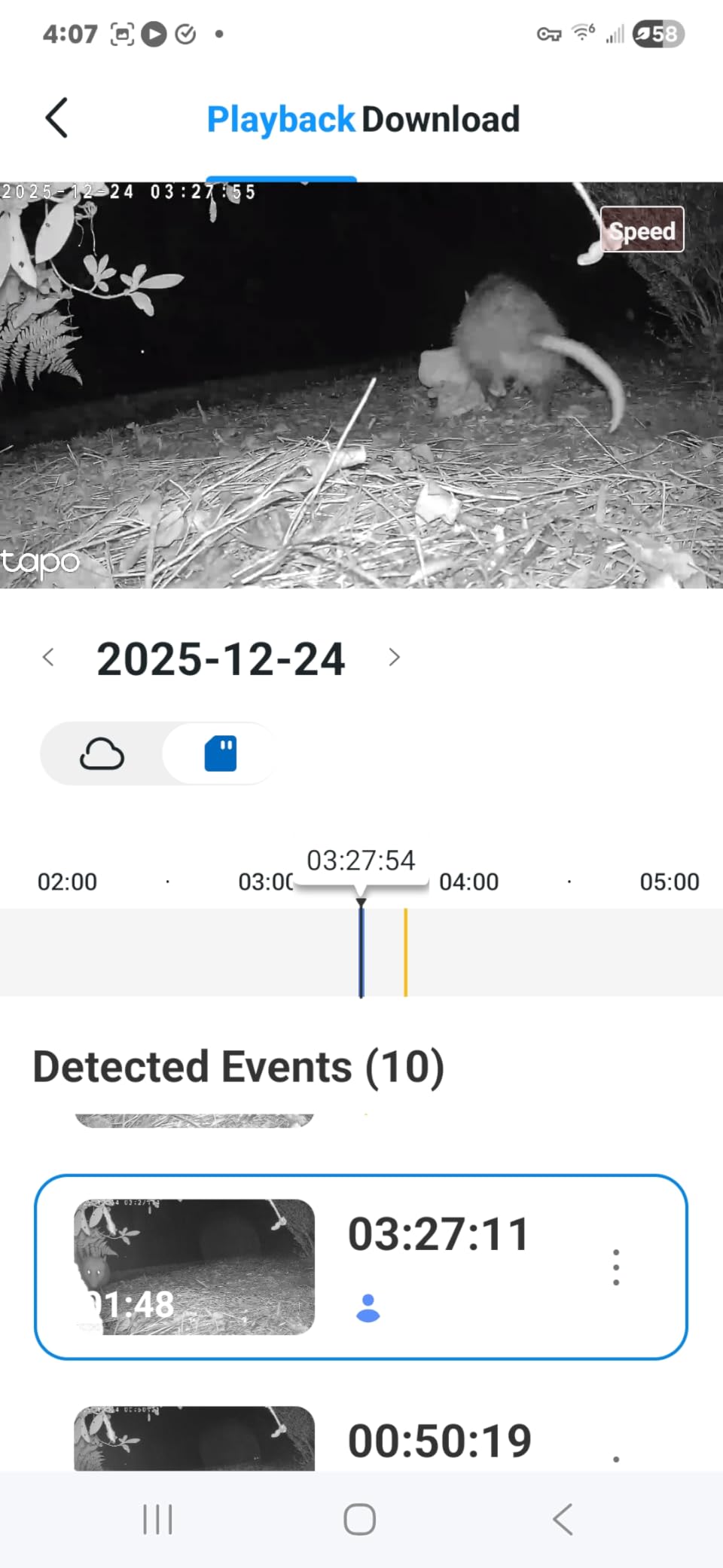
On storage you get a choice that suits most households: a microSD card up to 512GB for local continuous recording, or Tapo Care cloud storage if you want remote history. Because local storage is fully supported, the subscription is genuinely optional rather than a toll you pay to see your own baby. Video is encrypted and the account supports two-factor authentication.
The fixed 110 degree lens is the trade-off. There is no pan, tilt, or digital zoom, so the mounting position decides your whole view. The autofocus also favours subjects further away, which can leave a baby in a close-in crib slightly softer than you would like. And like the EC70, it is plug-in only with no internal battery, so a power cut ends monitoring.

Two-factor authentication is the spec to look for
Among budget cameras, support for two-factor authentication and encrypted video is not universal, and it is the single most useful thing this model does for a family. Enabling 2FA on the account means a stolen password is not enough to get into a feed of your child’s room. Do it on day one, before you get busy, because it is buried a few menus deep in the app.
Who should skip it
Skip the C100 if the baby will outgrow the crib soon and start moving around the room, because a fixed lens will not follow a toddler. It is also the wrong pick for anyone hoping to talk their child down remotely, given the quiet speaker. If you want the same image quality with the ability to pan, the C210 in this roundup is the step up.
4. VTech VM819 – The Best Monitor If You Want No Internet at All
VTech Baby Monitor No WiFi – 19Hr Video Battery, 1000ft Range, Night Vision, Two-Way Talk, Temperature Sensor, Sound-Activated Screen, Lullabies | VM819
No WiFi or cloud
2.8 inch 480p screen
up to 19 hours video
1000ft encrypted 2.4GHz FHSS
Pros
- Never connects to WiFi or any cloud
- encrypted FHSS transmission
- 2600mAh battery gives 19 hours of video or 29 hours audio-only
- adjustable VOX with a 3-level sound indicator
- 1000ft range
- temperature alert
Cons
- 2.8 inch screen with a fixed 55 degree field of view
- 480p is soft for checking nostril movement
- camera unit has no battery so a power cut stops monitoring
- vision mode can switch to the wrong setting
Parents who are wary of internet-connected devices tend to land on this one hard, and the reasoning shows up constantly in parent communities. The VM819 never connects to Wi-Fi, never creates an account, and never touches a cloud server. The camera and parent unit talk to each other over encrypted 2.4GHz FHSS, which means there is no login that can be phished and no video sitting on a server somewhere.
It runs at 4.5 stars across more than 19000 reviews, and the recurring praise from owners of multiple children is reliability and battery life. The 2600mAh battery in the parent unit runs up to 19 hours of continuous video or 29 hours in audio-only mode, which comfortably clears the longest sleep stretch a newborn will take.
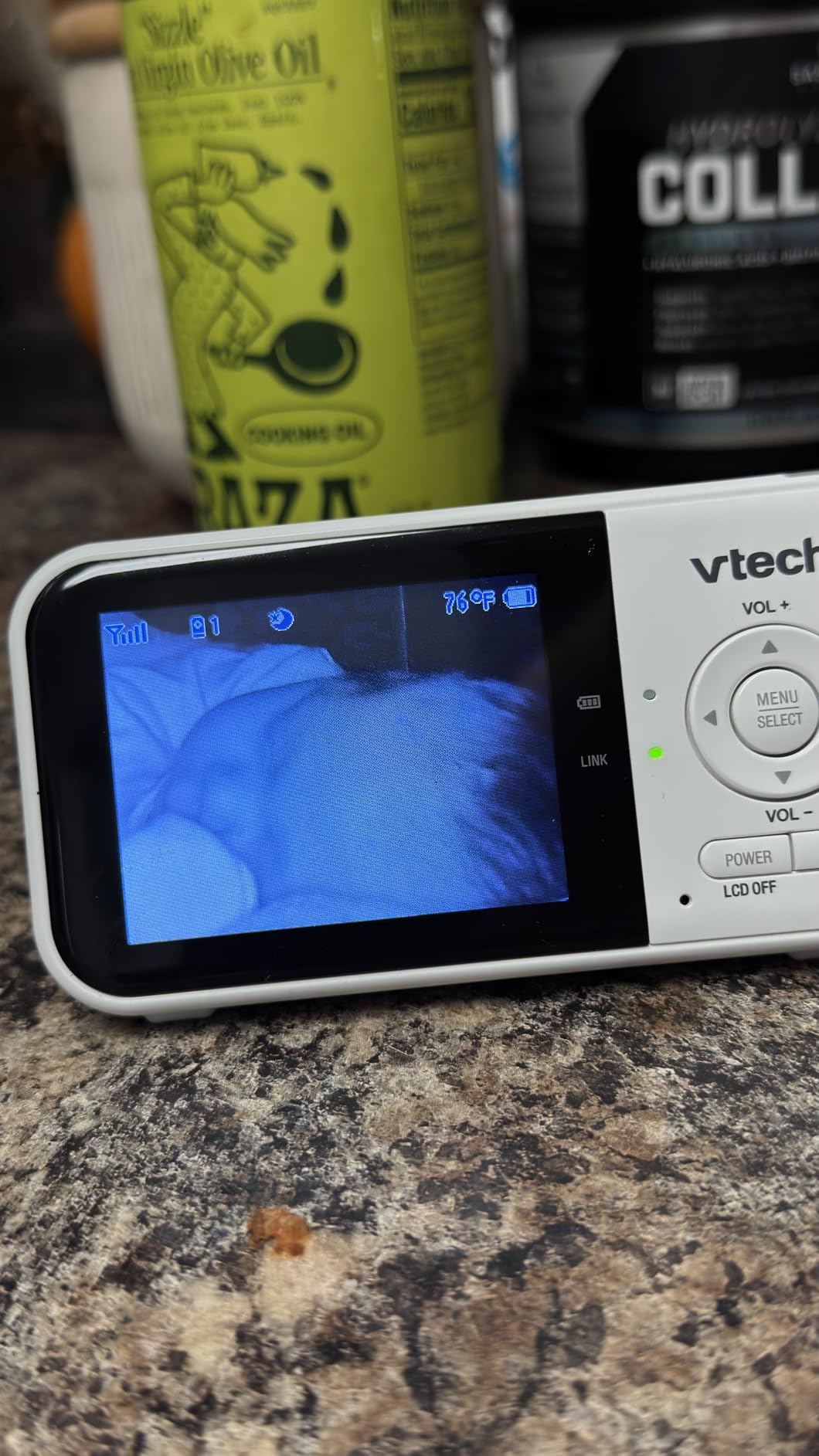
Sound-activated screen mode has adjustable VOX sensitivity and a 3-level sound indicator on the unit itself, so you can glance at it in the dark and see roughly how loud the room is without turning anything on. There are two lullabies, two ambient sounds, two-way talkback, and a nursery temperature alert that fires if the room gets too warm or too cold.
The honest limitation is the screen. At 2.8 inches and 480p with a fixed 55 degree field of view, the image is soft and narrow, which means the camera has to sit fairly far from the crib and cannot be repositioned when your child grows into a bigger space. The camera unit also has no internal battery, so a power outage stops everything until mains power returns.
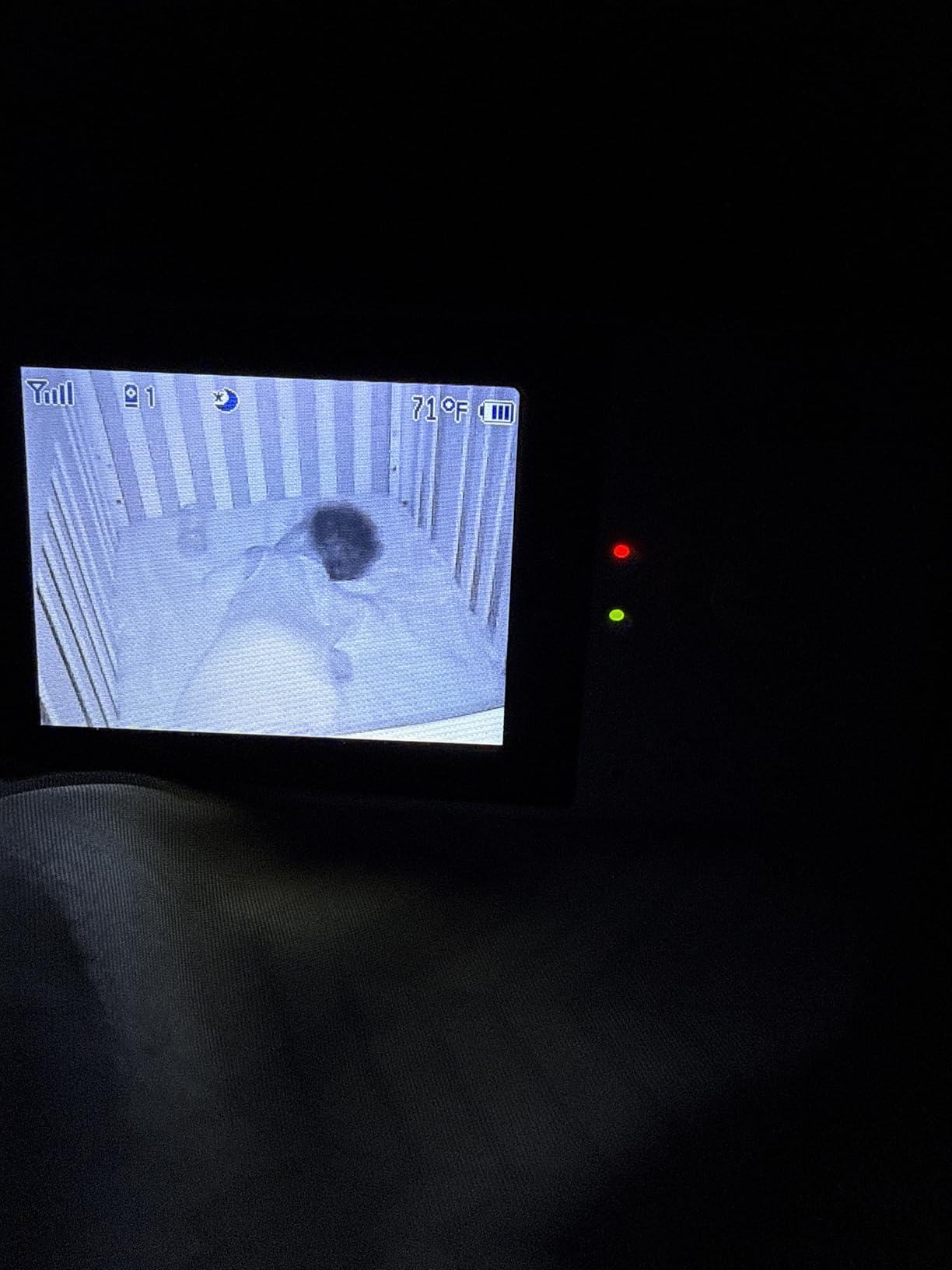
Buy this for the privacy, not the picture
Framing it correctly: nobody picks the VM819 for image quality. The 480p stream is fine for confirming sleep, crying, and general wellbeing, and that is the job. What you are buying is a system with no attack surface, no app to update, and no subscription, and for a lot of households that is the entire point. Parents who migrate to this from a Wi-Fi monitor often say the relief is what sold them.
Plan the mount distance first
Because the field of view is fixed at 55 degrees with no pan, tilt, or zoom out, the distance between the camera and the crib determines everything. Too close and you see the mattress edge; too far and the baby becomes a shape in a dark room. If you can only mount it on a shelf near the wall, check the 55 degree figure against your room before ordering, and consider whether the HelloBaby below gives you the adjustment this one lacks.
5. HelloBaby HB6550 – The Best Choice for Two Rooms on One Screen
HelloBaby No WiFi Baby Monitor Camera and Audio HB6550, 5″ Video Screen
5 inch color screen
355 degree remote pan and 120 degree tilt
2x zoom
up to 4 cameras
Pros
- Remote 355 degree pan and 120 degree tilt covers the whole crib area
- invisible infrared night vision
- no WiFi account or app of any kind
- up to 30 hours of battery monitoring
- expands to 4 cameras
- room temperature alerts and 8 lullabies
Cons
- Menu controls are not as intuitive as newer screens
- camera unit is plug-in only so a power cut ends monitoring
- some users want more detail in very dim rooms
- sound indicator lights are bright in a dark bedroom
Multi-camera expandability is treated as a decisive spec by real users, and the HelloBaby HB6550 is the pick built around it. One parent unit handles up to four cameras, which covers a nursery and a toddler’s room, or twins in separate rooms, without a second display to charge and carry. It currently sits at the number one position in Video Baby Monitors on the category rankings, and it has earned that with 4.5 stars across more than 17000 reviews.
The 5-inch color display with remote 355-degree pan, 120-degree tilt, and 2x zoom is a step up from the small fixed screens in the offline category. Owners repeatedly describe being able to sweep the entire crib area and door from the parent unit, which removes the constant swivel-and-reposition problem that a fixed camera creates.
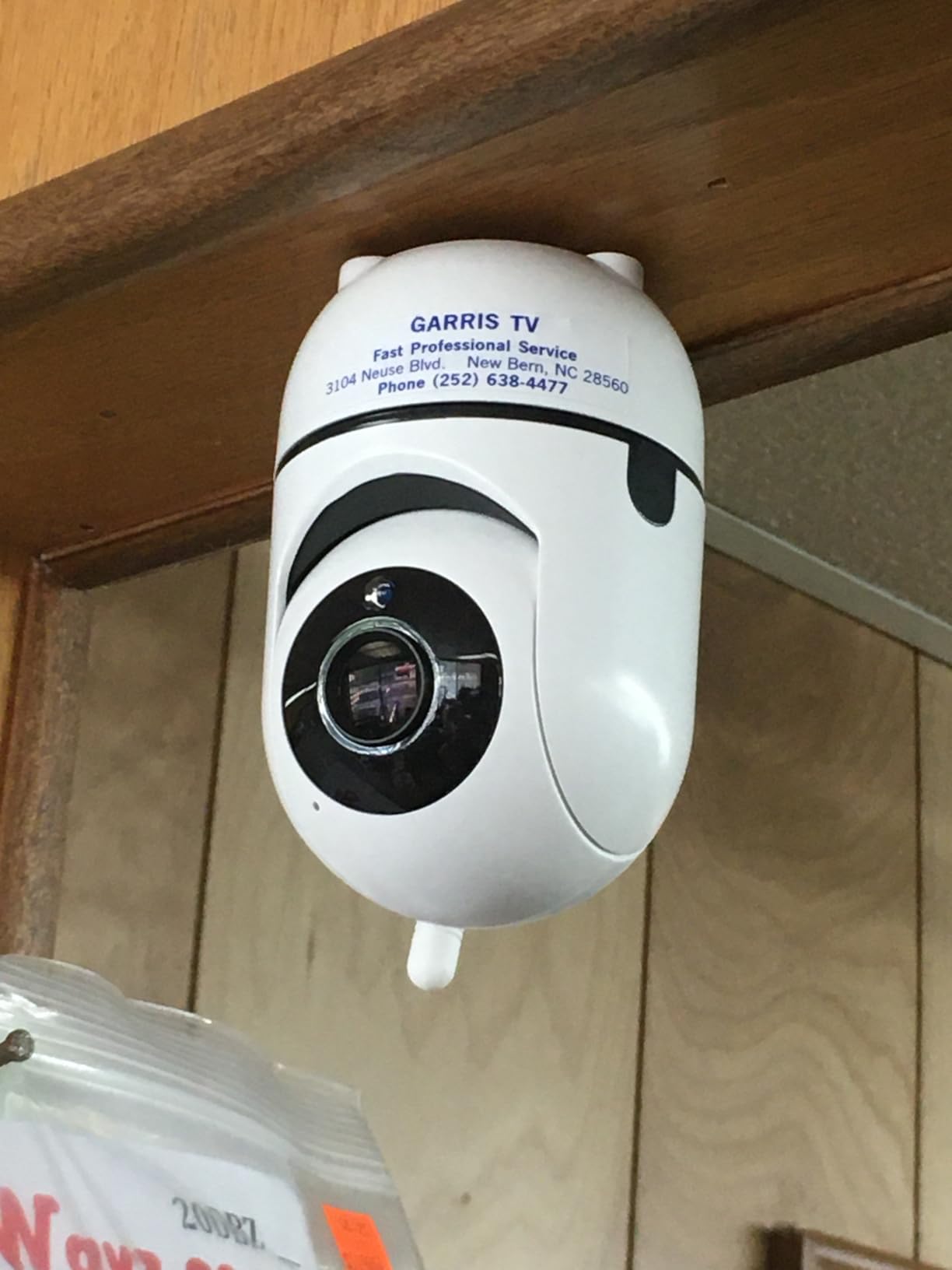
Night vision uses invisible infrared LEDs, which means no red glow spills across the ceiling or onto the baby. Parents worried about visible infrared light disturbing a sleeper should know the difference between a camera that emits IR you can barely see and one that lights the room red. The connection is encrypted 2.4GHz FHSS with no account, no app, and no internet requirement at all.
On the power side, the parent unit is battery powered for up to 30 hours while the baby camera stays corded. The camera being plug-in is the one real gap: a power cut in the house takes the picture with it. Everything else on the feature list, from the room temperature alert to the 8 lullabies and audio-only power saving mode, is the kind of thing you stop noticing after week two because it just works.
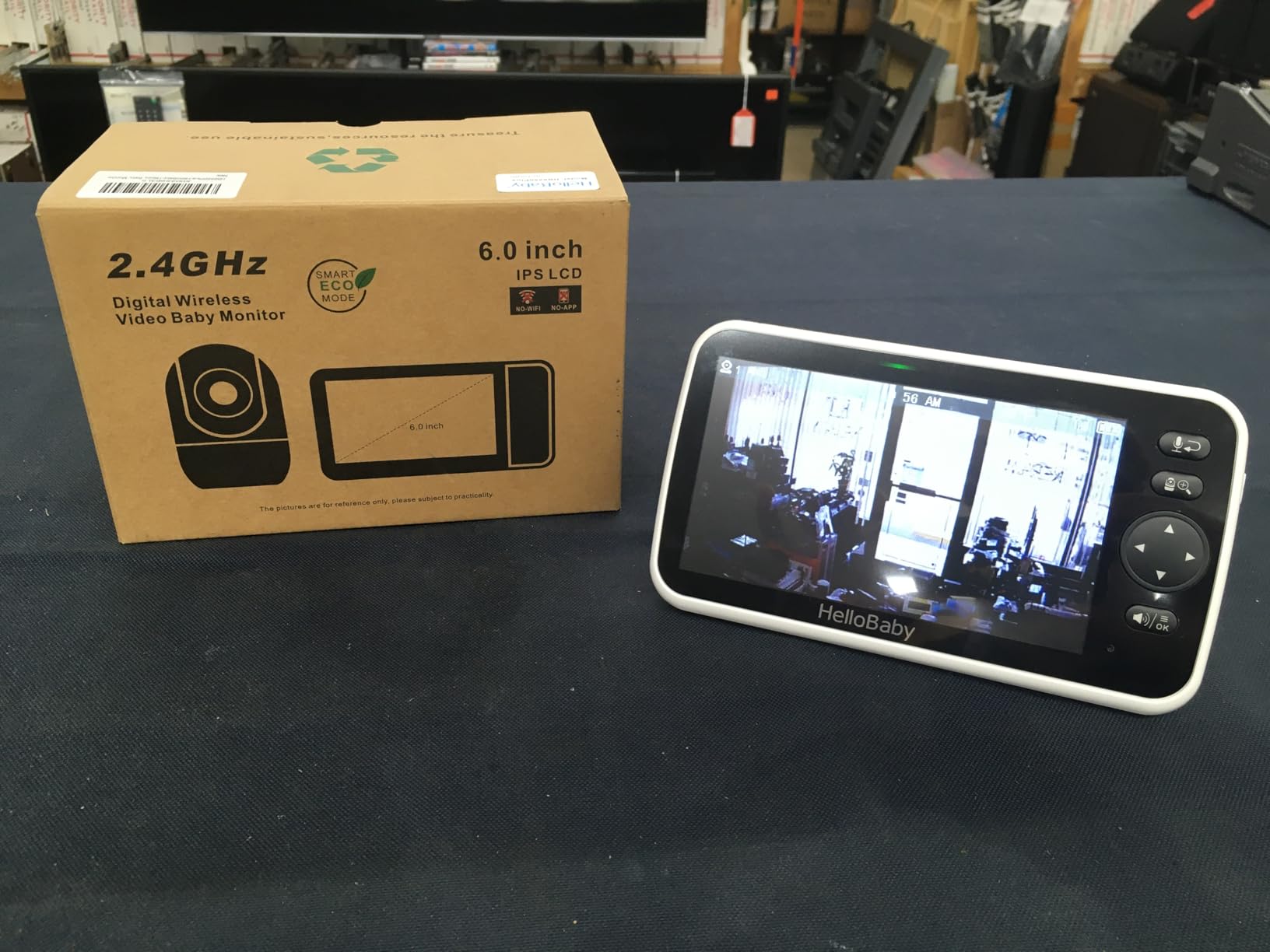
Check the camera count before you buy extras
Four cameras is the ceiling, and it is per parent unit, not per house. If you are watching a nursery and a playroom, you are covered. If you have an older child in one room, a baby in another, and a live-in grandparent in a third, you are near the limit and any add-on camera is a separate purchase. Work out the maximum number of rooms you will ever need before you set up, because mixing manufacturers means mixing apps.
Who should look elsewhere
Skip the HB6550 if you need remote viewing from work or from another city, since a no-WiFi system deliberately has no internet path. It is also not the right tool if you want sleep analytics or cry detection; the alerts here are sound-level based with a VOX wake rather than AI classification. If data is the reason you want a camera, the Babysense Touch further down keeps the large screen and adds a real app.
6. GoodBaby SM663 – Five Mounting Options and a 30-Hour VOX Battery
GoodBaby 5″ Baby Monitor with Camera and Audio No WiFi
5 inch IPS screen
3500mAh battery
30 hours in VOX mode
355 degree pan and 120 degree tilt
Pros
- 3500mAh battery runs up to 30 hours in VOX mode or 10 hours with the screen on
- 1000ft range
- no app or account required
- mounts on ceiling
- wall
- crib arm
- desk
- or freestanding
- feeding timer alarm
- 8 lullabies
Cons
- Some units lose connection intermittently and need a power cycle
- zoom is unresponsive and pan overshoots
- 480p limits detail through crib mesh
- lullabies can sound distorted and audio lags a second or two
Battery life is the number parents ask about most, and the GoodBaby SM663 has the largest cell in this roundup at 3500mAh. That translates to up to 30 hours in VOX mode or roughly 10 hours with the screen continuously on, which is the difference between charging the parent unit every other night and charging it once a week. It holds 4.5 stars across more than 14000 reviews.
The mounting flexibility is genuinely unusual for a no-WiFi monitor. It supports ceiling mount, wall mount, crib arm mount, desk mount, and freestanding, which means you can put the camera exactly where the crib geometry demands rather than working around a fixed shelf. The 5-inch IPS display carries remote 355-degree pan, 120-degree tilt, 2x zoom, and a stated range of 1000 feet.
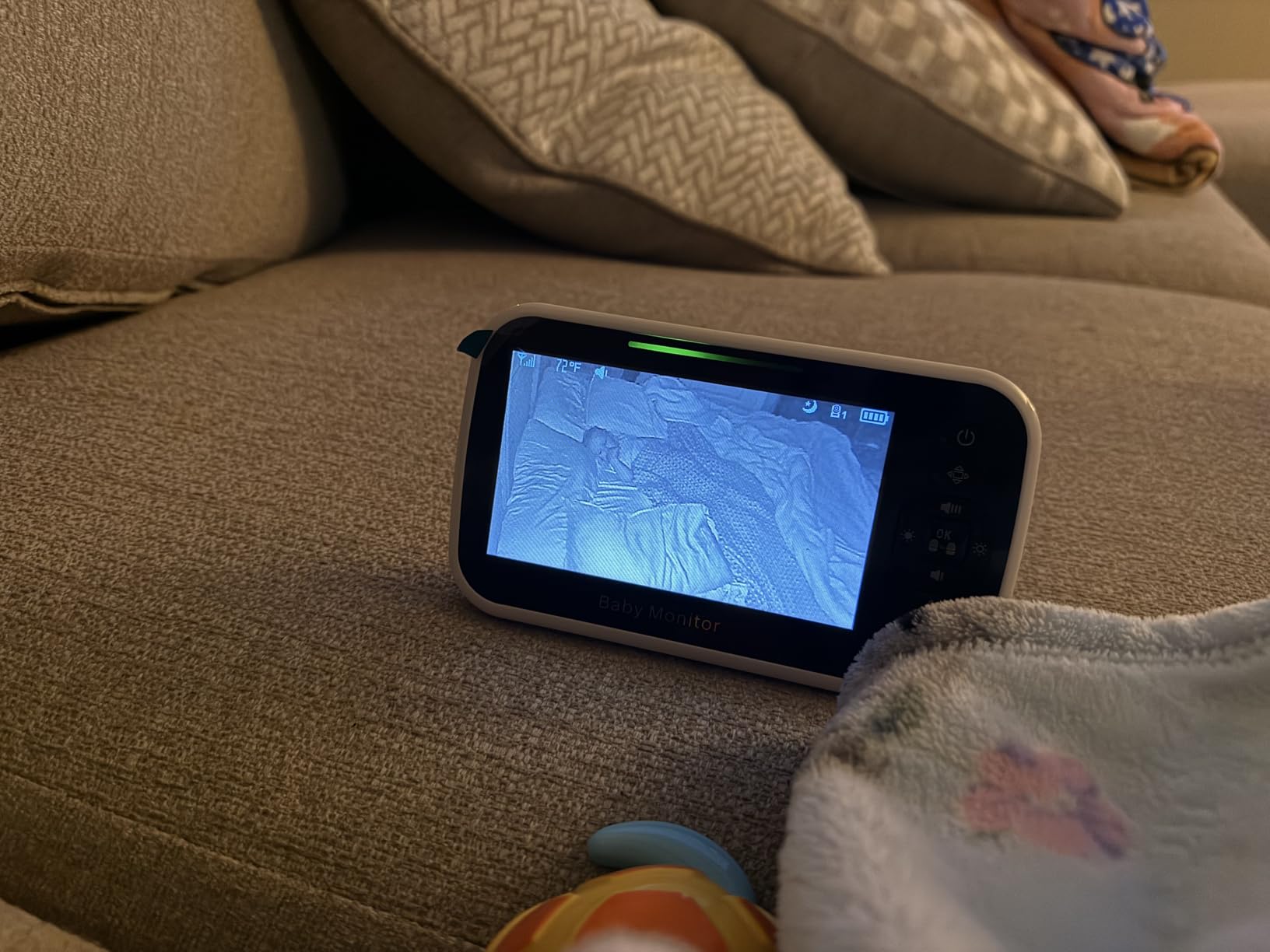
Users migrating from Wi-Fi monitors tend to highlight what they do not miss: no app to open, no account to create, no firmware to update, and no subscription conversation. Transmission is encrypted FHSS, and the box includes the display, the camera with night vision, wall mount screws, a power adapter, and a manual. Two-way talk, a room temperature sensor with alerts, eight lullabies, and a feeding timer round out the set.
The gripes are mostly mechanical. A recurring report is intermittent signal loss that a power cycle fixes, which is annoying but not unusual in the 2.4GHz category. The pan and tilt overshoot their target and the zoom can be unresponsive, so treat the position controls as approximate. Video is 480p, and lullaby playback through the camera speaker is distorted with a second or two of lag.
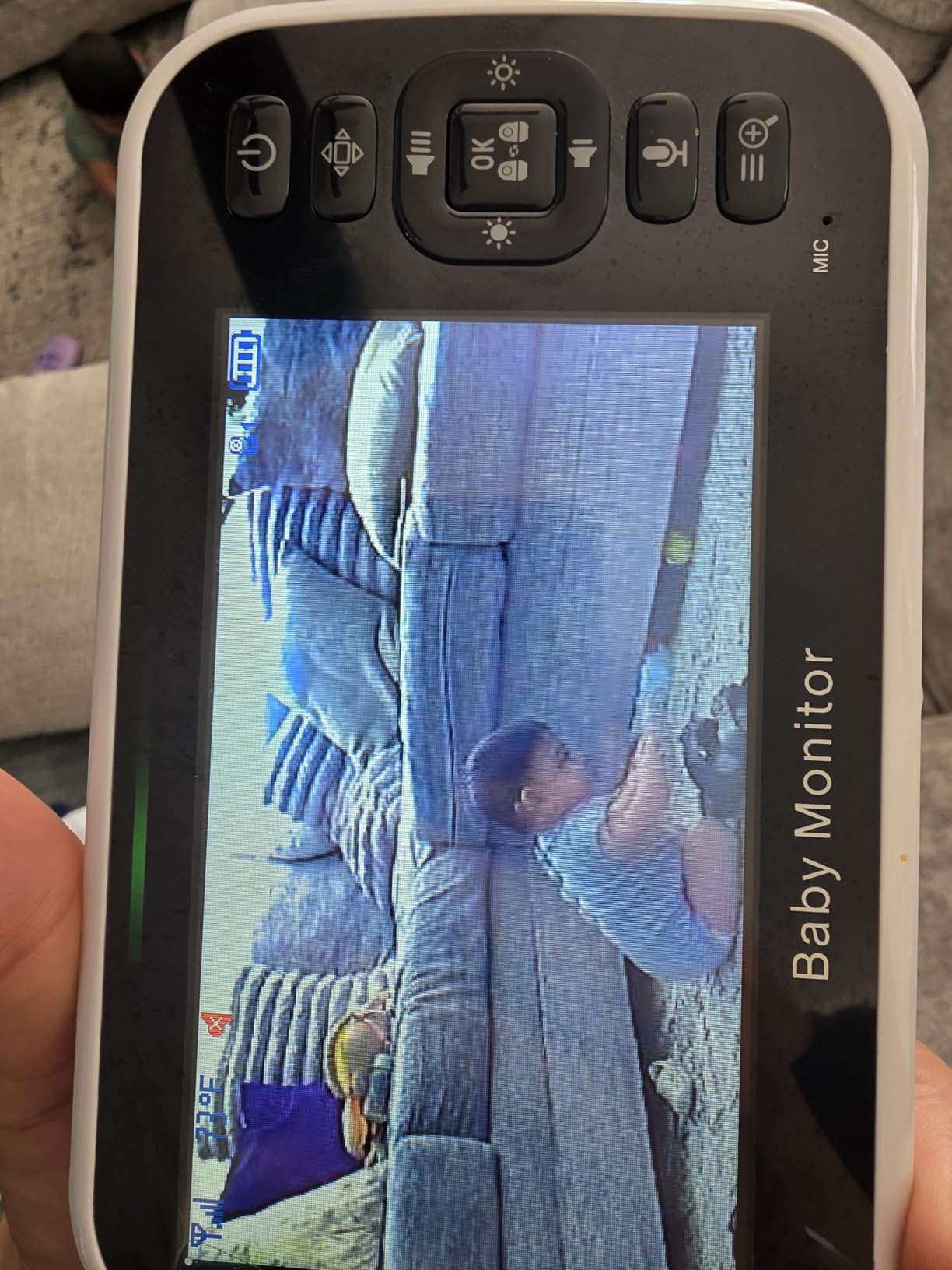
Know the difference between VOX hours and screen hours
The 30-hour figure assumes the screen is asleep and waking on sound. If you want to leave the display on so you can glance at it, plan on roughly 10 hours, which is about one and a half nights. Most families who bought this use VOX overnight and the screen during the day, which stretches a single charge across a full week. Knowing which number applies to your use case prevents an unnecessary early return.
Plan for the occasional reconnect
Intermittent connection loss appears in owner feedback often enough that it is worth deciding your response in advance. Because the camera has no app, there is no cloud status page to check, so the fix is a power cycle on the camera and parent unit. If your router and other electronics are on the same circuit, put a small uninterruptible power supply on the camera so a brief brownout does not end the night’s coverage.
7. iFamily SM650 – A No-WiFi Monitor With Range to Spare
iFamily Baby Monitor,5″ Screen with 30Hrs Battery Life,Remote Pan-Tilt-Zoom
5 inch screen
960ft range
4 camera channels
8 invisible infrared LEDs
Pros
- 960ft range gives real freedom to move around a large house
- no accounts or apps to download
- 8 invisible infrared LEDs produce a distinct view in total darkness
- expands to 4 cameras
- room temperature display and instant-play lullabies
Cons
- Picture is soft in very dim rooms and through crib mesh
- menu system is dated
- camera is plug-in only with no battery backup
- some users report laggy pan and unresponsive zoom
The iFamily SM650 is the one to consider if your house is large, or if you are monitoring an elderly relative rather than an infant. Its stated range is 960 feet, which is more than enough to move between a basement, a garage, and a top-floor nursery without losing signal, and it holds 4.4 stars across almost 10000 reviews.
Like the other offline monitors here, it transmits over encrypted 2.4GHz FHSS with no Wi-Fi connection, no accounts, and no apps to download. That makes it a genuinely portable system: you pack the camera and the screen, plug the camera into any outlet, and it works. For grandparents’ houses, hotel rooms, or a second home, that is a real advantage over an app-based camera that needs network configuration every time.
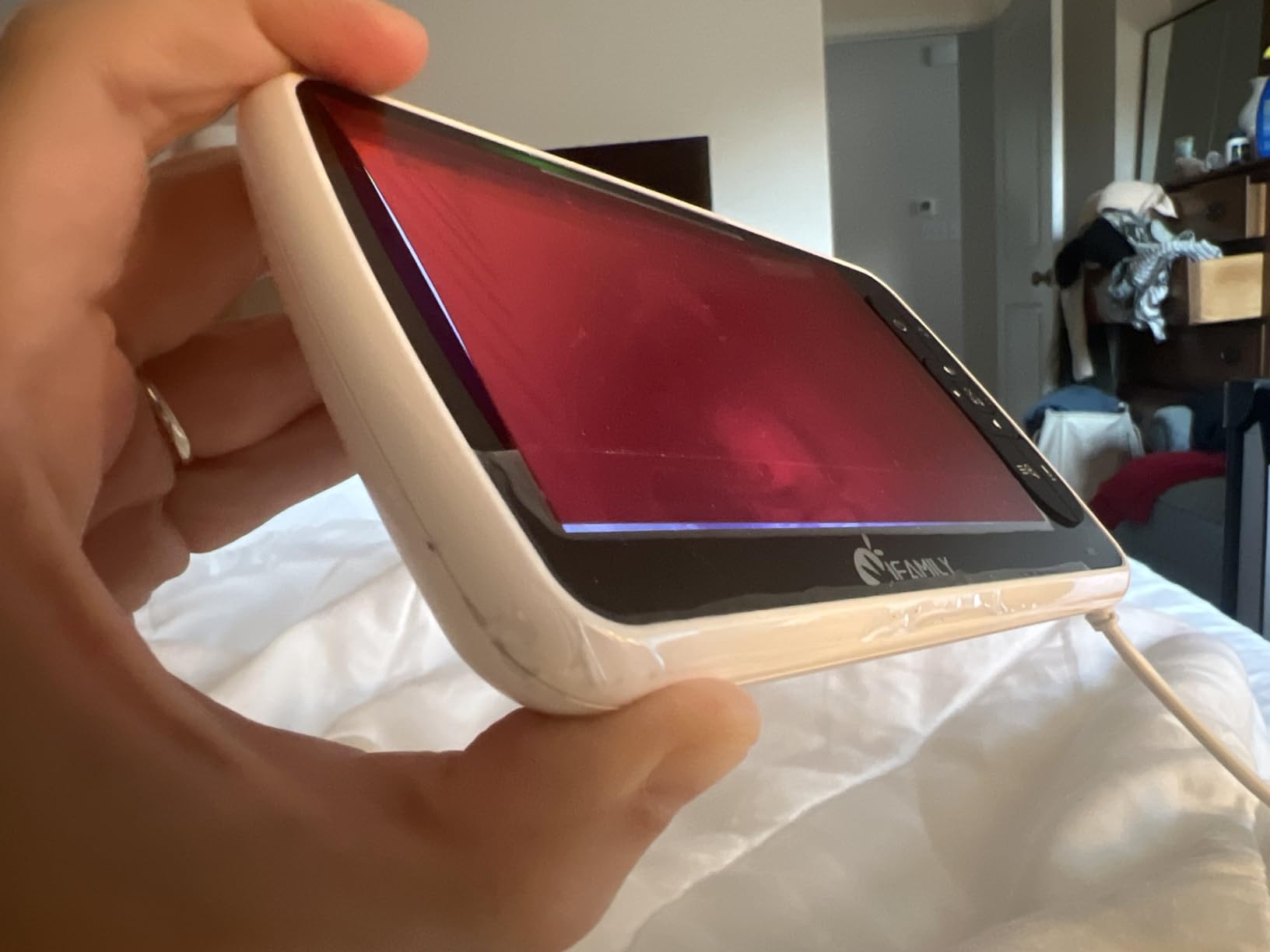
Night vision uses 8 invisible infrared LEDs, and owners report a genuinely usable image in total darkness. The feature list covers a room temperature display with alerts, two-way audio, instant-play lullabies, VOX eco mode for battery saving, disconnection notification, alarm and timer functions, and auto camera scan when you have more than one unit paired.
It supports up to 4 channels, so a second child or a second elder-care room is a matter of pairing rather than buying another display. The trade-off is image quality and control feel. The picture is soft in dim rooms, the menu system is dated compared with the touchscreen models, and the pan and zoom are noticeably slower and less precise than the HelloBaby or GoodBaby equivalents.
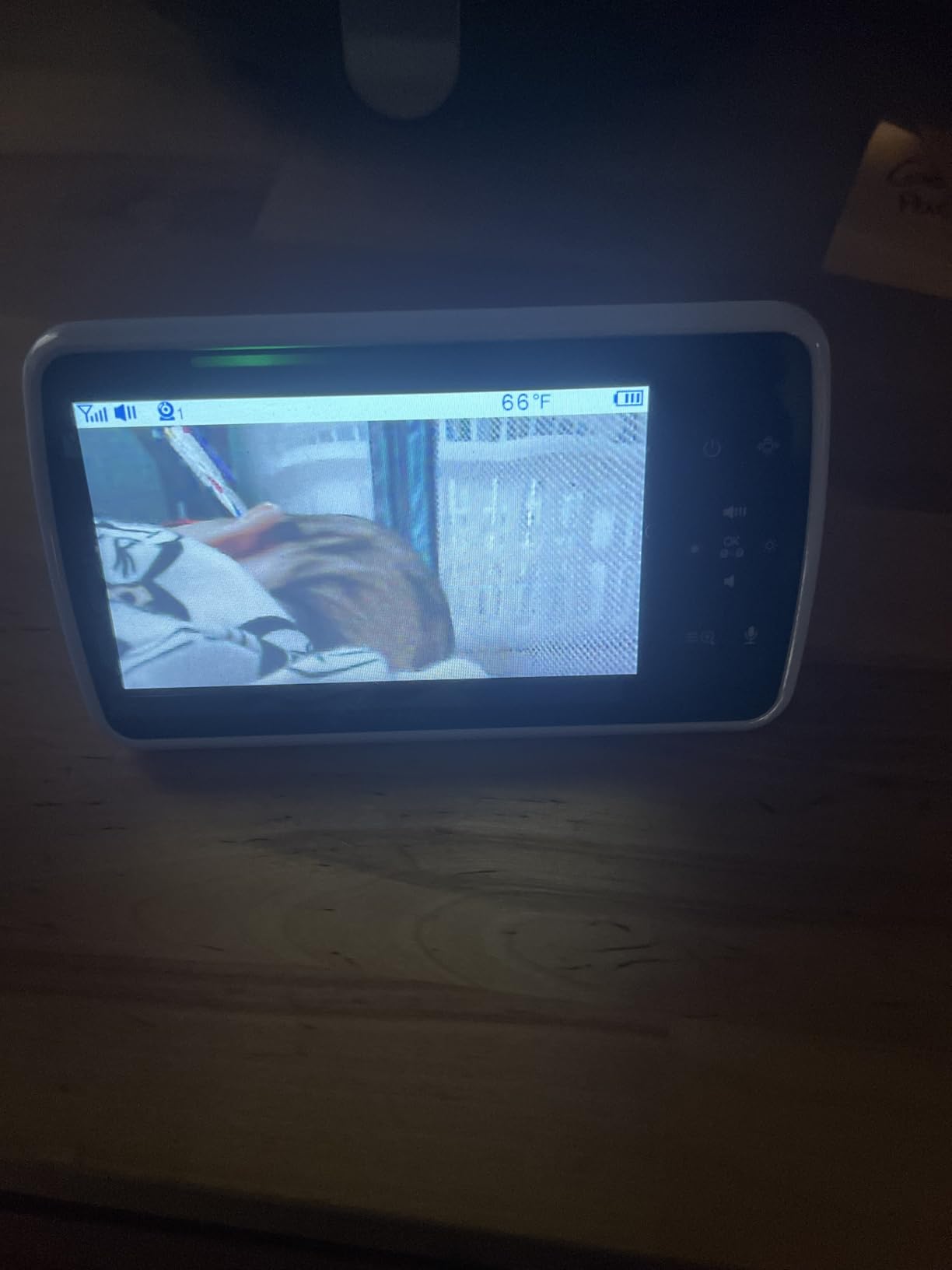
Pairing up to four cameras is the deciding spec
Camera limits come up constantly in parent forums as the reason a purchase was right or wrong, and the four-channel capacity here is the reason to choose this model. The auto camera scan view cycles between paired units, so with twins in separate rooms you can watch both without carrying two screens. Just confirm the channels cover the rooms you actually need before buying add-on cameras, since the limit is per unit.
What to know before you travel with it
There is no battery in the camera, so it needs an outlet in every location you use it, and outlets abroad often will not match. The parent unit is the part that travels on battery. Before a trip, run a full charge with the screen on rather than in VOX so you know the realistic hours, and test the unit in the actual room layout, because a wall with wiring and a metal frame can cost you real range.
8. Nanit Smart Baby Monitor – The Best for Sleep Insights
Nanit Smart Baby Video Monitor – Camera & Floor Stand – 1080p Wi-Fi Camera
1080p HD with infrared night vision
floor stand or wall mount
sleep duration efficiency and disturbance tracking
256-bit AES with 2FA
Pros
- Automatic sleep tracking of duration efficiency and disturbances
- consistent bird's eye view over the crib from the floor stand
- 1080p with reliable infrared night vision in a fully dark room
- multi-caregiver access with permission controls
- 256-bit AES encryption and two-factor authentication
Cons
- Temperature readings can drift and cause false alerts
- movement notifications fire in an empty room with blinds closed
- advanced analytics and video look-back sit behind a subscription
- subscription refunds route through the app store
The Nanit is the only camera here built around a specific question: how is the baby actually sleeping? It tracks sleep duration, efficiency, and disturbances automatically, adds nursery temperature and humidity tracking, and generates insights including predicted next-nap windows. If you have read sleep data before and want more of it, this is the unit that delivers, and it runs at 4.3 stars from 245 reviews.
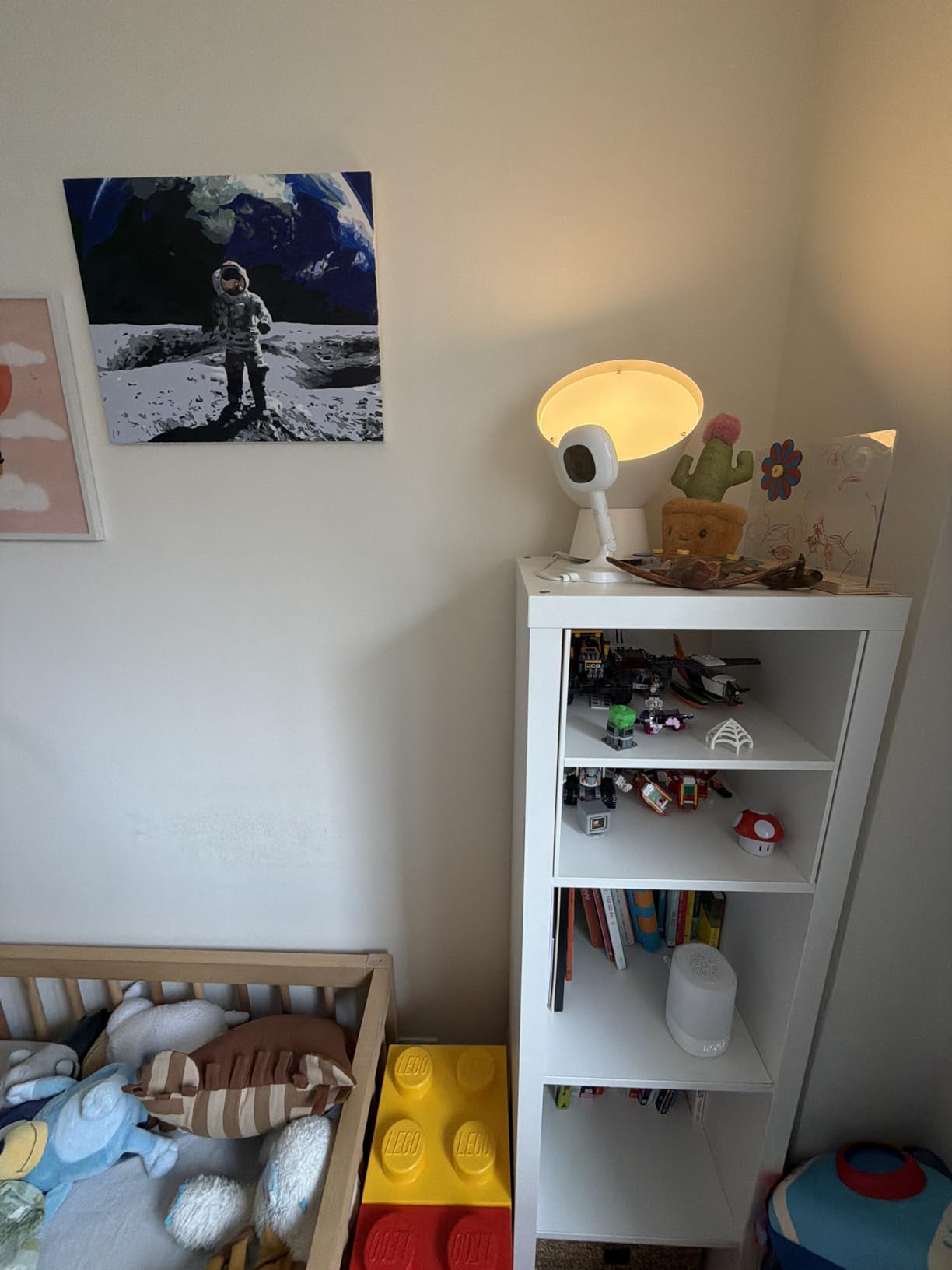
Video is 1080p with infrared night vision that owners say holds up in a completely dark nursery. Setup is a floor stand or a wall mount, and the stand matters more than it looks: it is renter-friendly, needs no screws, and packs flat enough to bring to a grandparents’ house without a dedicated camera bag. Nothing is attached to the crib itself.
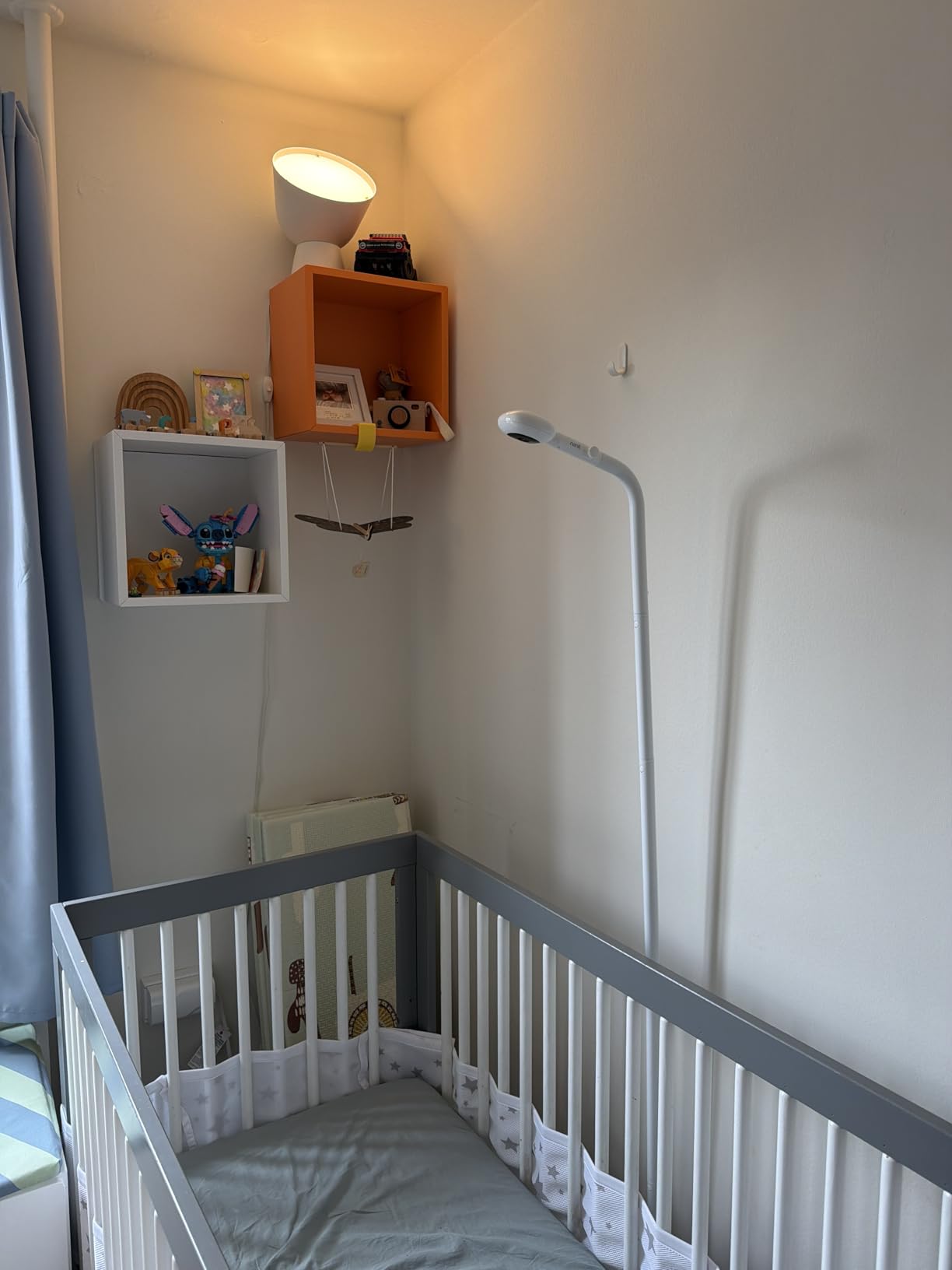
Security is handled better than most. The feed uses 256-bit AES encryption with two-factor authentication, and multi-caregiver access lets you add a sitter or a relative with permission controls rather than sharing a single password. Two-way audio and remote streaming work through the Nanit app, Alexa, and Google Home, so a relative can check in without you setting anything up.
Two honest caveats. Temperature readings can drift and generate false alerts, sometimes even with a replacement part fitted, so treat the thermometer as a rough indicator rather than a medical device. And the genuinely useful analytics, along with the short video look-back, sit behind the Nanit Insights subscription, which is the price of the sleep data you came for.
Decide about the subscription before the trial ends
The free trial period is long enough to decide with real data in hand rather than in the first week. Look at your own sleep report and ask whether you would open the app at 2 a.m. to see a second night’s chart. If the answer is no, keep the live video and skip the insights plan, because the core monitoring works without it. Also note that refunds on an app-purchased subscription go through the app store rather than the manufacturer, which is worth knowing before you cancel.
Why the floor stand matters for safety
Nothing here touches the crib. The floor stand holds the camera at an angle that gives the bird’s-eye view, and the wall-mount option attaches to drywall or plaster well outside the child’s reach. That is the correct approach to nursery placement generally: the camera lives on the wall or a stand, never clipped to a crib rail, and the power cord is routed where a mobile child cannot reach it.
9. Babysense Touch 7 Inch – The Best Hybrid With a Large Touchscreen
Babysense Touch 7″ Touchscreen Smart WiFi Baby Monitor with App, Camera and Audio, Night Light, 4MP Dual-Lens with 6X Zoom, AI Auto Tracking, Focus Area, Split-Screen, VOX/ECO Mode, No Subscription
7 inch IPS touchscreen
4MP dual lens with 6x hybrid zoom
local mode or app mode
split-screen viewing
Pros
- 7 inch responsive touchscreen makes settings and split-screen check-ins fast
- 4MP dual-lens cameras with 6x lossless hybrid zoom stay clear zoomed in at night
- runs locally without the app or remotely with one
- no subscription required
- up to 20 hours of battery in VOX eco mode
Cons
- Audio cuts in and out for some users and is quiet even at full volume
- add-on cameras can stop connecting after roughly 12 to 15 months
- touch panning is slow and overshoots
- app is USA only and 5GHz networks unsupported
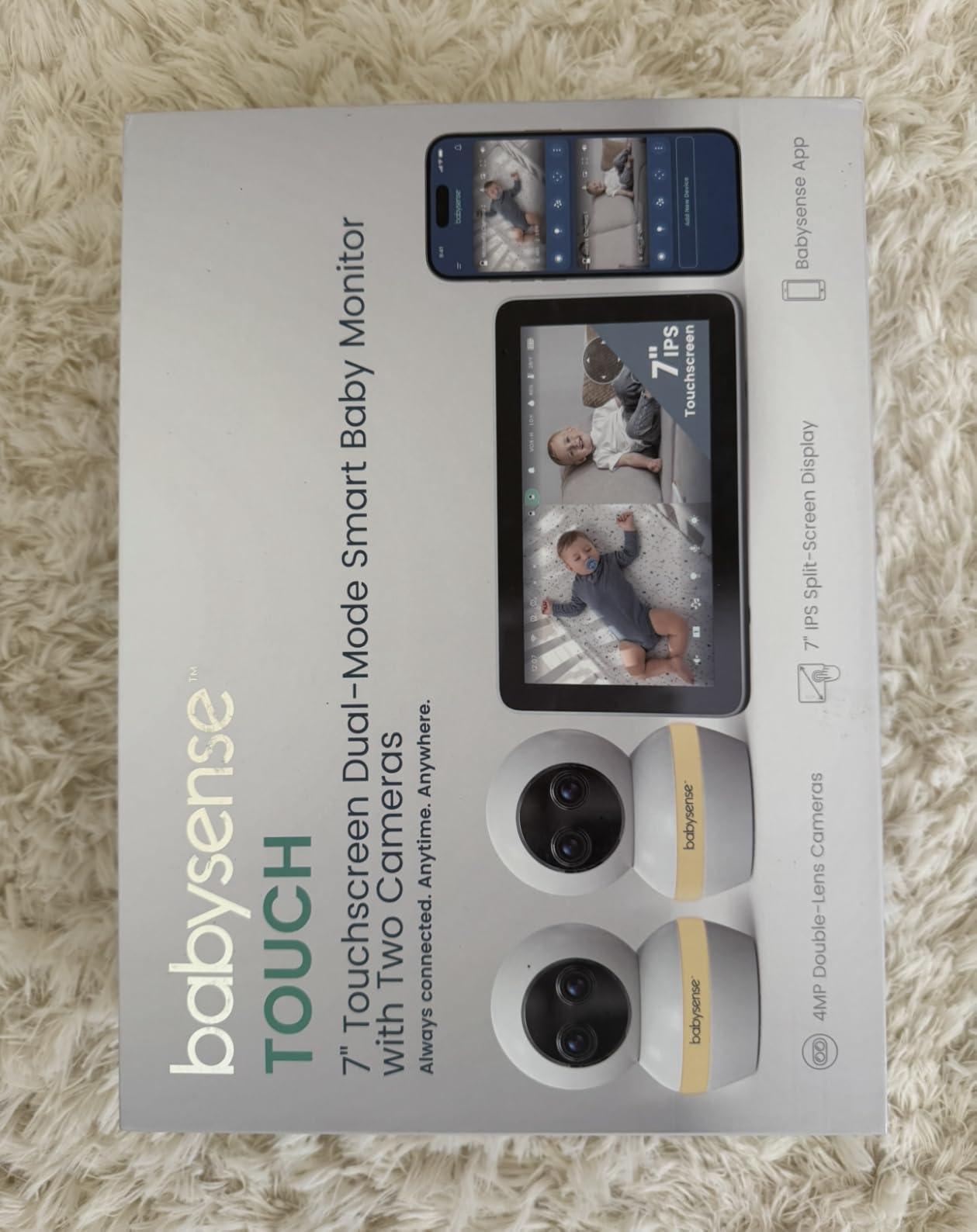
The Babysense Touch is the compromise pick for a household that wants a proper parent unit at home but also wants to check the nursery from a phone. It runs in local mode with no app at all, or in dual mode with the Babysense app for remote viewing, and neither path costs anything. There is no subscription anywhere in the product, which is unusual at this screen size. It holds 4.2 stars from 2389 reviews.
Image quality is the strongest in the roundup. The camera uses a 4MP dual-lens design with a wide-angle and a telephoto sensor and 6x lossless hybrid zoom, and owners report the picture stays clear even when zoomed in at night, which is exactly the scenario where most 480p monitors fall apart. A 7-inch IPS touchscreen with split-screen makes checking two rooms genuinely usable rather than an exercise in squinting.
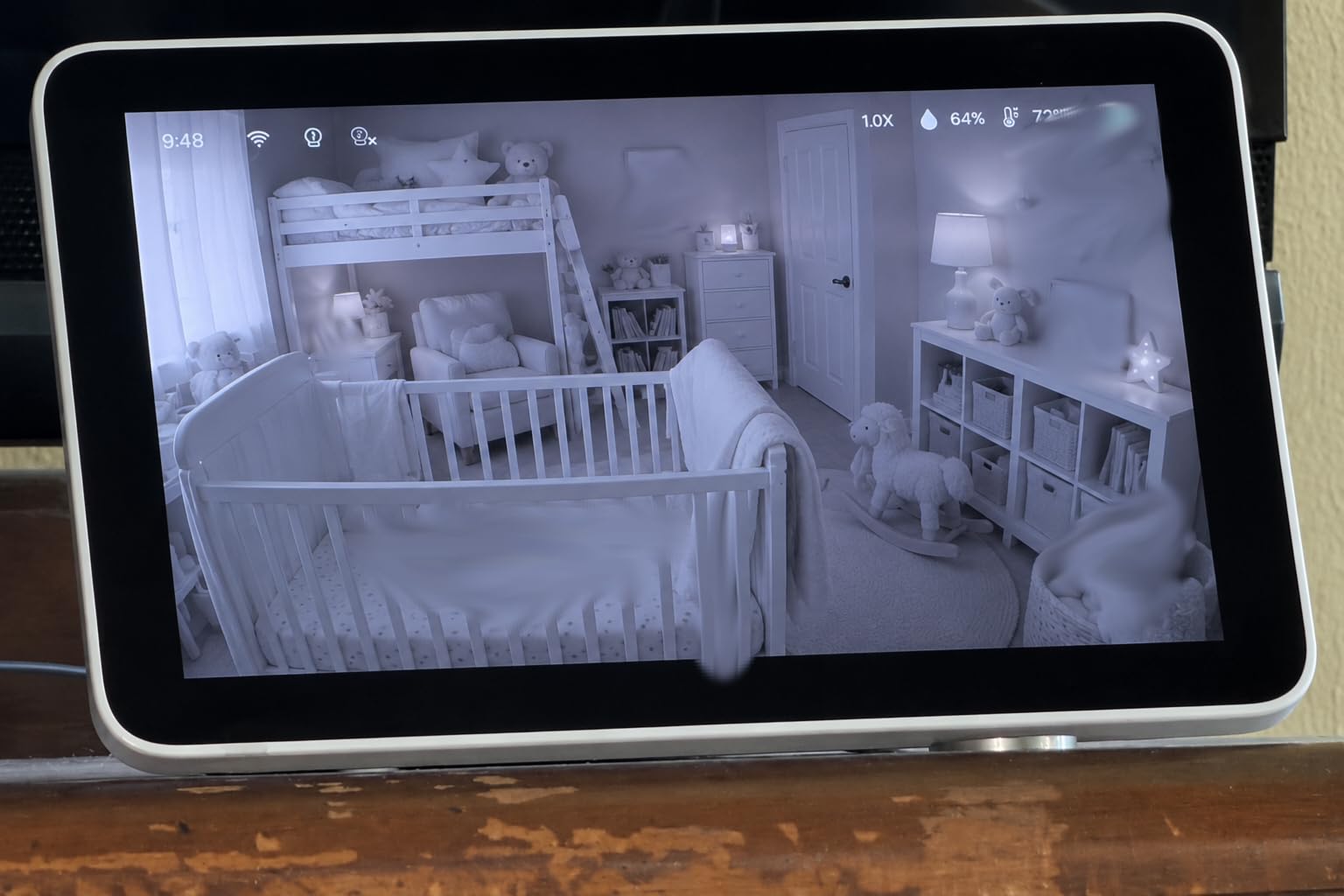
Smart features include a Focus Area, AI auto-tracking to follow the baby in frame, cry, sound, and motion detection alerts, and non-invasive infrared night vision. Daily routine features are unusually complete: up to 20 hours of battery in VOX eco mode, an adjustable night light, white noise and lullabies, two-way talk, temperature and humidity sensing, picture-in-picture, and optional local microSD storage.
Audio is the biggest weakness. Owners report it cutting in and out, and it can be hard to hear at full volume, which is a problem for a monitor whose job is mostly sound. There are also two structural limits: add-on cameras have been reported to stop connecting after roughly a year, and the app is only offered in the USA on 2.4GHz networks, with 5GHz unsupported.
Test the audio before you commit
This is the one product where we would recommend a hands-on check rather than relying on reviews. The video is excellent and the audio is the weak link, and you cannot tell from a listing how bad that is in your room. If you can, play a very quiet recording near the camera at normal volume and see whether you can make it out from the next room. If the monitor is for sleeping rather than daytime play, audio clarity matters more than zoom.
Know what breaks in a year
Two things to plan for: add-on cameras reportedly stop connecting after roughly 12 to 15 months, so if you are buying a second unit now, check what support looks like when it fails. And the Wi-Fi binding is hard to undo without a factory reset, which matters if you ever move the camera to a different network. Local mode sidesteps the issue entirely, but it also removes remote viewing, so decide which mode is your primary one before setup.
10. Owlet Dream Duo 3 – The Only Pick That Tracks Vitals, With Caveats
Owlet Dream Duo 3 Smart Baby Monitor System, Dream Sock + 2K HD Camera
FDA-cleared Dream Sock with pulse oximetry
2K camera with 130 degree lens and 4x zoom
one app for vitals sleep and video
Pros
- FDA-cleared sock tracks pulse rate and oxygen level with alerts outside preset zones
- 2K camera with 130 degree wide-angle lens and 4x zoom
- sock vitals sleep video temperature and humidity all in one app
- sleep session recaps and awake versus light and deep sleep charts
- SGS Cybersecurity Mark with 256-bit encryption
Cons
- Sock Bluetooth range is weak and needs the base station within about 6 feet
- base station must stay plugged in
- sleep cycle trend history sits behind a monthly paywall
- music upsell pop-up can block the camera view
- US version only
This is the only system in the roundup that measures something beyond picture and sound, and that makes it a different category of purchase rather than a better camera. The Dream Sock uses medical-grade pulse oximetry to track pulse rate and oxygen level and sends alerts when readings leave the zones you set. Multiple owners describe intervening early because of the data, which is the reason families buy it.
The camera half is a 2K HD unit with a 130-degree wide-angle lens and 4x zoom, which is a solid picture. The real value is that vitals, sleep, video, temperature, and humidity all land in one app, and the sleep session recaps break sessions into awake, light, and deep phases. It holds 4.3 stars from 524 reviews, and it is the only monitoring system here carrying the SGS Cybersecurity Mark alongside 256-bit encryption.
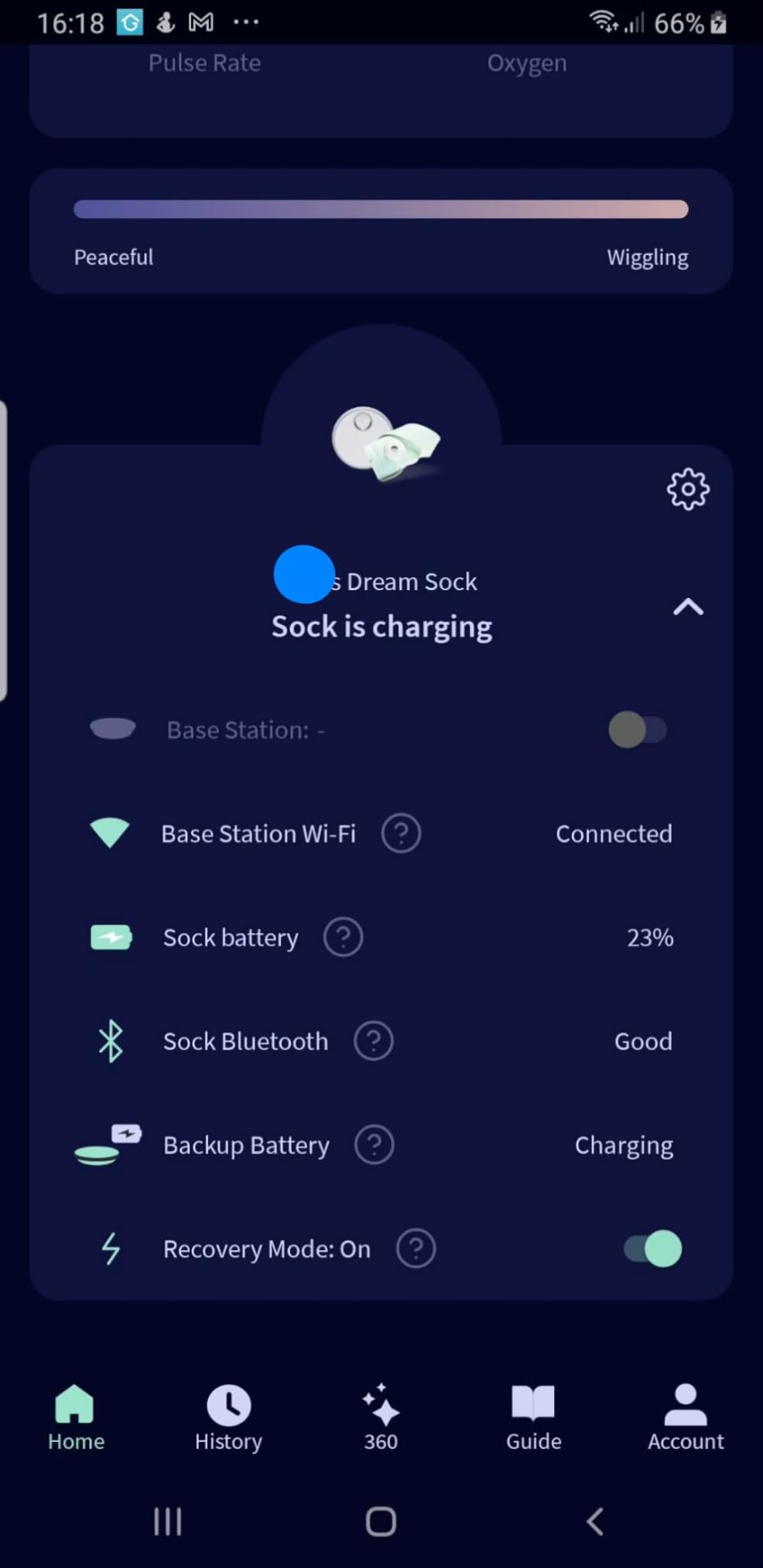
The box covers a full sizing range with four fabric socks for babies from 6 to 30 pounds and sizes 1-18 months, plus ASTM safety-certified cable guards, a base station, the camera, and a wall mounting kit. The camera is designed to keep working as the child grows, so the system is not stranded once the sock becomes optional.
Now the caveats, which are real. The sock’s Bluetooth range is short, so the base station needs to sit within about 6 feet of the baby, and the base station itself must stay plugged in. Sleep cycle trend history is behind a monthly paywall, a music upsell prompt can obscure the camera view until dismissed, and this is the US version, with international owners reporting Wi-Fi pairing failures. Most importantly, no pediatrician organization recommends these monitors to prevent SIDS, and the data is not a diagnosis.
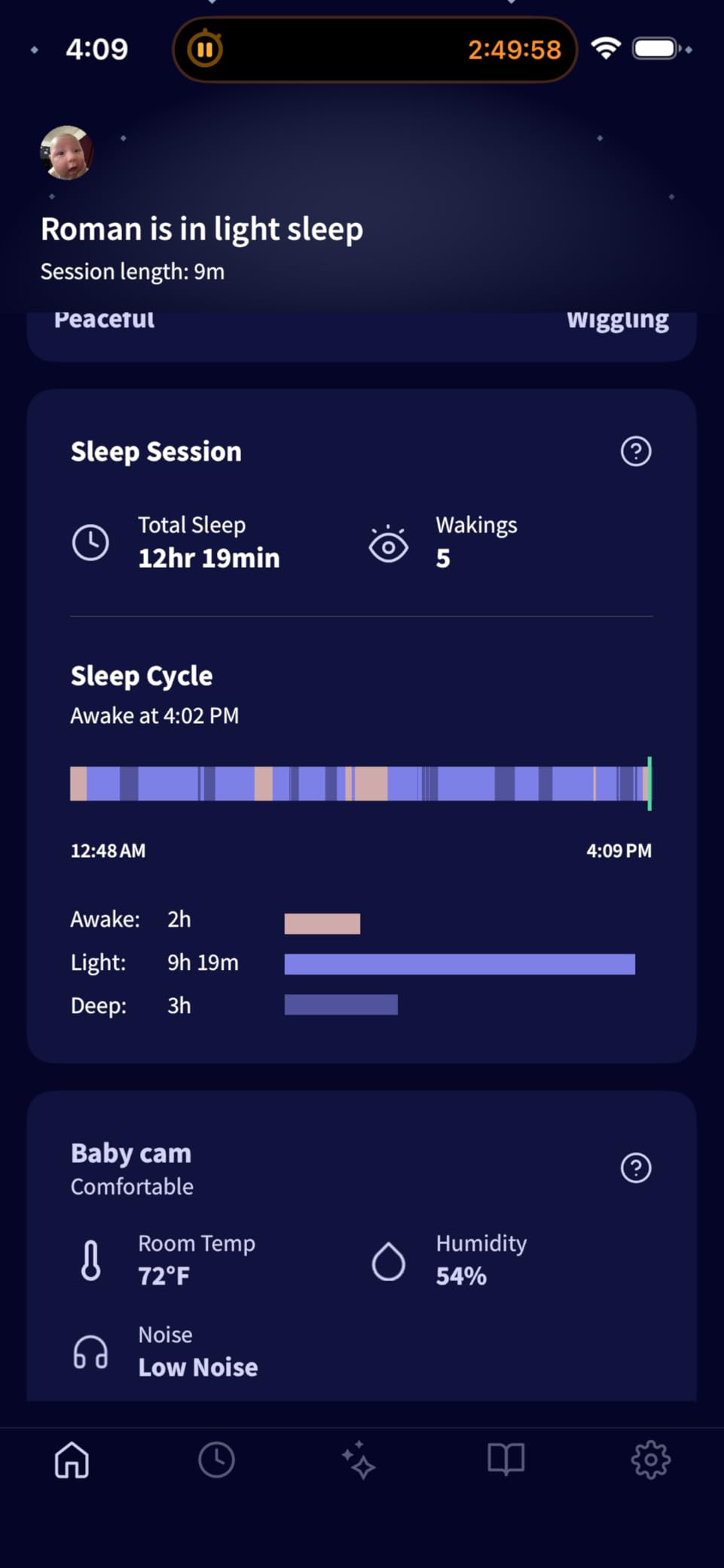
FDA clearance is not a doctor recommendation
These two get conflated constantly, and the distinction matters if you are considering this purchase. FDA clearance means the device met regulatory requirements for marketing as a pulse oximeter, based on substantial equivalence to a predicate device. It is not an endorsement, and no major pediatric body recommends wearable monitors to prevent SIDS. Pediatric groups have raised concerns that frequent, inaccurate readings can increase parental anxiety rather than reduce it, which is the opposite of what most buyers hope for.
Set alerts wide and treat the data as information
Most satisfied owners widened their alert zones rather than tightening them, and used the readings as context alongside a pediatric scale and their own judgement, not as an alarm. If you buy it, keep the base station within the short Bluetooth range, leave the paid sleep trend history off unless you will genuinely use the charts, and bring any persistent concerning reading to your pediatrician. If you want reassurance rather than data, a monitor from the first nine picks serves the same job at a fraction of the complexity.
Indoor Security Camera or Baby Monitor? Which One Do You Actually Need?
Start from what the camera is for. A security camera watches a room for events: motion, a person, a pet, a door opening. A baby monitor watches a child for state: asleep, stirring, crying, too warm, or awake and needing you. That difference in intent shows up in the alert design, and it is why a security camera can technically work as a monitor while still waking you for the wrong things all night.
Parents repurpose security cameras constantly, and the pattern shows up over and over in parent forums: Arlo units run through a phone app, or a general indoor camera paired with a subscription plan plus local SD cards as redundancy. The approach works, and it is cheaper than a dedicated monitor. The gap is that the alert you get is a motion or person event, not a cry event, and in a dark nursery a small movement under a blanket can produce a stream of notifications that train you to ignore the panel.
Choose a security camera if you already own a system, if you want one app for the whole house, or if you need daytime coverage of a toddler in a playroom alongside other rooms. Choose a dedicated monitor if the primary need is overnight sound alerts, a parent unit you can carry between rooms, cry detection, or the reassurance of a device that never touches your network. For most families buying for the first time, the dedicated monitor is the better first purchase.
There is a middle path worth knowing about. A hybrid unit like the Babysense Touch runs locally with a real parent unit at home and switches to an app when you are away, with no subscription in either mode. It costs more than a security camera and less than a connected monitor, and it handles the two-phone-parent rotation that causes the most friction in the first year.
If you are still deciding, our [guide to indoor security cameras with night vision](https://webcomicsweekend.com/best-indoor-security-cameras-with-night-vision/) covers the general indoor camera category in more depth, including how the sensors behave in low light. For anyone who also has pets or a gaming setup, the same night vision considerations apply and are covered in our [pet camera picks](https://webcomicsweekend.com/best-pet-cameras-for-monitoring-pets-in-gaming-rooms/).
Cry Detection and How Reliable It Really Is
Here is where the marketing and the field reports diverge, so it is worth being blunt. Cry detection in this roundup comes in two forms. The Tapo C210 includes it alongside motion and person alerts with no added fee, and the Babysense Touch 7 Inch offers cry, sound, and motion detection with no subscription anywhere in the product. Outside this list, several indoor security brands market crying detection on their general cameras as a headline feature.
The parent community is far less enthusiastic. In security-focused forums, owners warn specifically against relying on camera cry detection, pointing out that it depends on Wi-Fi continuity and app reliability, so a dropped connection means a missed alert precisely when you needed it. Reviews of monitors in this roundup echo the same pattern: a baby monitor that drops its connection or cuts its audio is worse than useless, because you learn to distrust the notification.
Our practical advice is to treat cry detection as a backstop rather than an alarm. A dedicated sound-activated monitor should be what wakes you, with the camera’s AI cry alert as a secondary path that works when your phone is not the thing holding your attention. If a product claims cry detection but cannot tell you whether it works without a subscription, assume the feature is a trial rather than a permanent capability.
Night Vision, Infrared, and Red Light in a Dark Nursery
Infrared night vision is the difference between seeing your baby and seeing a grey shape. Every camera in this list uses infrared LEDs that the camera sees but your eyes largely do not, which is why the picture stays usable in a fully dark room. The HelloBaby HB6550 and the iFamily SM650 specify invisible infrared LEDs, so there is no visible glow spilling onto the ceiling or the baby’s face.
Some parents report seeing red spots and getting headaches when they walk past an active infrared monitor at night, usually from cheaper units with visible emitters or from standing directly in front of the lens. Practical mitigations are simple: position the camera so the infrared window is not pointed at a walkway, prefer invisible IR when the specification offers it, and avoid standing between the camera and the crib to check the screen.
Resolution matters less than people expect in the dark, because infrared illumination is what limits the image, not the sensor’s pixel count. A 480p feed with invisible IR can look better at 3 a.m. than a higher-resolution camera with a weak illuminator. The one case where extra resolution pays off is zoom, which is why the 4MP dual-lens Babysense and the 4x zoom on the Owlet camera show up in owner feedback as clearer on a close-up.
Subscriptions and Total Cost of Ownership
Subscription fatigue is the single loudest complaint across parent forums about this whole category, and the fix is clearer now than it used to be. If you are choosing a camera rather than a monitor, the cheapest path is to buy a microSD card, record locally, and never subscribe. Every Tapo model in this roundup supports that, and the Babysense Touch does too.
Cloud plans add real value in two situations only: you want to look back at footage you did not record, and you need to view remotely while storing history. If both are true, a plan is worth it. If you only want to watch live and keep continuous recording on a card, paying monthly buys you nothing you need.
For the connected picks, read what disappears when you cancel. On the Nanit, advanced sleep analytics and the short video look-back sit behind the Insights subscription, so cancelling downgrades the experience but leaves live video working. On the Owlet Dream Duo 3, sleep cycle trend history is the gated feature, and the vitals alerts continue. Neither locks you out of basic monitoring, which is the behaviour we want to see from any brand.
Set a calendar reminder for the end of any trial before you forget. The most common post-purchase frustration in forums is not the price of a plan, it is discovering that the alerts you relied on were part of it and stopping without noticing.
Keeping the Feed Private: 2FA, Accounts, and Hacking Prevention
A camera feed of your child’s room is worth protecting seriously, and the steps are not complicated. Here is the sequence we recommend, and it takes about fifteen minutes.
First, secure your router. Change the default administrator password, use a WPA2 or WPA3 passphrase rather than an open or default network, and if your router offers a separate guest or IoT network, put the camera on it so it cannot reach your laptops and phones directly.
Second, create a unique account for the camera app with a long, unique password. Reusing your email password is the single most common route to a compromised account, and it is the easiest one to avoid.
Third, turn on two-factor authentication. The Tapo C100 supports it, the Nanit uses two-factor authentication with 256-bit AES encryption, and the Owlet Dream Duo 3 pairs 256-bit encryption with the SGS Cybersecurity Mark. If a brand does not offer 2FA at all, that is meaningful information about how much they expect you to rely on a password alone.
Fourth, use QR code pairing where it is offered rather than typing credentials into a web page on a shared device, and never pair a camera on a hotel or public network. Fifth, keep firmware and app updates on, since a large share of compromised cameras are running old software with a known default credential.
Sixth, share access with named users and permissions rather than handing over your login. On the Nanit that means adding a sitter or a relative as their own user; on offline monitors like the VTech VM819, HelloBaby HB6550, and the iFamily SM650, the problem does not exist because there is no account at all. That is why the no-WiFi category is a legitimate answer to hacking anxiety rather than a nostalgia play.
Placement, Cords, and Mounting in a Nursery
Never attach anything to the crib. Mobile and climbing children can pull on a crib-mounted camera or a cable clipped to a rail, and the cable is the real hazard. Wall mounts and floor stands are safer, and the Nanit’s floor stand is a good model to copy: it gets the bird’s-eye angle with nothing near the crib.
Route every cable in a cord cover and along a wall, never across a walkway or over a door frame. Measure the cord length before you buy, because it is a common disappointment: some monitors ship with a cable far too short to reach a nearby outlet, which forces a shelf placement that gives you a bad angle. A longer cable plus a cord cover is a better outcome than a short cable and a compromise mount.
Height and angle matter as much as distance. Aim the camera down into the crib from above standing height, so you get the mattress and the baby’s chest in frame rather than the side of a pillow. Keep the lens out of direct window light, which causes backlight and washed-out daytime footage, and check the feed from your actual nighttime position rather than from the doorway.
Finally, think about who else is in the room. If a sitter, nanny, or grandparent is present and audible, tell them the camera is there. Monitoring an adult without their knowledge is both a trust problem and, depending on where you live, a legal one.
Tuning VOX So You Do Not Wake to Nothing at 3 a.m.
Over-sensitive VOX is flagged as a flaw by nearly every review of every monitor in this roundup, and it is the complaint that turns a good night into a bad one. A monitor that wakes you for every gurgle, grunt, and blanket rustle trains you to sleep through it, and then you sleep through the actual cry. The fix is calibration, not replacement.
Work down this ladder in order. Set VOX to its most sensitive level and leave the room for an hour, letting the room settle to its true night-time noise floor. Then step down one level and repeat. Stop at the level where a quiet conversation from the next room does not wake the display but a real cry does.
Two things make calibration much easier. First, calibrate at the actual sleep time of day rather than at noon, because household noise floors are completely different. Second, use the sound level indicator on the parent unit if your model has one, since a three-level meter lets you set the threshold against a visible reading rather than a guess.
If your camera is a Wi-Fi model, treat app sound alerts the same way. Most Tapo models have separate motion, person, and sound sensitivities, and the sound channel is the one to narrow. Restricting it with activity zones or a lower sound threshold is the difference between an alert you respond to and one you swipe away half-asleep.
Baby Monitor Safety: What a Camera Can and Cannot Do
No camera prevents SIDS, and no monitor should ever be treated as if it does. Pediatric guidance remains safe sleep practice: baby on their back, on a firm flat surface, in a crib with nothing else in it. A camera can tell you what is happening; it cannot change what is happening.
Cords and suffocation hazards are the two areas worth taking seriously in a nursery. Keep all cables in covers and out of reach, keep the camera itself mounted or stood where a climbing child cannot pull it down, and never drape a cable over a crib rail. The Owlet Dream Duo 3 ships with ASTM safety-certified cable guards, which is a reasonable standard to expect from any product that puts a sensor on a sleeping baby.
On legal questions: putting a camera in your own child’s room in your own home is generally fine, and it is not the same thing as recording a caregiver. It becomes a different matter in a daycare, a shared care arrangement, or anywhere with another adult present, and you should tell anyone who shares the space that recording is happening. Be aware that audio recording rules vary by state and country.
One last category note. If you are shopping for reassurance about breathing or heart rate, a wearable monitor is the product, not a camera, and the honest framing from the medical community is that these devices can increase anxiety as easily as they reduce it. Use them as information alongside a pediatric scale and your pediatrician’s guidance, not as an alarm you act on alone.
Frequently Asked Questions
What is the best camera for a baby room?
The Tapo C210 is the best overall indoor camera for a baby room in our current roundup. It pairs baby cry detection with motion and person alerts at no extra cost, 2K video that stays clear in dim light, 360-degree pan coverage from one mount, and microSD storage up to 512GB so continuous recording never requires a subscription. If you want no internet exposure at all, the VTech VM819 is the alternative.
Can an indoor camera be used as a baby monitor?
Yes. A general indoor security camera can cover a nursery, and many parents do exactly that, running it through a phone app alongside local SD card recording. What you give up is the alert design. Security cameras notify on motion, person, or pet events, not on crying, and they have no parent unit to carry between rooms. A dedicated monitor wakes the screen on sound, adds cry detection, and keeps working when Wi-Fi drops.
What baby camera has cry detection?
The Tapo C210 lists baby crying detection with no added fee alongside motion and person alerts. The Babysense Touch 7 Inch also offers cry, sound, and motion detection, and several indoor security brands market crying detection on their general cameras. Treat it as a convenience backstop rather than a reliable alarm, since it depends on Wi-Fi continuity and can be masked by white noise. Keep a sound-activated monitor as your primary overnight alert.
What is the best baby monitor camera without a subscription?
Most of the roundup needs no subscription. Every Tapo model records continuously to a microSD card, so you can skip cloud storage entirely. Among dedicated monitors, the VTech VM819, HelloBaby HB6550, GoodBaby SM663, and iFamily SM650 never create an account at all, and the Babysense Touch runs locally with no fees. The Nanit and Owlet Dream Duo 3 gate sleep analytics and trend history behind paid plans.
Am I allowed to put a camera in my child’s room?
Generally yes, in your own home and your own child’s room. It becomes a different matter in a daycare or any arrangement where another adult is present, and in many jurisdictions you are required to tell anyone sharing the space that recording is happening. Practically, never attach the camera or a cable to the crib, keep all cords in covers and out of reach, and mount it where a climbing child cannot pull it down.
Is infrared light from a baby monitor safe?
The infrared LEDs used for night vision sit outside the visible spectrum, so most parents notice nothing. Some units use visible infrared emitters, and parents have reported red spots in their vision and headaches from walking past an active monitor at night. Models such as the HelloBaby HB6550 and iFamily SM650 specify invisible infrared LEDs. Position the camera so the infrared window is not pointed at a walkway and avoid standing in front of the lens to check the screen.
What is the safest baby monitor that can’t be hacked?
Any monitor with no internet connection cannot be hacked remotely, because there is no account to compromise. The VTech VM819, HelloBaby HB6550, GoodBaby SM663, and iFamily SM650 all transmit over encrypted 2.4GHz FHSS with no Wi-Fi, no app, and no cloud. If you want Wi-Fi features, secure the router password, use a unique camera account, enable two-factor authentication, and keep firmware updated.
Are SIDS monitors worth it?
No monitor prevents SIDS, and no major pediatric body recommends wearable monitors for that purpose. Safe sleep practice is what matters: baby on their back on a firm flat surface in an empty crib. Vitals monitors such as the Owlet Dream Duo 3 are FDA-cleared as pulse oximeters, which is a regulatory status rather than a doctor recommendation, and frequent readings can increase parental anxiety. Use the data as information to discuss with your pediatrician, not as an alarm.
How do I stop VOX alerts from waking me constantly?
Calibrate it rather than replacing it. Set VOX to its most sensitive level, leave the room for an hour to let the noise floor settle, then step down one level and repeat until a quiet conversation no longer wakes the display but a real cry does. Calibrate at your actual bedtime, since noise floors differ from midday, and use the sound level indicator on the parent unit if your model has one.
The Verdict for 2026
The Tapo C210 is the single best indoor camera for a baby room in 2026 for one reason: it does the part a security camera is normally bad at. Cry detection, local recording with no subscription, and full room coverage on one mount, at 4.5 stars from more than 22000 owners. If you want zero internet exposure instead, the VTech VM819 costs less and removes the hacking question entirely. For two rooms, the HelloBaby HB6550 expands to four cameras on one parent unit.
Do not buy a monitor expecting it to prevent SIDS, and do not trust camera cry detection as your only overnight alarm. Set up two-factor authentication on day one, calibrate VOX at bedtime, keep every cord in a cover and off the crib, and the unit you pick will do its job for years. Last reviewed in September 2026.