
A PTZ camera can replace several fixed cameras because one remotely controlled unit pans across a room, tilts between stages and screens, and zooms from a wide view to a tight presenter shot. That flexibility matters in churches, classrooms, conference rooms, studios, and live-event spaces where an operator cannot stand beside every camera.
I reviewed the specifications, customer feedback, tracking behavior, connectivity, and installation demands behind eight of the best PTZ cameras available in 2026. My short list includes desktop webcams for home calls and compact production cameras with 20x or 30x optical zoom, SDI, HDMI, PoE, and NDI support.
The right model depends less on headline resolution than on the job it must do. A streamer may value USB plug-and-play operation, while a church technical director may need quiet movement, dozens of presets, simultaneous SDI and IP output, and control from an existing switcher.
My quick recommendation is the FoMaKo K20UH for professional multi-camera production, the OBSBOT Tiny 2 for a premium desktop experience, and the EMEET PIXY for shoppers who want a compact 4K PTZ camera with aggressive value. Each serves a different environment, which is more useful than naming one universal winner.
Top 3 Picks for the Best PTZ Cameras (August 2026)
The Best PTZ Cameras in 2026: Quick Overview
| Product | Specs | Action |
|---|---|---|
 EMEET PIXY EMEET PIXY |
|
Check Latest Price |
 OBSBOT Tiny 2 Lite OBSBOT Tiny 2 Lite |
|
Check Latest Price |
 OBSBOT Tiny 2 OBSBOT Tiny 2 |
|
Check Latest Price |
 Logitech PTZ Pro 2 Logitech PTZ Pro 2 |
|
Check Latest Price |
 FoMaKo K20UH FoMaKo K20UH |
|
Check Latest Price |
 TONGVEO 4K NDI TONGVEO 4K NDI |
|
Check Latest Price |
 Prisual TEM-30S PRO Prisual TEM-30S PRO |
|
Check Latest Price |
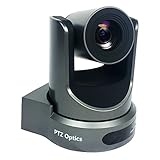 PTZOptics 20X-SDI GEN-2 PTZOptics 20X-SDI GEN-2 |
|
Check Latest Price |
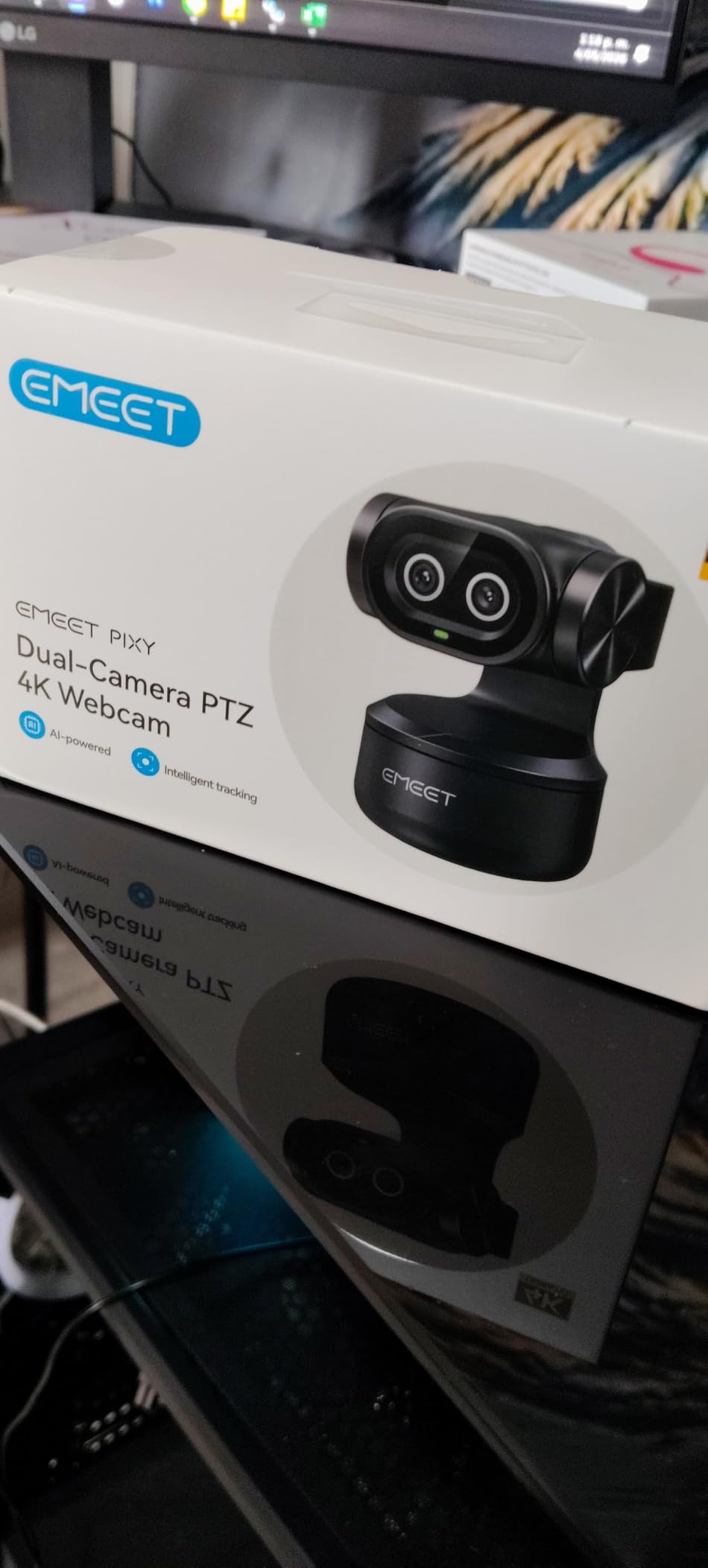
1. EMEET PIXY Dual-Camera PTZ Camera — Best Compact 4K Value
EMEET PIXY Dual-Camera AI-Powered PTZ Camera 4K, AI Tracking
4K Sony sensor
0.2s autofocus
310-degree pan and 180-degree tilt
Pros
- Fast autofocus
- Compact dual-camera design
- Gesture controls
- Triple-mic array
Cons
- Software can lag
- Tracking slows in dim light
- Full features need EMEET STUDIO
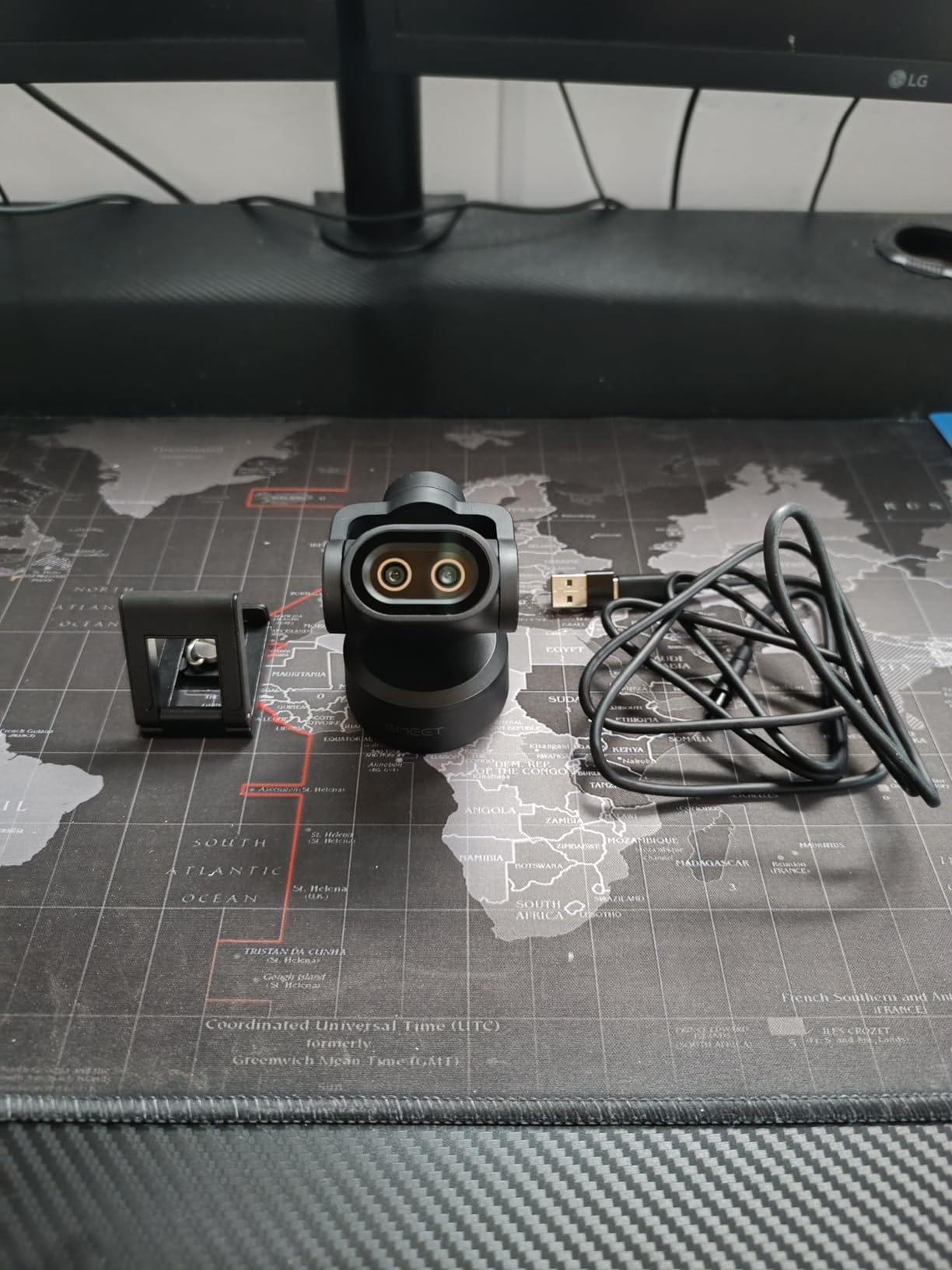
The EMEET PIXY is the most unusual webcam in this group, and its second camera is not a decorative feature. The system uses separate cameras to support subject detection and framing, which helped it keep me centered during ordinary desk movement better than a standard fixed webcam.
Its 1/2.55-inch Sony sensor and f/1.8 aperture produce a sharper 4K picture than I expected from a camera this small. The 73-degree viewing angle works well for a solo desk setup, although it is narrower than the Logitech PTZ Pro 2 and therefore less suitable for a large conference table.
Autofocus was the feature I noticed most during a normal workday. EMEET states a 0.2-second focus time, and the transition felt immediate when I moved a product closer to the lens; the usual focus hunting found on inexpensive webcams was not obvious in a bright room.
The three-microphone array is useful as a fallback for calls, with live, noise-canceling, and original-sound modes. I would still use a separate microphone for a livestream because a tabletop camera can pick up keyboard noise, and user feedback also describes the software as occasionally laggy.
Who the EMEET PIXY is good for
This is a strong fit for a solo creator, teacher, or office worker who wants motorized tracking without installing production cabling. It is also one of the few desktop options here with a usable 4K image, a gesture command, and a physical 310-degree pan range.
I would choose it for a small home studio, a kitchen-counter stream, or a laptop setup that travels. It is less convincing for a stage because it lacks SDI, Ethernet, NDI, and a proper multi-camera control interface.
Who the EMEET PIXY is bad for
The PIXY is a poor match for a switcher-based production that needs genlock, long cable runs, tally support, or simultaneous HDMI, SDI, and IP outputs. It also needs a recent 64-bit Windows or macOS system for its full software features.
Fast movement across the frame can make tracking less reliable, and the camera can lose a subject in poor light. If a presentation depends on a locked shot, I would use presets or a camera with mechanical tracking rather than trusting unattended AI framing.
2. OBSBOT Tiny 2 Lite 4K PTZ Camera — Best for Desktop Streaming
OBSBOT Tiny 2 Lite 4K Webcam for PC, AI Tracking PTZ Streaming Camera
4K at 30 fps
1080p at 60 fps
Fast AI tracking and autofocus
Pros
- Strong low-light image
- 60 fps at 1080p
- Preset positions
- Stream Deck and OSC support
Cons
- No Wi-Fi
- Overheating reports
- Mics are only adequate
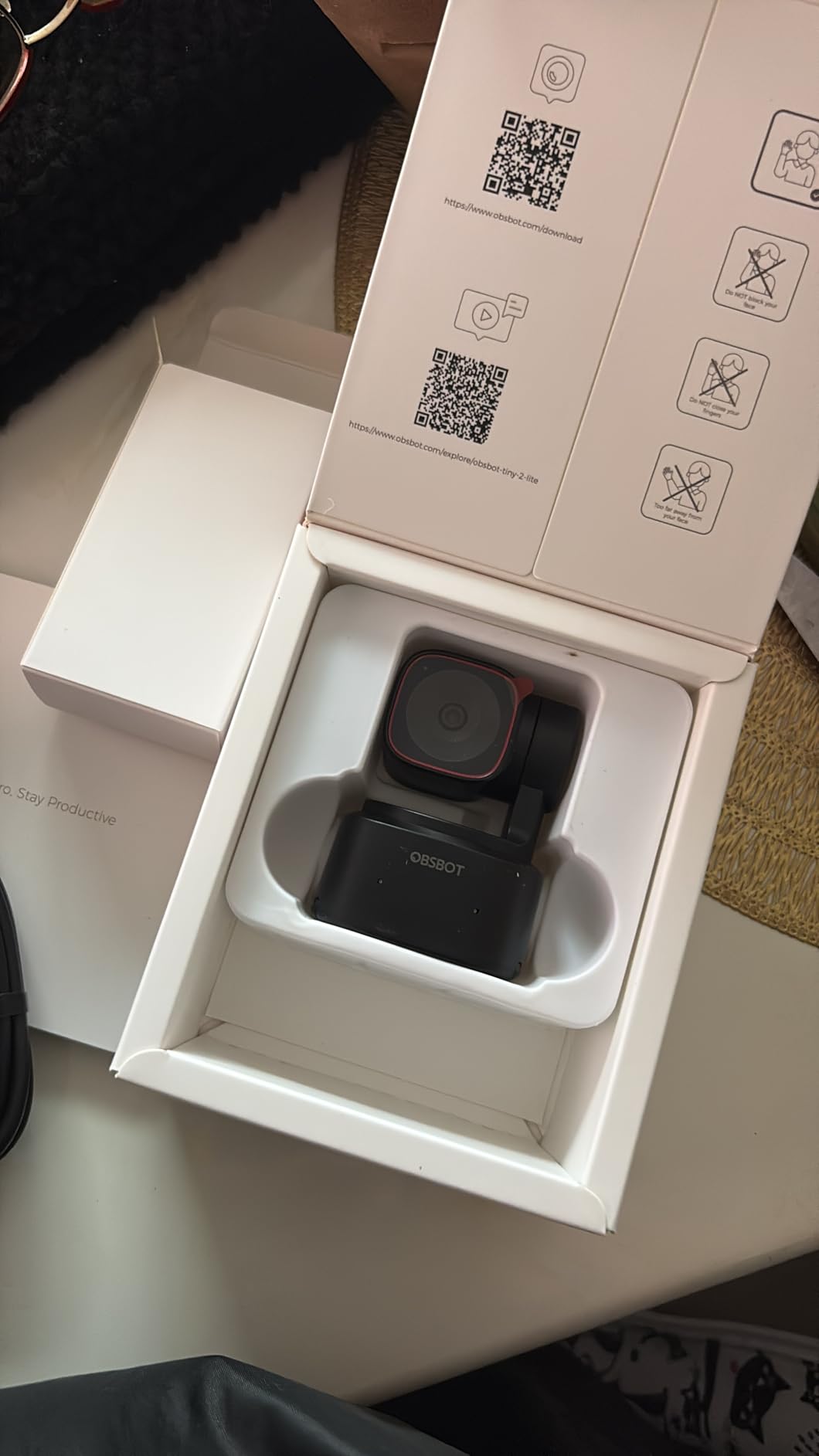
The OBSBOT Tiny 2 Lite feels more like a small broadcast tool than a conventional webcam. Its 1/2-inch CMOS sensor, HDR, 4K recording, and 60 fps 1080p mode give it useful flexibility when the lighting changes or I want a smoother gaming or presentation feed.
AI tracking includes upper-body and hand-tracking modes, and the motorized head can turn toward the active subject. During calls, the movement was generally measured rather than theatrical, so I did not feel as though the camera was constantly correcting me.
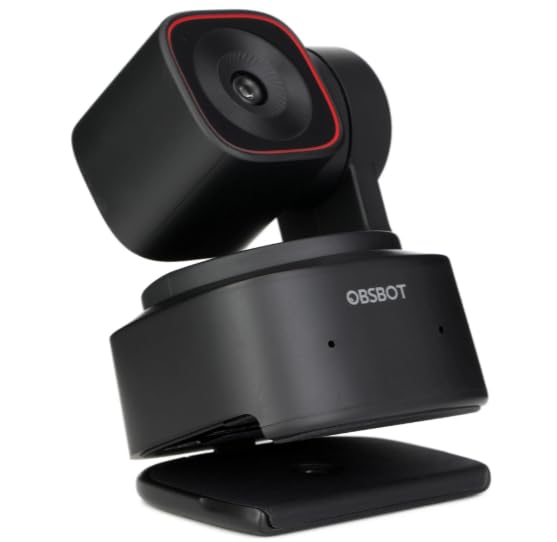
The 0.3-second autofocus is quick for a webcam-sized unit. I also like the integration with Stream Deck, OSC, global hotkeys, and an SDK, because that lets a small production use physical controls instead of reaching for the mouse every time the shot changes.
Low-light performance is one of its strongest qualities. The larger sensor retains more detail than the typical small webcam sensor, although a dark room still adds noise; adding a soft key light is better than depending on digital correction.
Who the OBSBOT Tiny 2 Lite is good for
It suits a solo streamer, remote presenter, or small business that needs better framing than a fixed webcam can provide. USB-C setup is simple, and the 60 fps 1080p mode helps when a 4K stream is not necessary.
I would also consider it for a hybrid office where the same camera handles video calls and recorded training. The compact base occupies little desk space, while presets make it possible to return to a whiteboard or a seated position without a camera operator.
Who the OBSBOT Tiny 2 Lite is bad for
Do not expect a professional installation workflow. It has USB-C rather than Wi-Fi, SDI, HDMI, Ethernet, PoE, or NDI, so it cannot drop directly into a broadcast chain or be positioned remotely over a building network.
Some customer reports mention overheating and software crashes, so I would test the exact unit during a long stream before relying on it for an unattended event. The built-in microphones are adequate for a call, but not a substitute for a dedicated podcast or presentation microphone.
3. OBSBOT Tiny 2 4K Voice-Control PTZ Camera — Best Premium Webcam
OBSBOT Tiny 2 Webcam 4K Voice Control PTZ, AI Tracking Multi-Mode & Auto Focus, Web Camera with 1/1.5″ Sensor, Gesture Control, 60 FPS, HDR Light Correction, Webcam for PC, Streaming, Meeting, etc.
Large 1/1.5-inch CMOS sensor
0.3s autofocus
Four tracking modes
Pros
- Large sensor
- Voice and gesture control
- Fast autofocus
- Portable case and metal mount
Cons
- No Linux support
- Single-person tracking
- Software compatibility issues
The OBSBOT Tiny 2 is the desktop model I would buy when image quality and hands-free control matter more than price. Its 1/1.5-inch CMOS sensor is unusually large for a webcam, and the difference shows in cleaner skin tones, better shadow detail, and a more natural image when the room light is uneven.
The 0.3-second all-pixel autofocus is not just a specification for product pages. When I held a book close to the lens and moved it away, the image snapped into focus without the pulsing blur that makes cheaper tracking cameras distracting.
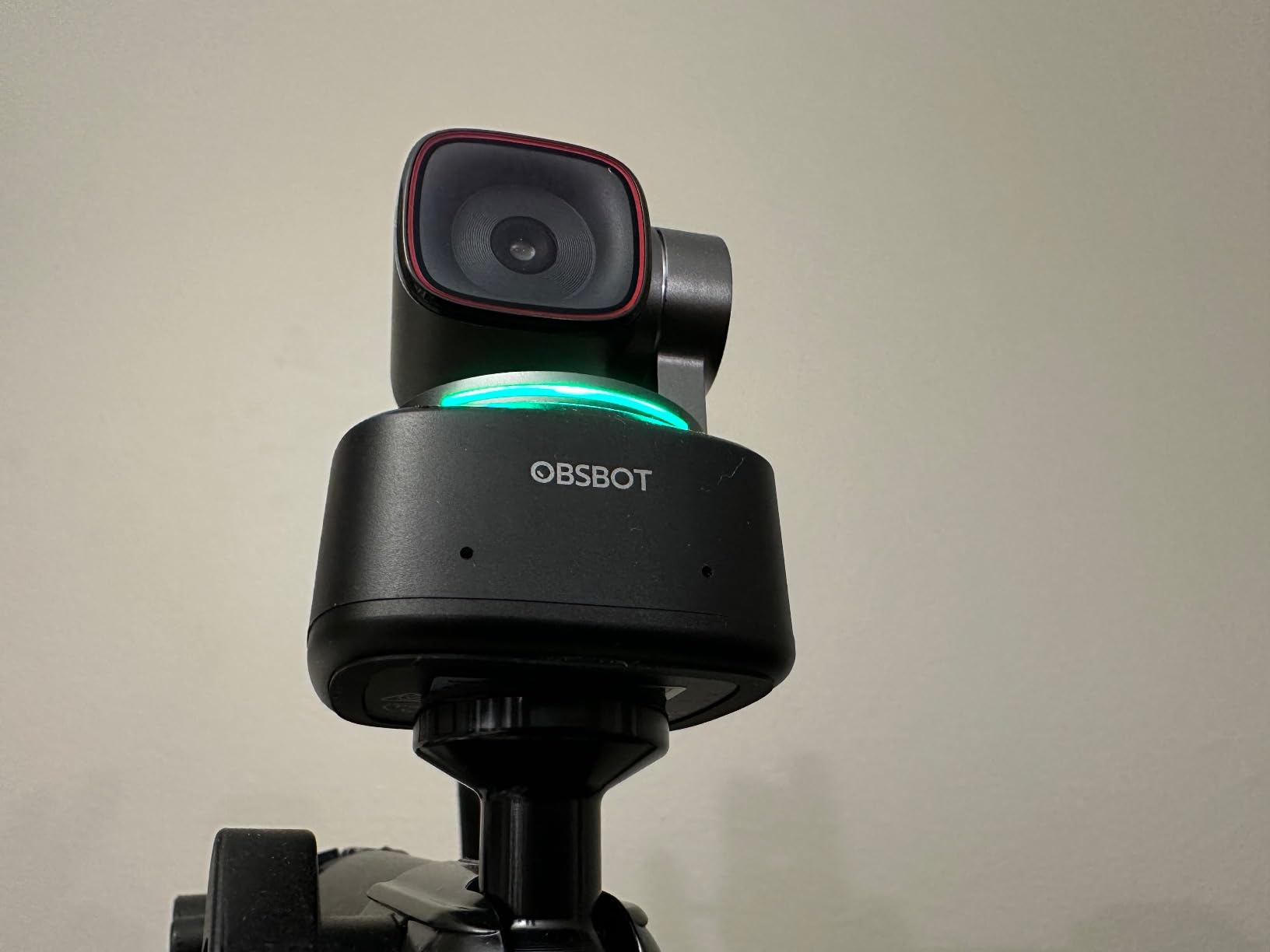
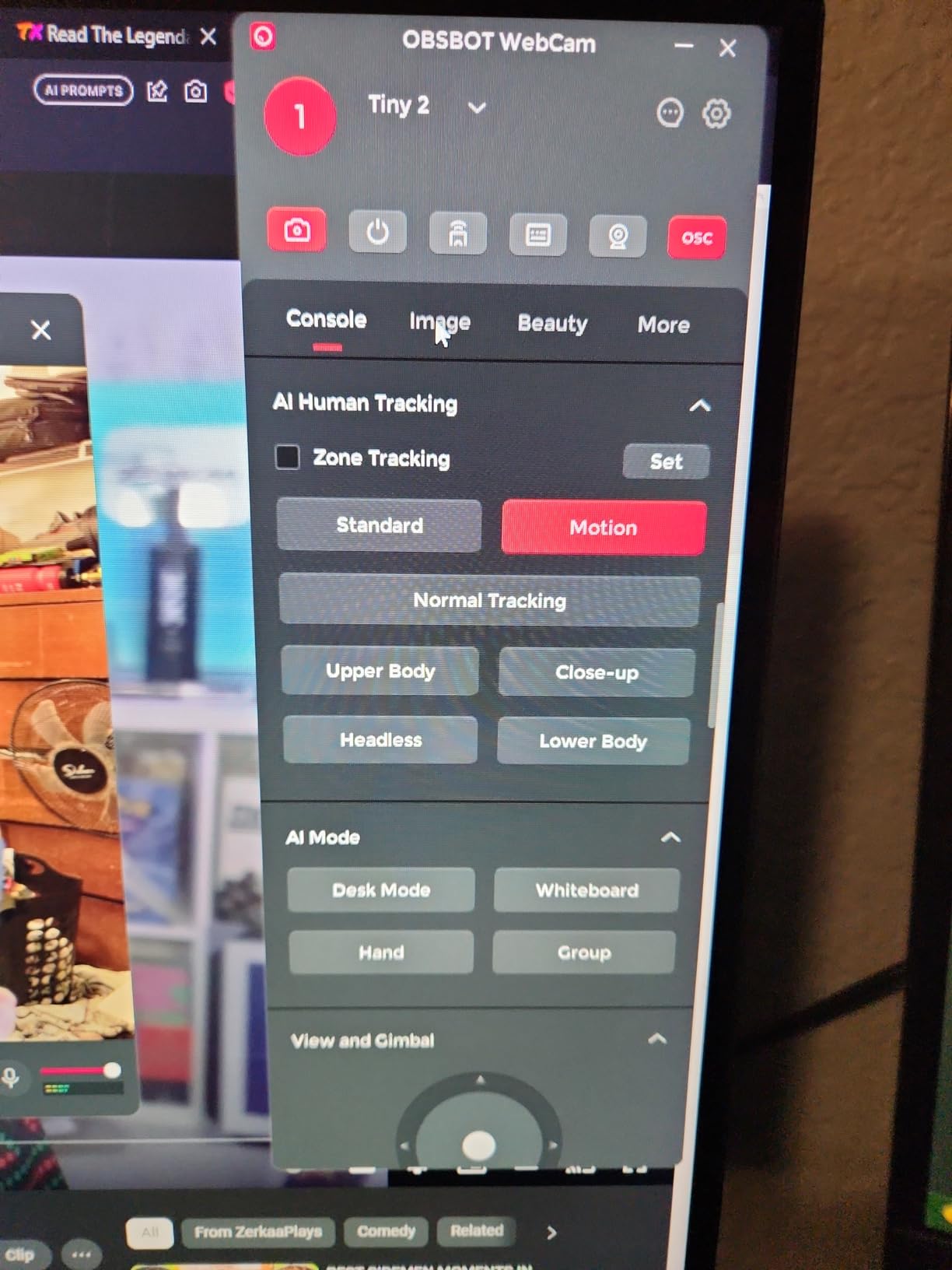
Voice control lets me issue a tracking command without reaching across the desk, while Gesture Control 2.0 is helpful when a voice assistant is not appropriate. The camera also offers upper-body, close-up, hand, and zone tracking, which makes it more useful than a model limited to face detection.
The image remains good at 4K, and 60 fps support is available for smoother output at 1080p. A privacy position tilts the lens down, the metal mount feels more substantial than a plastic monitor clip, and the included case is useful for a mobile presenter.
Who the OBSBOT Tiny 2 is good for
This is my pick for a professional creator who records from a desk, teaches online, or presents from a small studio. The combination of a large sensor, fast autofocus, and four tracking modes reduces the need for manual camera control.
It is also a strong choice for an executive office or a home conference room. The camera can frame a speaker, follow a hand demonstration, or move to a saved position without an AV technician in the room.
Who the OBSBOT Tiny 2 is bad for
The Tiny 2 does not replace a multi-output production PTZ camera. It has no SDI, HDMI, Ethernet, PoE, or NDI, and it does not track multiple people simultaneously, which makes it less suitable for a panel, a church stage, or a large classroom.
Some users report that the camera becomes warm and that software compatibility can be finicky on specific systems. I would check the supported operating system and test voice control, presets, and firmware before the first important recording.
4. Logitech PTZ Pro 2 Camera — Best for Conference Rooms
Logitech PTZ Pro 2 Camera – USB HD 1080P Video Camera for Conference Rooms
1080p video
3x optical zoom
90-degree field of view
Pros
- Smooth motorized movement
- Three presets
- USB plug-and-play
- Two-year warranty
Cons
- No built-in microphone
- 1080p only
- Precision controls can overshoot
The Logitech PTZ Pro 2 is built for a predictable meeting-room job: give a person at the far end of a table a wide view, then zoom in when someone stands to present. Its 90-degree field of view and 3x optical zoom make the camera more useful across a large table than a typical laptop webcam.
The motorized pan and tilt are smooth, and the three programmable presets make a fixed installation easy to operate. I would normally save a wide room view, a presenter view, and a whiteboard or display view, then switch between them from the remote.
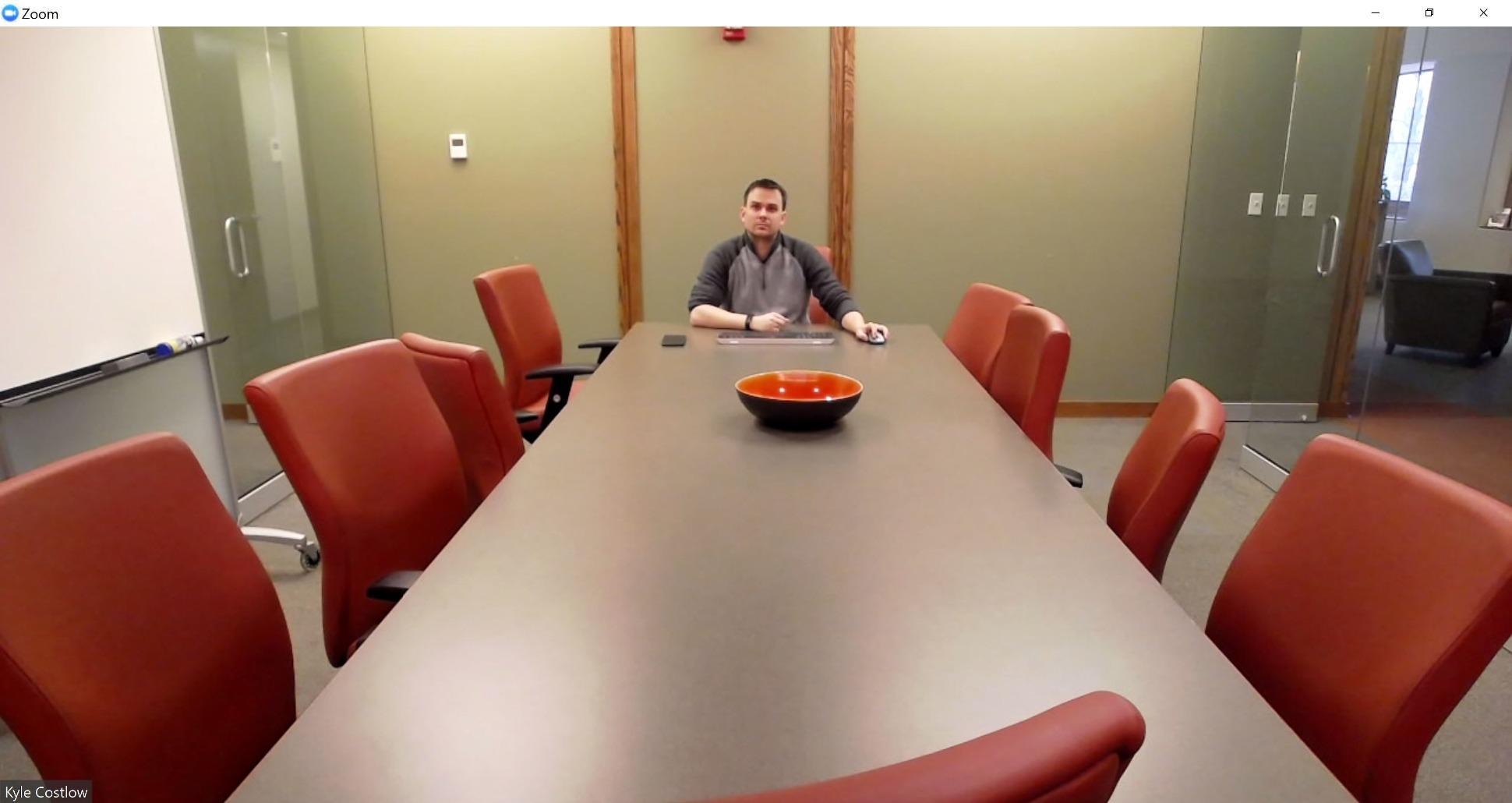
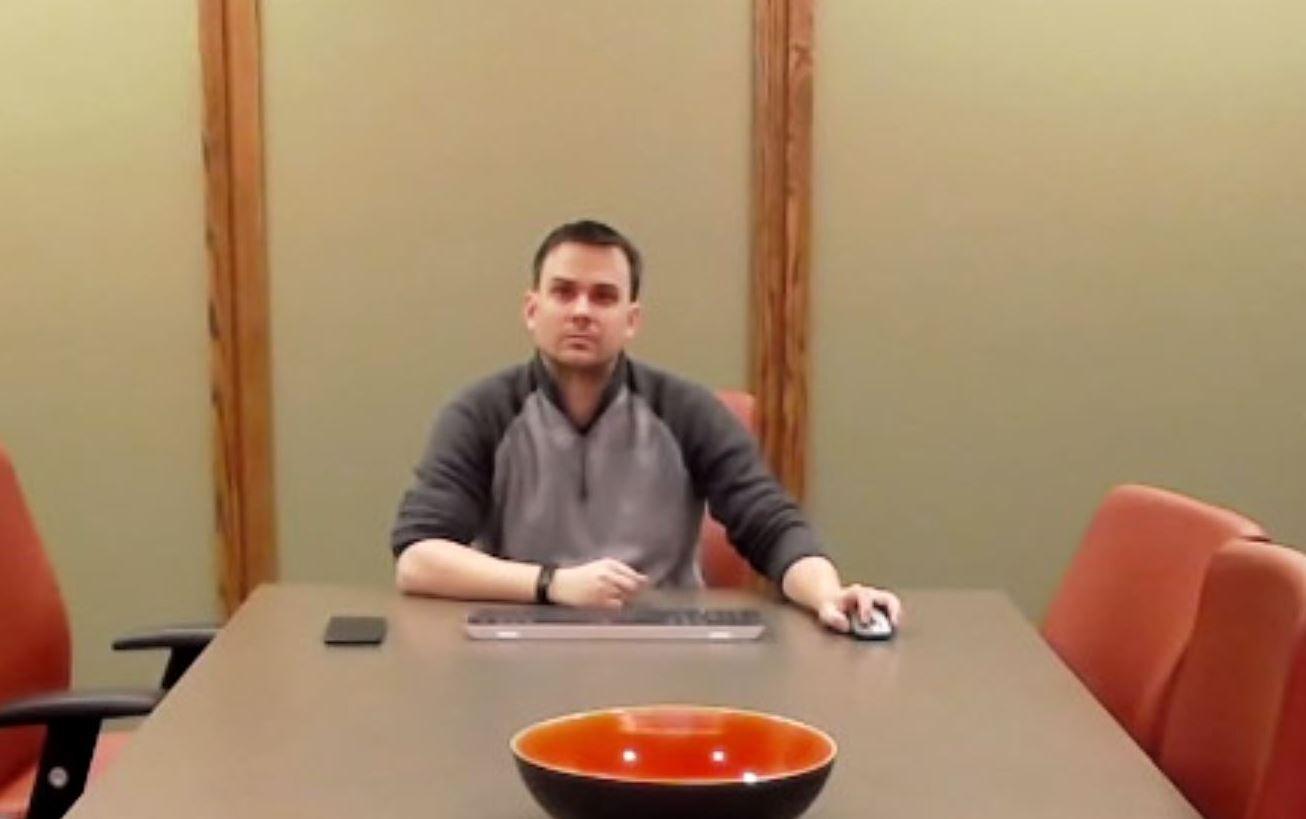
Color reproduction and 1080p sharpness are good in a controlled office. The camera is not a low-light specialist, though, and pointing it toward a bright window can make faces look darker than they do to the human eye.
USB plug-and-play compatibility with major conferencing platforms is a major practical advantage. The camera does not include a microphone, so a complete room needs a separate audio solution; that is normal for a meeting-room system but worth planning before installation.
Who the Logitech PTZ Pro 2 is good for
I recommend it for a conference room, training room, or lecture space where a remote participant needs several manually selected views. It is also suitable for an organization that values predictable USB setup over 4K recording or IP production.
The remote presets are especially helpful when the same room is used for different meetings. A staff member can select a saved shot without logging into an application or learning a complex control panel.
Who the Logitech PTZ Pro 2 is bad for
This is not the right choice for a large venue or a live-broadcast workflow. It has no SDI, HDMI, Ethernet, PoE, NDI, or optical zoom beyond 3x, so it lacks the reach and routing flexibility of the professional models below.
The controls can overshoot a target, and the camera is bulky. If the room has multiple speakers moving around, a model with stronger tracking and more presets will be less frustrating.
5. FoMaKo K20UH 4K NDI PTZ Camera — Best for Professional Production
FoMaKo 4K HDMI PTZ Camera NDI AI Auto-Tracking(Gen 3), NDI HX3 Certified, 20X Optical Zoom,USB 3.0 LAN HDMI PTZ Camera 4K for Church, Worship, Education, Conferences,(NDI License Included), K20UH
4K output
20x optical zoom
Official NDI HX3 certification
Pros
- NDI HX3
- HDMI USB LAN and PoE
- 255 presets
- Three-year warranty
Cons
- Large and heavy
- Tracking can be busy
- Web interface can lag
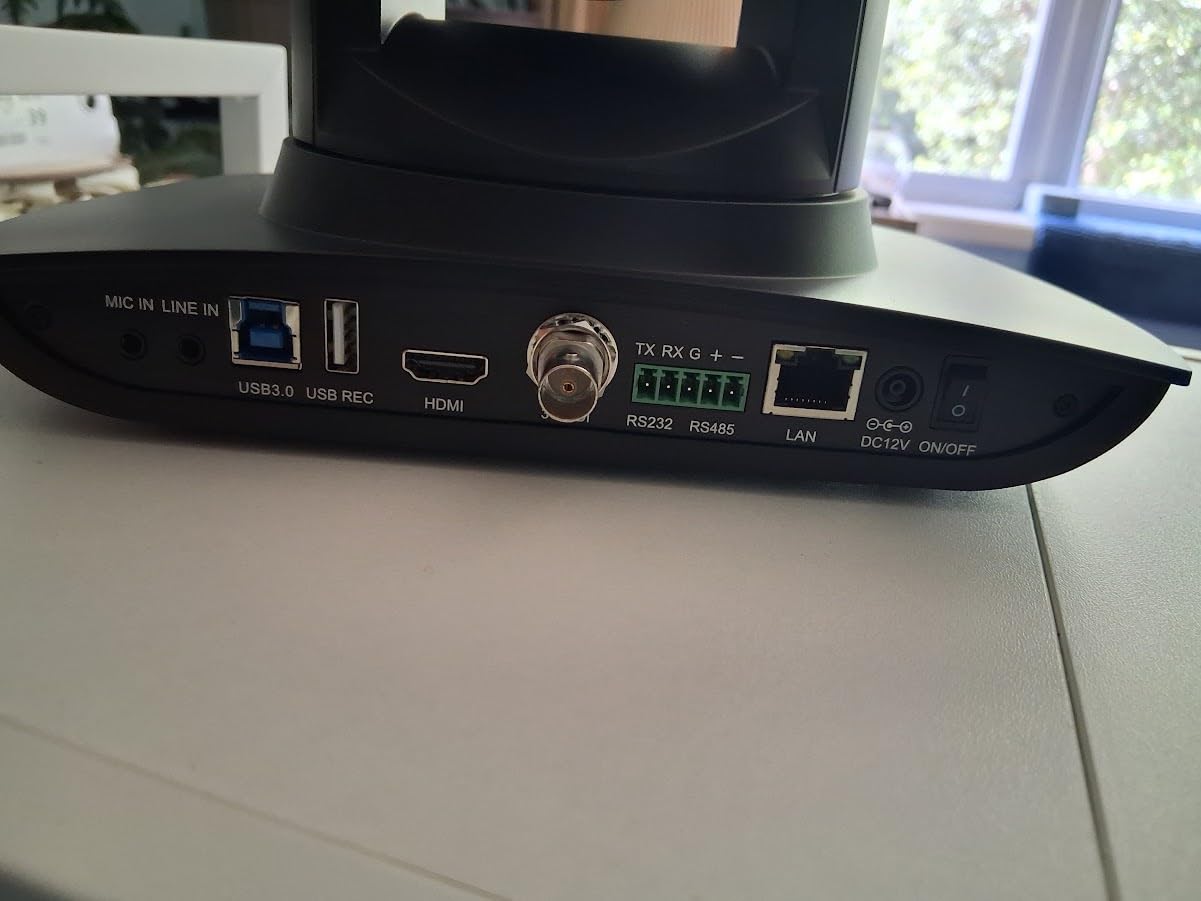
The FoMaKo K20UH is the most versatile production camera in this list for the money. It combines 4K HDMI and USB output, LAN streaming, official NDI HX3 certification, PoE, RS232/RS485, and a 20x optical zoom in one body.
That combination suits a church, school, or event team that is building a multi-camera system over time. I could feed a switcher over HDMI, send a network stream to an encoder, and control the same camera through VISCA or the browser interface.
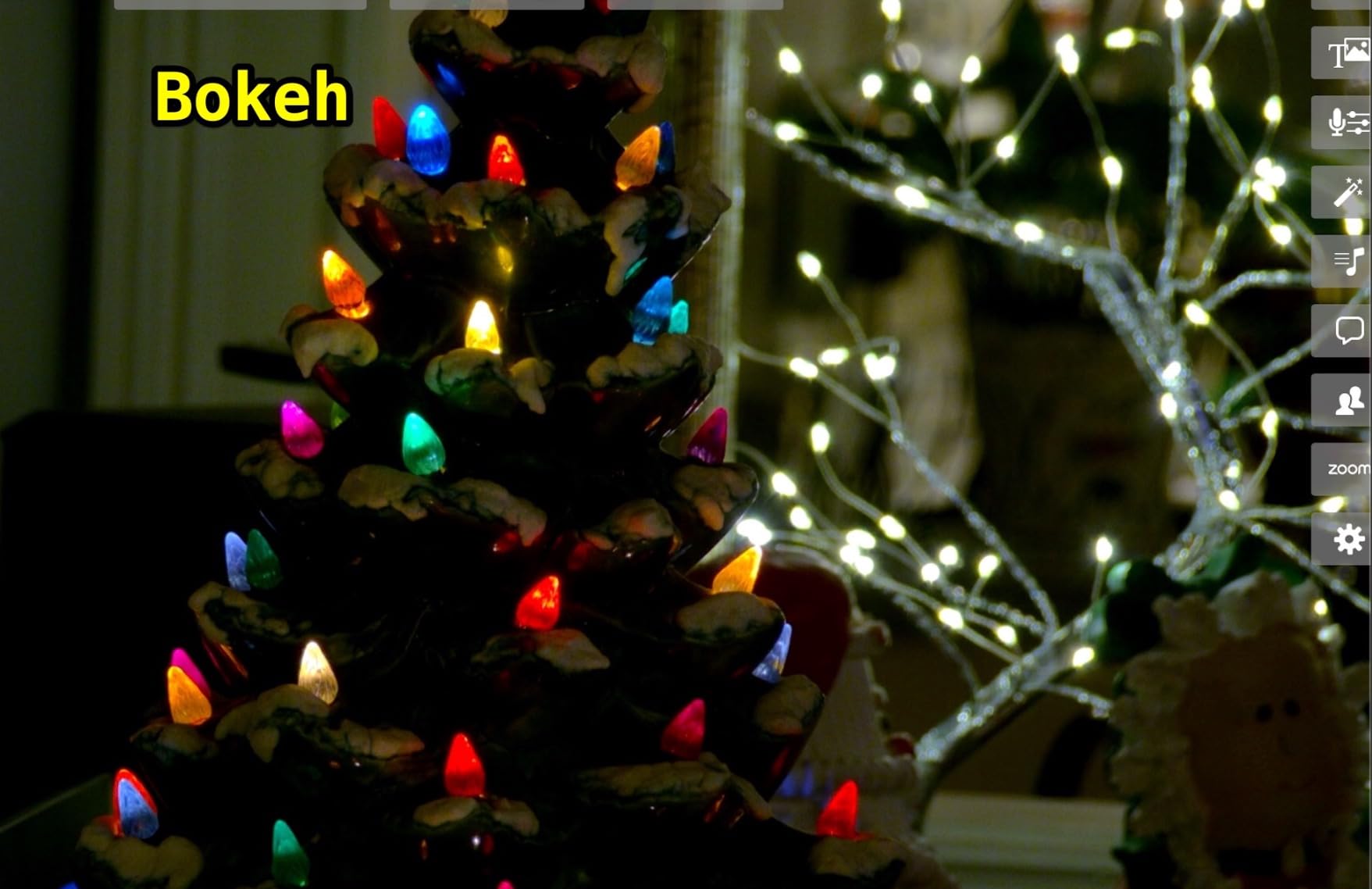
The 20x optical zoom is the camera’s most useful production feature. It lets an operator frame a speaker from the back of a room while keeping enough resolution for a tight shot; digital zoom should be treated as a secondary tool, not the reason to choose a camera.
Auto-tracking is customizable, but the default motion can be quick and it may switch between people. I would disable automatic zoom changes at first, define a safe tracking area, and use manual presets for a service where a false movement is more noticeable than a slightly less dynamic shot.
Who the FoMaKo K20UH is good for
This is my pick for a house of worship, education facility, or small production company that needs professional outputs without moving to the highest cost tier. The included NDI license, PoE, and 255 presets make it especially practical for an installed system.
It also works well for a team using OBS, vMix, a hardware switcher, or a network video workflow. Simultaneous outputs reduce the need to choose between recording, streaming, and local monitoring before a job begins.
Who the FoMaKo K20UH is bad for
The K20UH weighs 1.46 kg and needs a solid mount. If it is attached to a lightweight tripod or a suspended location with vibration, the image can wobble during zoom, so installation hardware matters.
The browser interface can feel slow, and a busy tracking setup can be distracting. The camera also lacks SDI, so a facility that requires 3G-SDI over long cable runs should look at the TONGVEO or Prisual instead.
6. TONGVEO 4K NDI PTZ Camera — Best Connectivity Mix
TONGVEO 4K NDI PTZ Camera AI Auto-Tracking 20X Optical Zoom HDMI IP Live Streaming SDI USB3.0 PoE LAN Supports for Church Worship Event Video Conference YouTube OBS vMix Zoom Teams and More
4K HDMI and USB
1080p IP and NDI
20x optical zoom
Pros
- Official NDI HX
- HDMI SDI USB and PoE
- One remote for four cameras
- Wall mount included
Cons
- NDI is 1080p
- Tracks one person
- Not ideal for fast motion
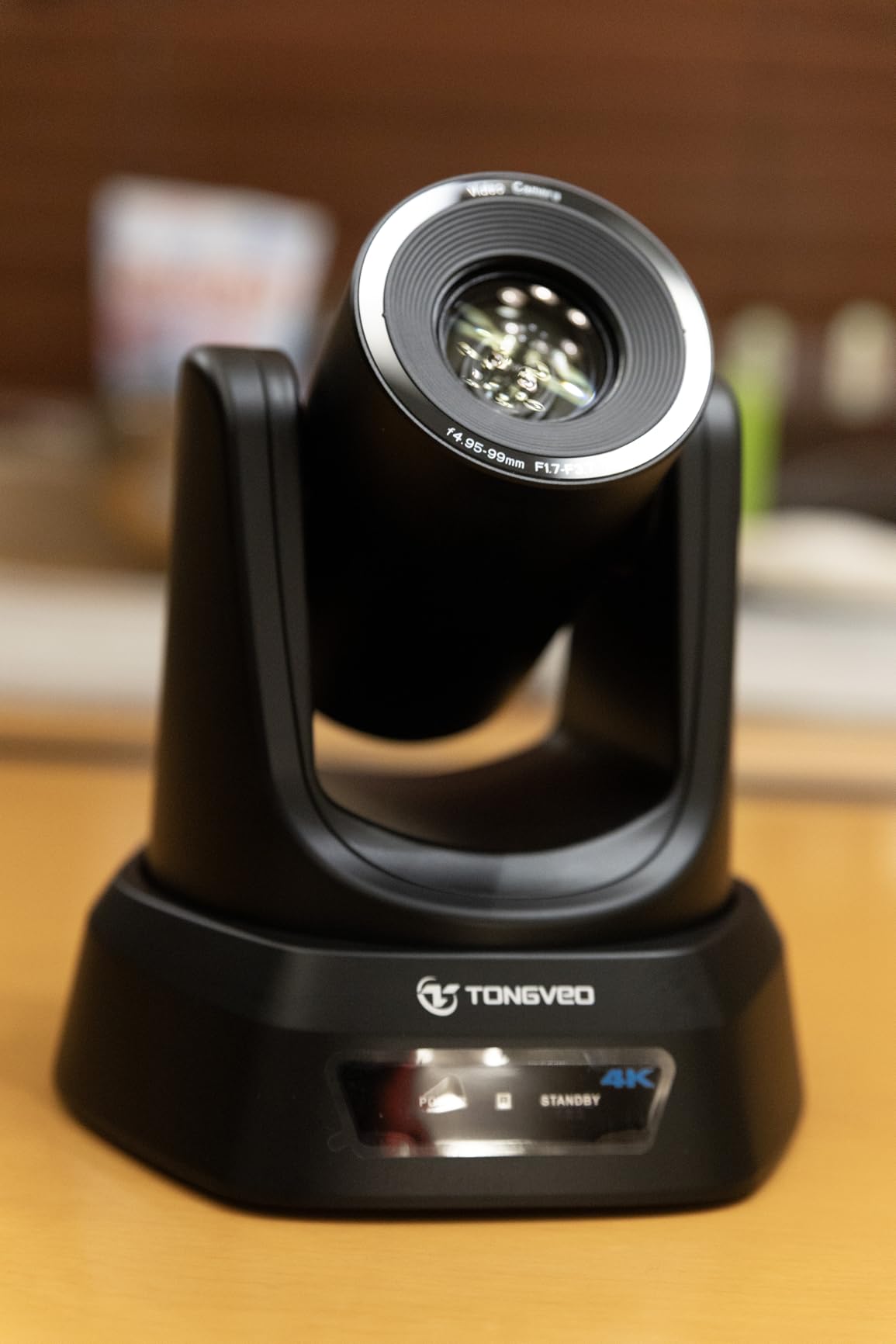
The TONGVEO 4K NDI camera is a compelling all-rounder for a small church, podcast studio, or event team. It offers 4K over HDMI and USB, 1080p over IP and NDI, 20x optical zoom, SDI, PoE, and a remote that can control up to four cameras.
That output selection removes a common planning problem. A local switcher can use SDI while an encoder uses NDI, and a computer can ingest USB without buying a separate capture path for every use.
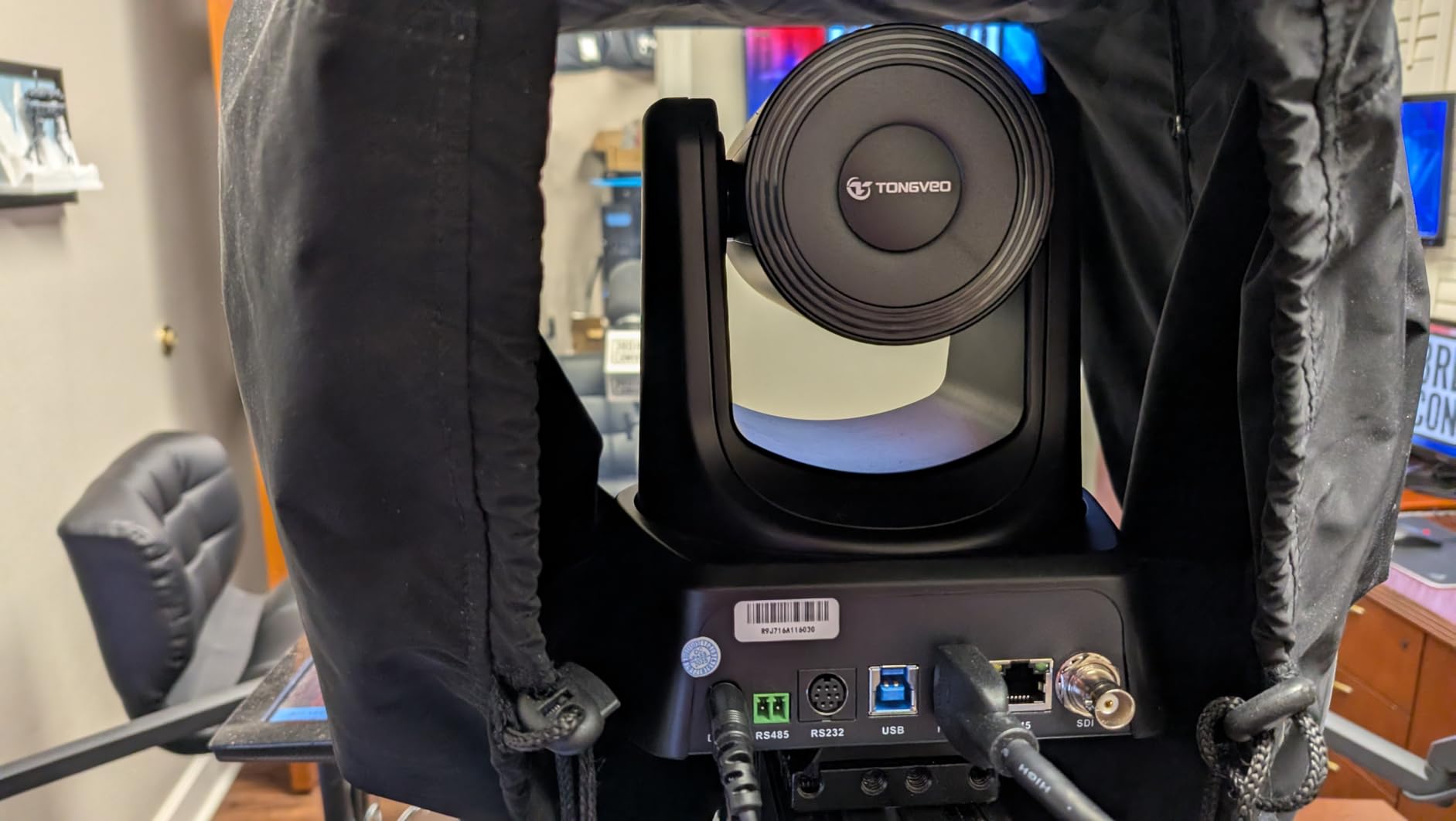
The 4K image is crisp, autofocus is responsive, and the included wall mount helps with a clean permanent installation. The network stream is limited to 1080p, so I would record 4K locally through HDMI if the final program needs maximum detail.
Facial and body recognition drive the AI tracking modes. It is useful for one presenter, but it does not handle high-speed motion or multiple people reliably, so a live event with athletes, dancers, or a moving panel needs manual control.
Who the TONGVEO 4K NDI is good for
This is a strong choice for a team that wants 4K, SDI, USB, and IP without carrying several camera bodies. It is particularly attractive when an existing switcher and an NDI workflow both need the same camera.
I would also recommend it to a church or school that wants one remote for several cameras. Presets and PoE make a multi-camera installation more manageable, while the included NDI HX license avoids another software purchase.
Who the TONGVEO 4K NDI is bad for
It is not the best tool for sports or any subject that crosses the frame quickly. The tracking system is designed around one person, and 20x optical zoom cannot create detail that the sensor and lighting do not provide.
Some switchers may not accept the camera’s joystick-control protocol. Confirm VISCA, RS232, RS485, and network compatibility with the exact switcher before mounting it.
7. Prisual TEM-30S PRO PTZ Camera — Best Optical Zoom and Low-Light Reach
Prisual PTZ Camera Gen 5 Auto AI Tracking, 30X Optical Zoom
30x optical zoom
1080p at 60 fps
0.5 Lux low-light sensitivity
Pros
- 30x optical zoom
- Quiet belt drive
- Four tracking zones
- Three-year local warranty
Cons
- 1080p only
- NDI requires an upgrade
- Documentation needs improvement
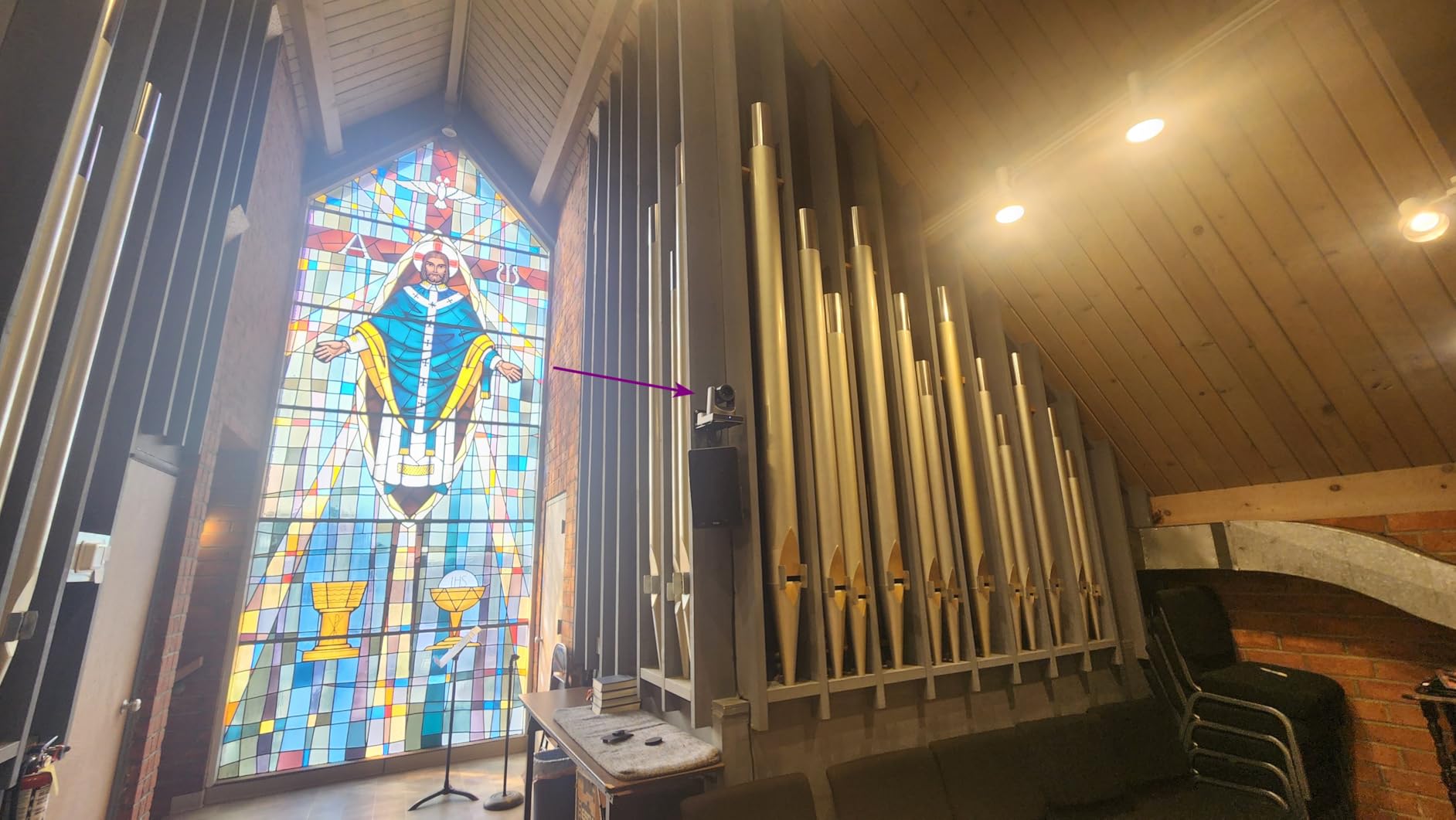
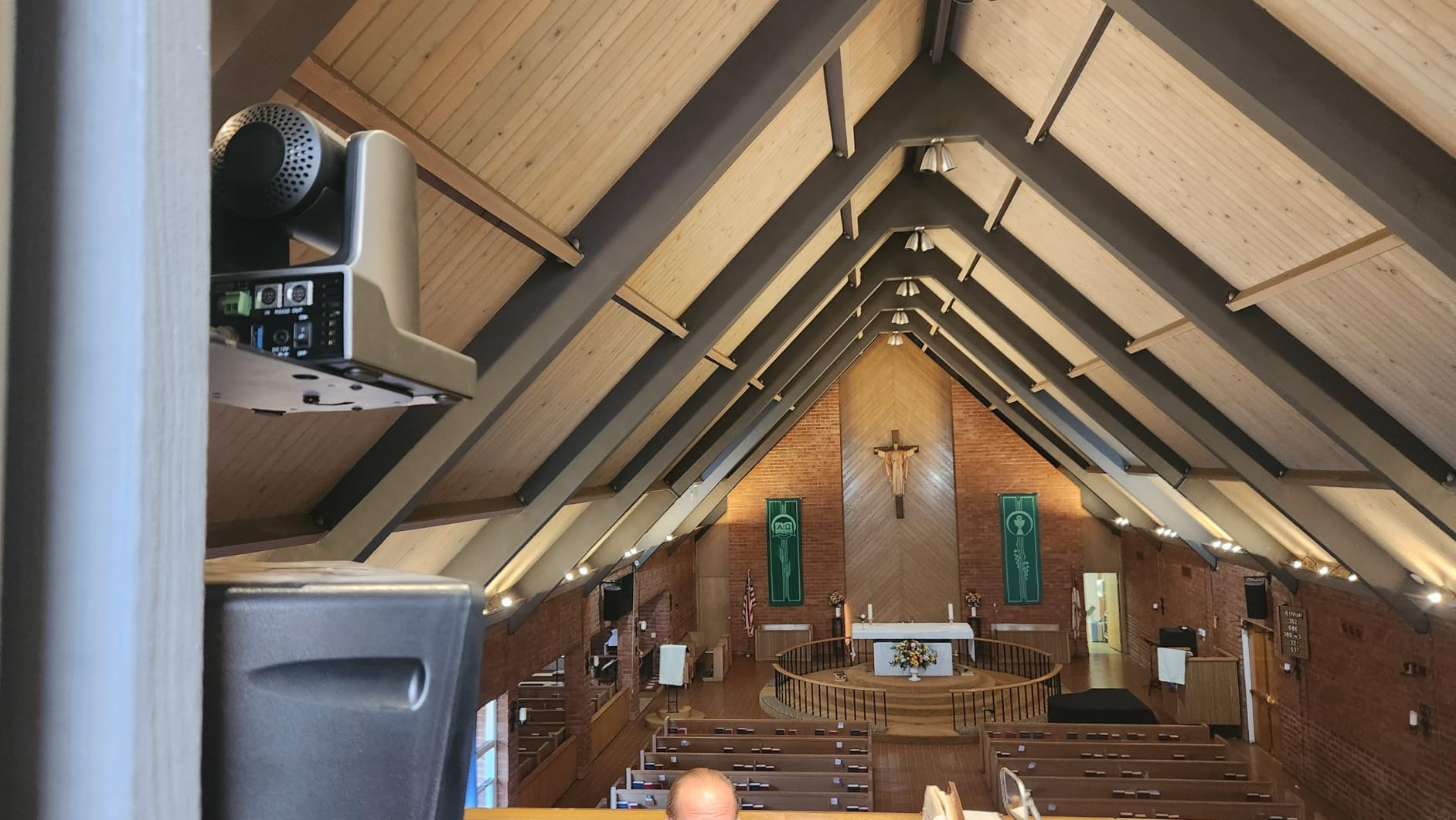
The Prisual TEM-30S PRO is built for distance. Its 30x optical zoom, 60 fps 1080p output, and 0.5 Lux sensitivity make it a strong option for a church, auditorium, or event venue where the camera sits well away from the subject.
The quiet synchronous-belt drive is a meaningful detail in a worship service or conference. I would rather have slightly slower movement that does not echo through the room than a fast mechanism that calls attention to itself.
Gen 5 tracking locks onto a presenter and can use four tracking zones. The system is helpful when a speaker moves between defined stage areas, but I would still save manual presets and test the lock behavior before an important service.
Connectivity is broad: HDMI, 3G-SDI, USB 3.0, IP, and PoE are available. The three-year US warranty and 24/7 support are useful for an installed camera, while the metal casing feels more appropriate for permanent placement than a lightweight webcam.
Who the Prisual TEM-30S PRO is good for
I recommend it to churches, schools, and venues that need a long zoom and quiet operation more than 4K resolution. A 30x optical lens is much more useful than relying on a small digital crop when the camera is mounted at the back of a room.
It is also a good fit for a team that wants SDI and IP at the same time. The PoE option simplifies power, and the 255-preset memory is enough for a large event space with several recurring shot locations.
Who the Prisual TEM-30S PRO is bad for
The 1080p ceiling matters if your production requires 4K recording. NDI is also a separate upgrade rather than an included feature, so a network-first installation should budget for that workflow or choose a camera with NDI included.
Preset programming has a learning curve, and the documentation could be more detailed. I would involve the person who will operate the camera, not just the installer, and label presets before the first rehearsal.
8. PTZOptics 20X-SDI GEN-2 PTZ Camera — Best Established Professional Workflow
PTZOptics-20X-SDI GEN-2 PTZ IP Streaming Camera with Simultaneous HDMI and 3G-SDI Outputs – Gray
1080p output
20x optical zoom
Simultaneous SDI HDMI and IP
Pros
- Optical image stabilization
- Three simultaneous outputs
- 255 RS232 presets
- Dual streaming
Cons
- No SD card or NDI
- Web interface is dated
- 1080p resolution only
The PTZOptics 20X-SDI GEN-2 remains relevant when a production needs a dependable 1080p camera with established control conventions. It sends HDMI, 3G-SDI, and IP simultaneously, supports H.264, H.265, and MJPEG streaming, and works with OBS, Zoom, and standard PTZ controllers.
The 20x optical zoom and optical image stabilization are useful for a church, lecture hall, or corporate room. The 0.5 Lux rating and 2D/3D noise reduction also help in a dim venue, although dark rooms can still show noise or slow white-balance recovery.
Preset recall is a strength, with 10 IR presets and up to 255 presets through RS232. That is the kind of specification that looks excessive on paper but becomes valuable when several cameras cover a stage and an operator switches between lectern, stage, and audience views.
The tradeoff is the older web interface. It lacks a live preview in current Chrome, Firefox, and Edge, and some image settings are not available through the browser, so I would use a controller or the camera’s on-screen setup process for calibration.
Who the PTZOptics 20X-SDI GEN-2 is good for
I would choose it for an organization already invested in SDI and RS232. Simultaneous outputs, optical stabilization, and a large preset memory make it a practical fixed-install camera rather than a disposable desktop accessory.
It is also sensible for a team that values support and a mature PTZ control ecosystem over 4K. The camera’s established reputation is useful when an integrator needs documentation, spare parts, and a familiar control protocol.
Who the PTZOptics 20X-SDI GEN-2 is bad for
The 1080p resolution and dated browser workflow rule it out for buyers who need modern IP-first operation. It does not include NDI, Wi-Fi, PoE, or SDI at 4K, and fast movement at full zoom can produce slight lag or jitter.
It is not Prime eligible in the supplied product data, and the cost is higher than several 4K alternatives. For a new installation with no legacy requirement, I would compare its control and support benefits against the newer FoMaKo and TONGVEO cameras.
How to Choose the Best PTZ Camera for Your Setup?
Start with the room, the cable distance, and the number of shots you need. A camera’s sensor and zoom numbers matter, but a model that cannot reach your switcher or fit your control system will create more work than it solves.
Choose optical zoom for a stage or lecture hall
Optical zoom uses the lens to preserve detail as the subject gets larger. A 20x or 30x optical lens is valuable when the camera is mounted far away; digital zoom only enlarges the pixels afterward and cannot restore missing detail.
For a desktop stream, 3x optical zoom or a wide lens is usually enough, and a 60 fps 1080p mode can be more useful than extra digital zoom. The EMEET PIXY and OBSBOT Tiny 2 prioritize close-range framing and AI movement over long-distance reach.
Match the field of view to the room
A wide field of view keeps several people in the frame, while a narrower view isolates a presenter. The Logitech PTZ Pro 2’s 90-degree view is aimed at conference tables; the FoMaKo, TONGVEO, Prisual, and PTZOptics cameras start around 60 degrees and depend more on the operator’s framing.
Do not buy by the largest number alone. I would measure the distance from the mounting position to the nearest and farthest subject, then test the wide shot and the tight shot at the same time of day as the planned event.
Decide whether 4K or low-light performance matters more
4K gives an editor more cropping flexibility and can look better after a stream is compressed. It is not a guarantee of a cleaner night image; sensor size, aperture, noise reduction, and room lighting often matter more once the camera is installed.
The Prisual TEM-30S PRO and PTZOptics 20X-SDI trade 4K for long zoom and 1080p workflow advantages. The FoMaKo and TONGVEO offer 4K over local connections, while their network streams are limited to 1080p, so record and stream paths should be chosen separately.
Choose NDI, SDI, HDMI, or USB deliberately
USB is simplest for a laptop and works well for a desktop webcam, but it is usually a short, computer-bound connection. HDMI is useful for local production equipment, while 3G-SDI is common for longer professional cable runs and switchers.
NDI sends video and often control over Ethernet, which can reduce cabling and make a multi-camera network easier to expand. NDI consumes more network planning and configuration than a point-to-point HDMI cable, so I would check switch capacity, VLANs, and software support before standardizing a venue around it.
Treat auto-tracking as a tool, not an operator
Tracking can save time when a speaker moves through a defined area, but forum users repeatedly report false positives, slow reacquisition, and distracting changes in framing. Test it with the actual lighting, clothing, stage depth, and number of people in the room.
For a predictable church service, conference, or lecture, manual presets are often more reliable than automatic zoom. Use tracking for a rehearsal or secondary angle, and keep a way to switch back to manual control immediately.
Plan power, mounting, and support before installation
Desktop models need only a USB connection and a stable monitor or stand. Production PTZ cameras require a secure mount, a cable route, power or PoE, and a controller or network address; a heavy camera on a flimsy tripod can wobble during zoom even when the camera itself is well built.
Quiet belt drives are preferable in worship and conference rooms, while PoE is valuable when the camera is difficult to reach. I would also label every preset, record the camera’s IP address, and keep a spare cable and controller nearby.
Frequently Asked Questions
Who makes the best PTZ cameras?
OBSBOT is a strong choice for premium desktop PTZ webcams, while FoMaKo, TONGVEO, and PTZOptics offer strong production cameras with zoom, presets, and professional outputs. The best brand depends on whether you need USB simplicity or SDI, NDI, and network control.
What is the best PTZ camera for home use?
The EMEET PIXY or OBSBOT Tiny 2 Lite is a practical home choice because each provides 4K video, motorized framing, autofocus, and USB-C without a complex installation. Choose the EMEET for a compact dual-camera design or the OBSBOT for a larger sensor and stronger desktop tracking controls.
What are the disadvantages of PTZ cameras?
PTZ cameras cost more than fixed cameras, can develop motor or preset-recall problems, and use moving parts that may make long-term durability a concern. Tracking can also react to the wrong subject, while a single camera cannot show two distant areas at once when it is pointed elsewhere.
What is the best PTZ camera for outdoor use?
None of the eight reviewed models is an outdoor-rated camera, so I would not install one outdoors without a manufacturer-rated enclosure, weather protection, safe cable routing, and confirmation of its operating-temperature limits. For permanent outdoor surveillance, choose a model specifically rated for rain, dust, and temperature changes.
Which PTZ camera has the highest quality?
The OBSBOT Tiny 2 has the strongest premium desktop image among these products because of its large 1/1.5-inch sensor, 4K capture, HDR, and fast autofocus. For a production camera, the FoMaKo K20UH and TONGVEO provide 4K local output, long optical zoom, and more professional connection options.
Which company makes the best PTZ cameras?
There is no single best PTZ camera company for every job. OBSBOT leads in compact AI-tracking webcams, PTZOptics has a mature professional workflow, and FoMaKo and TONGVEO offer unusually broad 4K, NDI, SDI, USB, and PoE feature sets for installed production.
Final Recommendation for the Best PTZ Cameras in 2026
The best PTZ cameras are the ones that match the room and workflow, not the models with the longest feature lists. For a professional installation, I would start with the FoMaKo K20UH when NDI HX3, 20x optical zoom, HDMI, USB, LAN, PoE, and 255 presets are valuable.
For a desk, choose the OBSBOT Tiny 2 if image quality and hands-free tracking justify its cost, or the Tiny 2 Lite if you want 4K and 1080p at 60 fps in a smaller package. For an established SDI system, the PTZOptics 20X-SDI GEN-2 remains a credible mature option, while the Prisual TEM-30S PRO is the better choice when 30x optical reach and quiet movement matter most.
Before ordering, check your switcher protocol, cable distance, network requirements, mounting position, lighting, and operator workflow. A careful test during a rehearsal is worth more than relying on a specification sheet, and it will expose focus hunting, tracking delays, or preset mistakes before the audience does.