
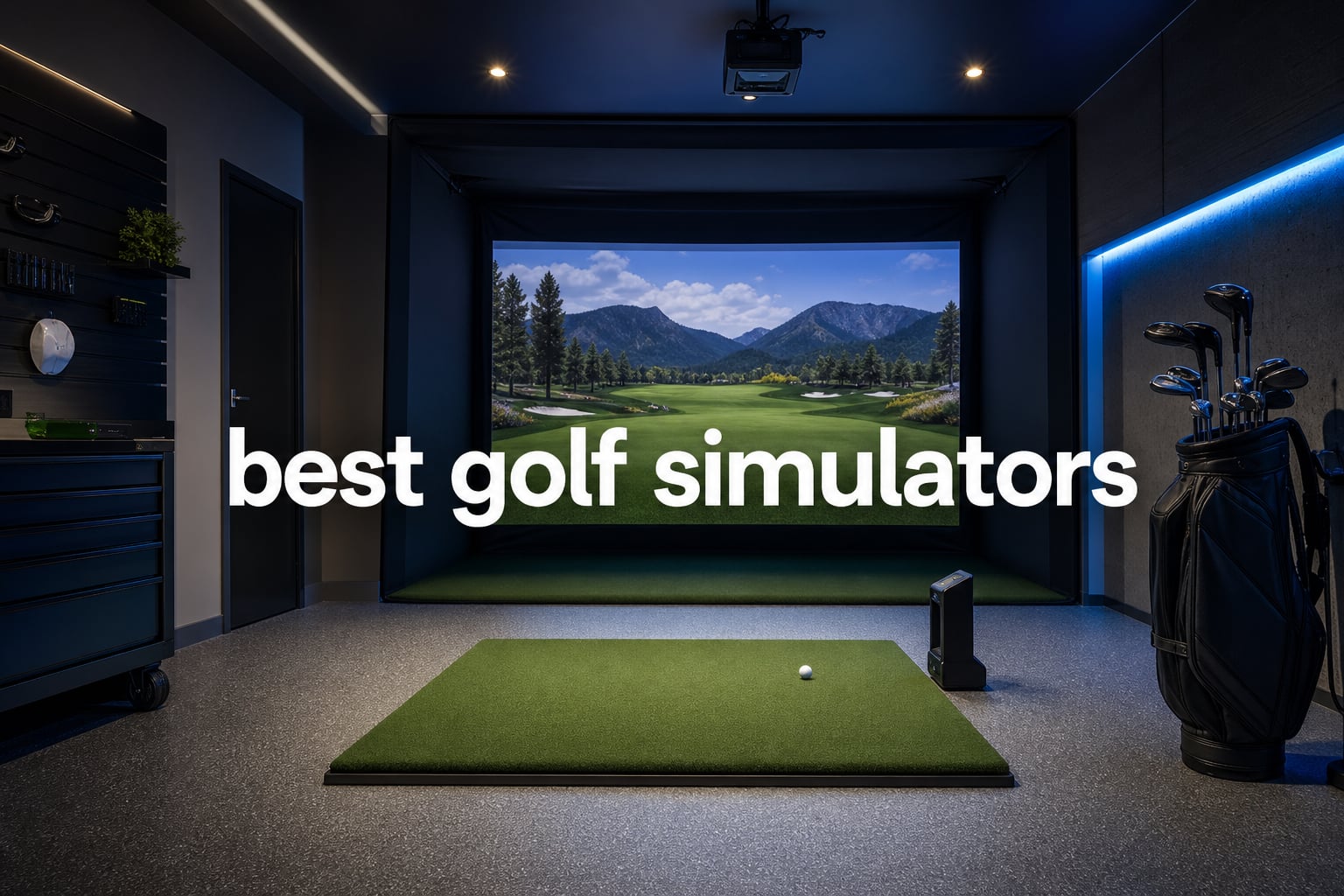
The best golf simulators turn a spare room, garage, or practice bay into a place where a shot produces usable ball data instead of a guess. In 2026, the sensible starting point is not the biggest course library; it is deciding whether you need a launch monitor, a complete room package, or the enclosure that lets existing hardware become an indoor golf simulator.
I kept that distinction clear in this guide. Garmin, Uneekor, SkyTrak, FlightScope, Rapsodo, and Swinora supply tracking hardware, while the ANYTHING SPORTS and GoSports selections are simulator enclosures rather than launch monitors. The SkyTrak Studio Pro is the lone turnkey room bundle here, with a monitor, enclosure, projector, mat, and ball tray listed together.
A golf simulator uses a launch monitor to capture ball flight and, in some cases, club information, then sends that information to a display or compatible software. It can be serious winter training, a driving range simulator for repeatable practice, or a family activity, but the monitor alone does not create a safe full-swing room.
That difference matters because forum discussions repeatedly point to unexpected software access, room clearance, and setup work as the parts buyers wish they had considered first. Community comments also consistently praise software flexibility such as GSPro compatibility, while portable buyers care about battery life and a setup that can move from indoor practice to the range.
Our selection covers ten real listings with distinct roles. I would put the Garmin Approach R50 first for a portable, screen-equipped experience; the Uneekor EYE MINI CORE first for a dedicated PC-based setup with broad listed software support; and the Rapsodo MLM2PRO first for a compact training-focused route with the deepest review count in this group.
Before ordering anything, measure ceiling height, width, depth, and the safe space behind the player and screen. A simulator can report excellent data, yet still be the wrong fit if your longest club touches the ceiling, a radar unit cannot sit behind the ball, or an impact screen has no protected perimeter.
The top 3 best golf simulators are the Garmin Approach R50, Uneekor EYE MINI CORE, and Rapsodo MLM2PRO
The Garmin Approach R50 is my all-in-one pick because it pairs three high-speed cameras with a 10 inch color touchscreen, HDMI output, carrying case, and a stated battery life of up to four hours. It is the clearest match for golfers who want to see data and simulated play without building their first session around a separate laptop screen.
The Uneekor EYE MINI CORE is the more deliberate home-studio choice. Its listed GSPro, E6 Connect, TGC19, and Creative Golf 3D compatibility gives a PC-based golfer more routes for simulator software, while Dimple Optix is designed to read any golf ball without ball stickers.
The Rapsodo MLM2PRO is the compact training choice. Its Doppler radar and dual-camera arrangement records 15 metrics and swing capture, and its 676 reviews are far more than any other launch monitor in this set; note that its full course access follows a 45-day Premium trial and requires a Premium membership afterward.
These 10 best golf simulators and build components cover portable practice through full-room setups in 2026.
The comparison below includes every analyzed product. Read the feature labels as a fast role check: a monitor tracks the shot, an enclosure supplies the screen-and-frame side of a room, and the studio bundle combines several pieces but still has stated room requirements.
| Product | Specs | Action |
|---|---|---|
 Garmin Approach R50 Garmin Approach R50 |
|
Check Latest Price |
 Uneekor EYE MINI CORE Uneekor EYE MINI CORE |
|
Check Latest Price |
 Rapsodo MLM2PRO Rapsodo MLM2PRO |
|
Check Latest Price |
 Swinora GX-03 Swinora GX-03 |
|
Check Latest Price |
 FlightScope Mevo Gen2 FlightScope Mevo Gen2 |
|
Check Latest Price |
 SkyTrak ST MAX SkyTrak ST MAX |
|
Check Latest Price |
 SkyTrak+ SkyTrak+ |
|
Check Latest Price |
 SkyTrak Studio Pro SkyTrak Studio Pro |
|
Check Latest Price |
 ANYTHING SPORTS Enclosure ANYTHING SPORTS Enclosure |
|
Check Latest Price |
 GoSports Enclosure GoSports Enclosure |
|
Check Latest Price |
1. Garmin Approach R50 is the best self-contained portable simulator monitor in this group.
Garmin Approach® R50, Premium Golf Launch Monitor & Simulator
3 high-speed cameras
15+ metrics
10 inch touchscreen
Pros
- Built-in touchscreen
- Three high-speed cameras
- HDMI output
- Up to 4-hour battery
- Carrying case
Cons
- Battery is stated at up to 4 hours
- Course access includes a subscription service
The R50 has the most complete portable-hardware story in the list. Its built-in 10 inch color touchscreen gives you a direct place to view its 15-plus listed metrics, and three high-speed cameras handle the tracking rather than a radar unit placed well behind the ball.
Garmin lists spin and spin axis among the metrics, plus a built-in barometer for carry-distance calculations. The unit also has Bluetooth, Wi-Fi, and HDMI, so a golfer can begin at the unit and later connect an external display or golf simulator projector.
Its 43K-plus available courses and training mode with a shot-dispersion chart make it more than a number display. For my own practice priorities, the dispersion view would be useful for comparing a repeated club rather than chasing one standout carry-distance result.
The R50 is a strong fit when portable all-in-one operation matters most.
At 9 pounds and 10.6 by 7.5 by 16.5 inches, it is listed with a carrying case and up to four hours of battery life. That combination favors a golfer who wants one device for indoor sessions and range use, then wants to take it away without a permanent ceiling-mounted installation.
A camera-based unit can also reduce the need for the long behind-the-ball runway associated with some radar layouts. The exact hitting position and room clearance still need checking against the official setup guidance before a garage build.
The R50 needs a display plan and a battery plan for longer sessions.
The touchscreen is convenient, but a group round is easier to follow on an external monitor or projector through HDMI. That means the compact device does not remove the need to plan screen placement, cables, and a safe impact surface if you intend to hit real balls indoors.
Garmin lists Home Tee Hero as a subscription-required service, so separate hardware ownership from the simulator experience you want. The stated battery is up to four hours; for extended use, think about power access rather than treating the R50 as an unlimited cordless station.
2. Uneekor EYE MINI CORE is the best software-flexible monitor for a dedicated PC setup.
Uneekor EYE MINI CORE Golf Launch Monitor & Simulator, 15 Ball Data Points, Near-Zero Latency, Works with GSPro, TGC19 & E6
15 ball data points
GSPro compatible
Near-zero latency
Pros
- Works with GSPro
- Reads any golf ball
- 15 ball data points
- Club visualization
- Two-year warranty
Cons
- Simulation needs a capable PC
- Ultimate Package trial is limited
The EYE MINI CORE is built around Dimple Optix high-speed cameras and infrared sensors, with 15 listed ball data points and near-zero latency. It includes VIEW software for session reports and Club Optix for real-time club visualization, which gives a practice session more context than carry distance alone.
Its most important distinction is software compatibility. Uneekor lists GSPro, E6 Connect, TGC19, and Creative Golf 3D support, so it fits a buyer who has already selected a software ecosystem or who wants options before committing to a home golf simulator workflow.
The product listing says it reads any dimple pattern without ball stickers. That is a practical detail for household use because a practice bag can stay a normal practice bag instead of becoming a set of marked balls dedicated to one device.
The EYE MINI CORE suits golfers building around PC software and detailed feedback.
Uneekor specifies different computer requirements for VIEW and simulation. VIEW calls for at least a 12th-generation i5 or Ryzen 5, 16GB RAM, and an RTX 3060; simulation calls for a 12th-generation i7 or Ryzen 7, 32GB RAM, and an RTX 4070.
That is a useful buying signal: this is not a standalone touchscreen monitor. It makes sense for a golfer willing to treat the computer, display, and impact screen as parts of the same system, especially when GSPro or another listed program is central to the plan.
The EYE MINI CORE requires computer capability and a place for its floor unit.
The unit weighs 8.4 pounds and measures 6.5 by 3.38 by 13.9 inches, with Ethernet and LAN-to-USB cables included. A permanent bay should reserve a protected floor location and route cables where feet, clubs, and vacuum cleaners will not disturb them.
A three-month Ultimate Package trial is included, but a trial period is not a forever software promise. I would list every future software service, PC upgrade, enclosure, mat, and projector need before deciding whether this monitor forms the center of the room.
3. Rapsodo MLM2PRO is the best compact simulator for shot data and swing video.
Rapsodo Golf Launch Monitor – Swing Analyzer, Spin Rate, Indoor/Outdoor, 3 Pro V1 Balls
Radar and dual camera
15 metrics
Swing capture
Pros
- Doppler radar and cameras
- 15 key metrics
- Swing video capture
- Includes three ProV1 balls
- Large review base
Cons
- Premium membership unlocks full features
- Uses a phone or tablet
The MLM2PRO combines Doppler radar with dual cameras and lists 15 key measurements, including spin rate, spin axis, carry distance, club speed, club path, and launch angle. It also records swing capture from any angle and can show club-and-ball contact in slow motion.
This is why it is the simple training pick among the best golf simulators rather than a room-construction pick. At 1 pound, with a tripod, carrying case, charging cable, and three ProV1 balls included, it can stay compact between sessions and still give a golfer meaningful practice feedback.
Its 676 reviews are the highest count in this batch, although its 4.0 rating is not the highest. I treat that as useful breadth of buyer feedback, not proof that it will match a dedicated camera-based studio monitor for every indoor shot.
The MLM2PRO fits golfers who want video feedback and a small portable kit.
Use it when a face-on or down-the-line swing recording can change your practice. The listed camera system and slow-motion contact view give a player a visual check to pair with the radar-derived numbers, which can be more helpful than reading a single data tile after every shot.
Its iOS and Android compatibility also keeps the interface familiar for mobile-first users. A phone or tablet needs a stable, protected spot near the mat, especially if multiple people will hit during a family session.
The MLM2PRO requires a clear view of membership features before long-term use.
Rapsodo includes a 45-day Premium trial and lists more than 30,000 home golf simulator courses with Premium. The listing also states that a Premium membership is required for full features after the trial, so decide which data and course functions matter before counting on them.
Radar-based monitors require thoughtful placement relative to the ball and available room depth. Measure the manufacturer’s placement guidance against your bay rather than assuming a short enclosure depth automatically works for every portable monitor.
4. Swinora GX-03 is the best subscription-free portable swing analyzer in this selection.
Swinora Golf Launch Monitor & Portable Swing Analyzer with 13 Metrics
13 metrics
3D driving range
No annual fees
Pros
- No annual fees
- 13 metrics
- Environmental sensors
- 3D trajectory
- Tripod included
Cons
- Smaller review base
- Mobile app dependent
The Swinora GX-03 takes a different route from the more established monitor brands. It lists 13 metrics, including attack angle, launch angle, and spin rate, plus a 3D virtual driving range and 3D trajectory display for iOS and Android users.
Its defining claim is zero annual fees and lifetime use through a one-time purchase. That directly addresses a recurring forum concern: buyers want to know whether a monitor can keep providing core practice value without an annual access charge.
The metal-bodied unit has an OLED display, real-time voice feedback, a tripod, and environmental sensors for temperature, humidity, and barometric pressure. Its distance compensation function runs from 80% to 120%, which is worth understanding as a user setting rather than confusing with a measured carry result.
The GX-03 works best for straightforward mobile practice without an annual fee.
At 0.65 kilograms and 8.54 by 6.69 by 2.01 inches, it is easy to picture as a small practice companion. It makes more sense for a golfer who wants a 3D driving range, data review, and quick setup than for someone expecting a complete projected-course room from a small device alone.
The environmental sensors are a thoughtful fit for players who move between garage and outdoor sessions. They do not remove the value of consistent balls, lighting, setup position, and repeated test shots when you are comparing swing changes.
The GX-03 calls for realistic expectations about app-based simulation depth.
The available listing supports iOS and Android and describes its own 3D range and trajectory tools. It does not list the third-party simulator compatibility claimed by the Uneekor, so I would choose it for the supplied mobile experience rather than assume it will run every popular course program.
The review count is 57, which is enough to inspect carefully but far less than the Rapsodo figure. Read the current app requirements and confirm your device supports them before making this your primary indoor golf setup.
5. FlightScope Mevo Gen2 is the best portable radar option with included E6 courses.
FlightScope Mevo Gen2 Portable Golf Launch Monitor and Simulator with 18 Swing Data Parameters, Front Facing Camera, 8 E6 Simulation Courses with GPS Overview and Shot Tracer | Indoor and Outdoor
18 swing parameters
8 E6 courses
6-hour battery
Pros
- 18 data parameters
- Front-facing camera
- 8 E6 courses
- Up to 6-hour battery
- Lightweight
Cons
- Radar placement needs room
- Small review base
The Mevo Gen2 uses FlightScope Fusion Tracking, combining 3D Doppler tracking radar and synchronized high-speed image processing. It records 18 full-swing, chipping, and putting parameters, giving it a broad data brief for a device that weighs only 1.1 pounds.
A front-facing camera records swings, while Shot Tracer adds a visual data overlay. Eight E6 Connect golf courses are included, and FlightScope states there are no subscriptions or hidden fees for that E6 Connect bundle.
That package makes the Mevo Gen2 a compelling choice for golfers who want mobile practice to include both numbers and simulated holes. The listed battery life of up to six hours is also the longest stated battery figure among the portable monitors here.
The Mevo Gen2 fits players who want portable radar with a defined course bundle.
The device supports Android, PC, and iOS, and connects via Wi-Fi. Its small 5.5 by 1 by 6.88 inch body, carrying case, charging cable, and QuickStart Guide suit a golfer who does not want to leave equipment in one bay all year.
Because it includes eight E6 Connect courses, the starting simulation package is spelled out more clearly than on monitors that begin with a temporary membership. It remains sensible to verify current software, device, and computer requirements with the provider before setting up a projector room.
The Mevo Gen2 needs room-depth planning because it uses radar tracking.
Radar monitors generally track from a position behind the ball, which makes depth a first-order room question. A space that fits a mat and screen may still be unsuitable if there is not enough protected distance for the device and player movement.
The front-facing camera is useful for recording, but it does not mean you can ignore camera framing and ambient-light conditions. Build a repeatable station first, then compare sessions with the same ball type and device position.
6. SkyTrak ST MAX is the best serious-practice monitor with speed-training features.
SkyTrak ST MAX Golf Launch Monitor with 1-Year Software Included
Dual radar and cameras
GOLFTEC training
USB-C
Pros
- GOLFTEC Speed Training
- Dual Doppler radar
- Photometric cameras
- Practice modes
- Premium build
Cons
- Limited review count
- Software details need checking
The SkyTrak ST MAX combines dual Doppler radar with photometric cameras, a hybrid approach intended to capture ball and club information. It includes GOLFTEC Speed Training and lists skills assessments, bag mapping, wedge matrix, and randomized practice among its training functions.
This is the focused-practice choice for a player who wants a session to have structure. Bag mapping can help organize club distances, while randomized practice can stop a player from repeating the same comfortable target without changing clubs or intent.
SkyTrak lists a premium build, modular architecture, dual USB-C ports for charging and data transfer, and a 14-day free trial. The listing also notes only 23 reviews, so I would give the specific features more weight than treating that rating as a broad consensus.
The ST MAX suits golfers who want a repeatable skills and speed-practice routine.
GOLFTEC Speed Training is described as exclusive to the ST MAX. Pair that with the bag-mapping, wedge-matrix, and skill-assessment functions when your priority is intentional practice rather than turning every session into a long virtual round.
The dual radar and photometric design may appeal to buyers who want multiple sensing methods in one portable form factor. Before committing, confirm what data is available in the exact software tier and whether your planned display hardware works with it.
The ST MAX needs a careful software and review-depth check before purchase.
The product listing identifies a 14-day trial but does not spell out a long-term simulator software plan in the analyzed information. Do not fill in that blank by assumption; ask which practice modes, courses, and data views remain available in the setup you intend to use.
Its 4.2 rating comes from 23 reviews. That is useful but a comparatively narrow sample, so this is a model where a golfer should prioritize a live demonstration or current support documentation if tour-level accuracy is the deciding claim.
7. SkyTrak+ is the best previous-generation pick for club-data practice and broad course access.
SkyTrak+ Launch Monitor & Golf Simulator (Previous Generation) — Dual Doppler Radar, Enhanced Camera, 100K+ Courses, Real-time Simulation, Wi-Fi, USB-C
Radar and camera
Club data
100K+ courses
Pros
- Dual radar and camera
- Club path and face angle
- 100K+ courses
- Wi-Fi and USB-C
- Portable
Cons
- Previous-generation model
- Lowest rating in this group
The SkyTrak+ pairs dual Doppler radar with an enhanced photometric camera. It lists club head speed, smash factor, club path, and face angle, which gives a golfer a useful set of terms for moving from “that felt off” to a more specific practice question.
It also lists WGT by Topgolf and TruGolf E6 Connect integration, plus more than 100K global courses. Wi-Fi and USB-C connectivity support a portable launch monitor design that can connect to a home display system.
The key caveat is right in the listing: this is a previous-generation model, and its 3.5 rating across 102 reviews is the lowest rating in this group. That does not erase its feature set, but it does mean I would investigate current support, software access, and the ST MAX before deciding.
The SkyTrak+ fits golfers who want specific club-data terms in their practice review.
Club path and face angle can help give a practice session direction when a player is working on starting line and curve. Smash factor and club head speed also help connect strike efficiency with speed, though no monitor can replace a safe, repeatable hitting environment.
Its 6 by 3 by 12 inch, 1-pound design is well suited to portable storage. The convenience is strongest when your app, tablet, and screen connections are already part of a predictable routine.
The SkyTrak+ needs extra comparison work because it is not the newest model.
SkyTrak’s newer ST MAX is also included in this guide and brings GOLFTEC Speed Training plus a different sensing description. Compare the exact practice features you need rather than treating the shared brand as a reason to skip model-level research.
The lower rating is a reason to read recent owner feedback closely, especially on the version of software and hardware you plan to use. The 102-review count supplies more feedback than the ST MAX, but it is still important to separate dated experiences from current product support.
8. SkyTrak Golf Simulator Studio Pro Package is the best turnkey room package on this list.
SkyTrak Golf Simulator Studio Pro Package Launch Monitor, Metal Protective Case, Enclosure, Simulator Software, Hitting Mat, Projector, Ball Tray – (Studio 10-10′ W x 8’6″ H x 5’4″ D)
Monitor, enclosure, projector
5 by 5 mat
Studio 10 room
Pros
- Turnkey component bundle
- Projector included
- Impact screen
- Hitting mat included
- Ball tray included
Cons
- Needs stated room dimensions
- Small review count
The Studio Pro Package is for the buyer who does not want to source every major visual and hitting component separately. The listing includes a SkyTrak device, metal protective case, enclosure, projector, hitting mat, custom-sized putting turf, and ball tray.
That is a genuine distinction from a launch monitor alone. A monitor provides shot capture; this package adds the high-impact screen, easy-assemble frame, 5 by 5 hitting mat, and projected-play framework needed to make a visible simulator room.
SkyTrak identifies the Studio 10 size as 10 feet wide by 8 feet 6 inches high by 5 feet 4 inches deep. The width and ceiling height are stated package constraints, but you still need a full-swing test and safe player depth beyond the enclosure dimension.
The Studio Pro Package fits buyers who want matched core components from one listing.
Choosing a package can simplify the compatibility side of a build because the screen, enclosure, projector, mat, and monitor are already grouped. It can also reduce the mental load of comparing fabric, frame, projection, and mat specifications across separate suppliers.
The metal protective case is especially relevant in a home setting where a portable monitor may otherwise sit within reach of a mishit. Even with a case, plan the hitting position and side protection so a shank does not become a damage test.
The Studio Pro Package requires a room audit before it becomes a turnkey answer.
A stated 8 feet 6 inches of ceiling height is not a guarantee that every golfer can make a full swing comfortably. Taller players, longer clubs, and a different swing plane can call for more clearance, so use a club test with room to spare.
The review count is 17 and the rating is 3.9, giving this package a limited review base. Confirm the equipment list, installation guidance, and any software details for the exact current package before viewing it as a one-box solution.
9. ANYTHING SPORTS Complete Enclosure Package is the best projector-ready blackout enclosure for a custom build.
Complete Golf Simulator Enclosure Package – 4K-Ready Impact Screen with Blackout Cage, Projector Mount, Frame Poles, Side Shank Nets | Indoor & Garage Practice | Easy Setup | 12-Month Warranty
4K-ready screen
Blackout cage
Projector mount
Pros
- 4K-ready impact screen
- Projector mount included
- Side shank nets
- Tool-free setup
- 12-month warranty
Cons
- No turf included
- No projector included
The ANYTHING SPORTS package is not a launch monitor, and that is exactly why it belongs in a build-focused roundup. It supplies a 4K-ready impact screen, blackout cage, frame poles, projector mount, hardware, and side shank nets, giving a custom launch-monitor setup a defined hitting enclosure.
The metal, rectangular cage is offered in 12 by 9, 11 by 8, and 8 by 8 size options. The listed 11 by 8 foot 4 inch by 5 size shows why it is important to check the particular variation rather than rely on a headline product name for room planning.
It has a 4.5 rating from 171 reviews, easy setup with no special tools required, and a 12-month no-questions-asked warranty. The product does not include turf or a projector, so it is a component purchase rather than a full home golf simulator by itself.
This enclosure fits custom builds that already have a launch monitor and display plan.
The included projector mount and blackout design make it a natural companion to a projector-based bay. The side shank nets add another layer of ball containment, which matters when more than one golfer or a beginner is taking full swings.
Pick the size only after measuring usable width, ceiling height, and depth, then accounting for the player’s stance and backswing. An 8 by 8 version may fit a tighter location, but a physical swing test remains more persuasive than a floor-plan estimate.
This enclosure still needs a mat, projector, and monitor to complete a simulator.
The absent turf and projector are explicit listing omissions. You will also need a launch monitor or other tracking system, a compatible device or computer, and software if the aim is course simulation rather than a net for basic ball striking.
Impact noise is another planning factor competitors tend to skip. A screen, ball impact, club strike, and projector fan can be noticeable in an attached garage or shared basement, so leave room for soft surroundings and consider when the household will use the bay.
10. GoSports Golf Simulator Enclosure is the best heavy-duty screen-and-frame option for multiple room sizes.
GoSports 10 x 8 ft Golf Simulator Enclosure Net – Complete Set with Frame and HD Impact Screen Kit
HD impact screen
Blackout design
Three size options
Pros
- Heavy-duty impact screen
- Blackout enclosure
- Reduced rebound
- Quick-install hardware
- Multiple sizes
Cons
- Six-month warranty
- No launch monitor included
The GoSports enclosure is another build component, with a commercial-grade heavy-duty impact screen, alloy-steel and polyester construction, frame, and quick-install hardware. Its screen is designed for high-speed impacts, and the multilayer build is intended to reduce rebound while keeping a smooth projection surface.
A true blackout enclosure blocks outside light, an important projector consideration in a garage with windows or a basement with changing ambient light. It comes in 10 by 8, 12 by 9, and 14 by 8 foot options, so it offers a wider range of room-size choices than a single fixed package.
The 10 by 8 foot selection weighs 79 pounds and carries a 200-pound listed breaking strength. It has a 4.5 rating from 170 reviews and a six-month warranty, but like the ANYTHING SPORTS option, it is not a golf launch monitor.
The GoSports enclosure works for projector rooms that need a screen built for repeated impacts.
The HD impact screen and blackout walls address the visual side of a simulator enclosure, while the frame creates a defined bay. This is attractive when you have already chosen your tracker and want the screen surface to be more than a basic hitting net.
Its reduced-rebound design has a safety benefit as well as a comfort benefit. Still, no enclosure replaces a clear hitting zone, side protection, and house rules that keep spectators well behind the player during a shot.
The GoSports enclosure needs a complete component checklist before installation.
Plan for a launch monitor, mat, projector or other display, compatible software, ball supply, and the room itself. The product’s fast-install hardware and readable instructions may simplify frame assembly, but a full simulator needs electrical and device placement decisions beyond the frame.
The six-month warranty is shorter than the 12-month coverage listed with the ANYTHING SPORTS enclosure. For a long-term build, inspect screen condition, frame stability, and connector wear after regular use; a clean, well-protected setup is also easier to resell or repurpose later.
Choosing the right golf simulator starts with room dimensions, tracking type, and software needs.
Start with the room, not the launch monitor. Stand on the intended mat with the longest club you will swing and make several slow, controlled practice swings; look for clearance above, behind, and to both sides, then add a safety margin for a real swing.
Width matters for a right- or left-handed player and for the people standing clear. Ceiling height matters more than a listing’s enclosure height, while depth must accommodate the player, screen, ball flight, and, for radar systems, the device’s prescribed position behind the ball.
Camera-based and radar systems answer the same shot question from different positions.
Camera-based or photometric systems use images to interpret the ball and sometimes club. The Garmin R50 uses three high-speed cameras, while the Uneekor EYE MINI CORE uses Dimple Optix cameras and infrared sensors; these designs are appealing when a compact forward-of-ball station suits the room.
Radar technology tracks with Doppler radar and usually calls for more deliberate depth and alignment planning. FlightScope Mevo Gen2 and Rapsodo MLM2PRO list radar tracking, while SkyTrak models combine radar with cameras; neither approach is automatically “best” without matching the manufacturer’s setup requirements to the room.
Software access should be written down before the hardware decision.
Do not treat every golf simulator software option as included forever. The analyzed listings identify a limited Ultimate Package trial for the Uneekor, a Premium trial and later membership requirement for full Rapsodo features, subscription-required Home Tee Hero on Garmin, and eight included E6 Connect courses with the Mevo Gen2.
Forum research repeatedly names GSPro as a preferred option, and the EYE MINI CORE explicitly lists GSPro compatibility. If GSPro is non-negotiable, begin by checking compatible hardware, computer specifications, display needs, and current licensing details rather than buying a monitor first.
Noise, family use, and maintenance determine whether the room stays enjoyable.
A real-ball indoor setup makes sound at impact: club on ball, ball on screen, ball on mat, and sometimes fans or speakers. The listed enclosure products address rebound and blackout projection, but neither listing makes an acoustic claim, so shared-wall spaces call for cautious hours and thoughtful soft furnishings.
For family play, a large visible screen and simple interface can matter more than maximum data points. The Garmin’s touchscreen and the SkyTrak Studio Pro’s matched projector-and-screen components are easier to explain to guests than a bare monitor, but every user still needs safe-zone rules and adult supervision around clubs.
Finally, keep boxes, accessories, cables, and documentation. A protected monitor, clean impact screen, and organized hardware are easier to troubleshoot and may be easier to resell than a system with missing parts, even though resale outcome cannot be predicted.
These FAQs answer the most common questions about home golf simulators.
Which golf simulator does Tiger Woods use?
Tiger Woods has been associated publicly with Full Swing Golf technology, but that brand and model are not among the ten analyzed listings in this guide. Choose a simulator based on your room, desired ball and club data, software, and budget rather than a celebrity association.
How much does a really good golf simulator cost?
A strong home setup can range from a portable monitor used with a net to a dedicated studio with a launch monitor, impact screen, enclosure, mat, projector, computer, and software access. The total depends on the room and components, so list every required item and recurring software access before buying.
Is there a cheaper alternative to TrackMan?
Yes. The Rapsodo MLM2PRO, FlightScope Mevo Gen2, Swinora GX-03, Garmin Approach R50, Uneekor EYE MINI CORE, and SkyTrak monitors offer different combinations of launch data and simulated play. They are not identical to TrackMan, so compare required metrics, placement rules, and software support.
Which simulator does Topgolf use?
Topgolf venues use proprietary Toptracer Range technology rather than the consumer products reviewed here. For home use, SkyTrak+ lists WGT by Topgolf integration, while the other monitors have their own listed apps or software compatibility.
The best golf simulator is the one that fits your room and your practice routine.
For the most self-contained monitor experience, choose the Garmin Approach R50. Choose the Uneekor EYE MINI CORE when PC software flexibility and detailed indoor feedback lead the list, or the Rapsodo MLM2PRO when compact video-assisted practice is more important than a permanent studio.
If you already own a compatible tracker, the ANYTHING SPORTS and GoSports products solve the enclosure side of a build; if you want a grouped room package, the SkyTrak Studio Pro is the relevant choice. The best golf simulators in 2026 reward careful measurement and a clear software plan far more than an impulse purchase.