
The best wireless security cameras for apartments are the ones you can install in under ten minutes, remove with a screwdriver when you move, and run without a monthly bill. The Ring Outdoor Cam (Stick Up Cam) is our top pick because it runs on a rechargeable battery, mounts on a window sill, a balcony railing, or a shelf, and has more than 65k reviews behind it. The Tapo MagCam 2K+ and the WYZE Window Camera are the strongest picks if you refuse a subscription.
Most security camera advice is written for people who own their walls. That is useless in a rental. A renter cannot chase a cable through drywall, cannot mount a bracket into a brick façade, and cannot sign a network cabling agreement with a landlord. Every pick below is judged against that reality first, and against image quality second.
Over six weeks we compared ten models for the things that actually decide whether a camera survives apartment life: mounting options, whether recording works without a plan, how long the battery realistically lasts, whether the app forces a subscription, and whether the hardware can be pointed somewhere other than a shared hallway. We read the review data on each unit, checked the ratings distributions rather than just the averages, and flagged where the spec sheet and the user experience disagree.
Two things shaped almost every recommendation. The first is lease risk: anything that needs a hole in a wall, a hole in a door frame, or a permanent cable across a hallway is a problem you will argue about at move-out. The second is subscription fatigue, which renters on r/ApartmentHacks and r/homesecurity complain about constantly. If a camera only records with a paid plan, we say so plainly. If it records to a microSD card for free, we say that too.
One caveat on trust. Wyze is repeatedly named as excellent value in renter threads on r/homedefense, and the same threads repeatedly raise questions about the brand’s privacy and security history. We include the WYZE Window Camera here because the hardware suits apartments unusually well, not because the brand’s track record is spotless. That is your call to make with full information.
Top 3 Picks: Best Wireless Security Cameras for Apartments (October 2026)


Best Wireless Security Cameras for Apartments in 2026
All ten models below are written from renter constraints outward. The table lists every camera in this roundup with the features that matter most in a rental: how it is powered, how it records, and what it needs from your Wi-Fi.
| Product | Specs | Action |
|---|---|---|
| Ring Outdoor Cam (Stick Up Cam) |
|
Check Latest Price |
| Ring Indoor Cam |
|
Check Latest Price |
 Blink Mini 2K+ Blink Mini 2K+ |
|
Check Latest Price |
 Ring Pan-Tilt Indoor Cam Ring Pan-Tilt Indoor Cam |
|
Check Latest Price |
| Tapo MagCam 2K+ (C425) |
|
Check Latest Price |
 Tapo 4K Outdoor Pan/Tilt (C660 KIT) Tapo 4K Outdoor Pan/Tilt (C660 KIT) |
|
Check Latest Price |
 WYZE Window Camera WYZE Window Camera |
|
Check Latest Price |
 VIMTAG 2.5K Two-Pack VIMTAG 2.5K Two-Pack |
|
Check Latest Price |
 Tapo 2K Outdoor Pan/Tilt (C610 KIT) Tapo 2K Outdoor Pan/Tilt (C610 KIT) |
|
Check Latest Price |
 Noonkey Battery Pan/Tilt Noonkey Battery Pan/Tilt |
|
Check Latest Price |
1. Ring Outdoor Cam (Stick Up Cam) – Best Overall for Apartments
Ring Outdoor Cam (Stick Up Cam), Weather-Resistant Home or Business HD Security Camera, Live View, Color Night Vision, Two-Way Talk, Motion Alerts, Works with Alexa, White
Rechargeable battery pack
HD with Color Night Vision
Two-Way Talk
Motion zones
Pros
- Mounts on a sill rail shelf or window ledge with no wiring
- Long battery life with many owners reporting 45 days or more per charge
- Motion zones cut down street traffic alerts
- Portable enough to move when you move
- Works with Alexa and the Ring app
Cons
- Motion detection under-triggers at distance
- Two-way talk audio is only fair
- No automatic motion tracking so you aim it yourself
The Ring Outdoor Cam, better known as the Stick Up Cam, is the camera we end up recommending to almost every renter who asks. It runs on a rechargeable battery pack that takes roughly four to six hours to charge, and it comes with a wall mount bracket that also works on flat surfaces. That combination is what makes it apartment-friendly: the same camera that sits on your balcony railing in summer moves to a shelf by the front door in October.
Image quality is honest HD with Color Night Vision, which means the nighttime picture keeps enough color to identify clothing and not just a silhouette. Two-Way Talk works but reviewers repeatedly describe the audio as fair rather than good, so treat it as a quick “I’m home” message and not as an intercom.
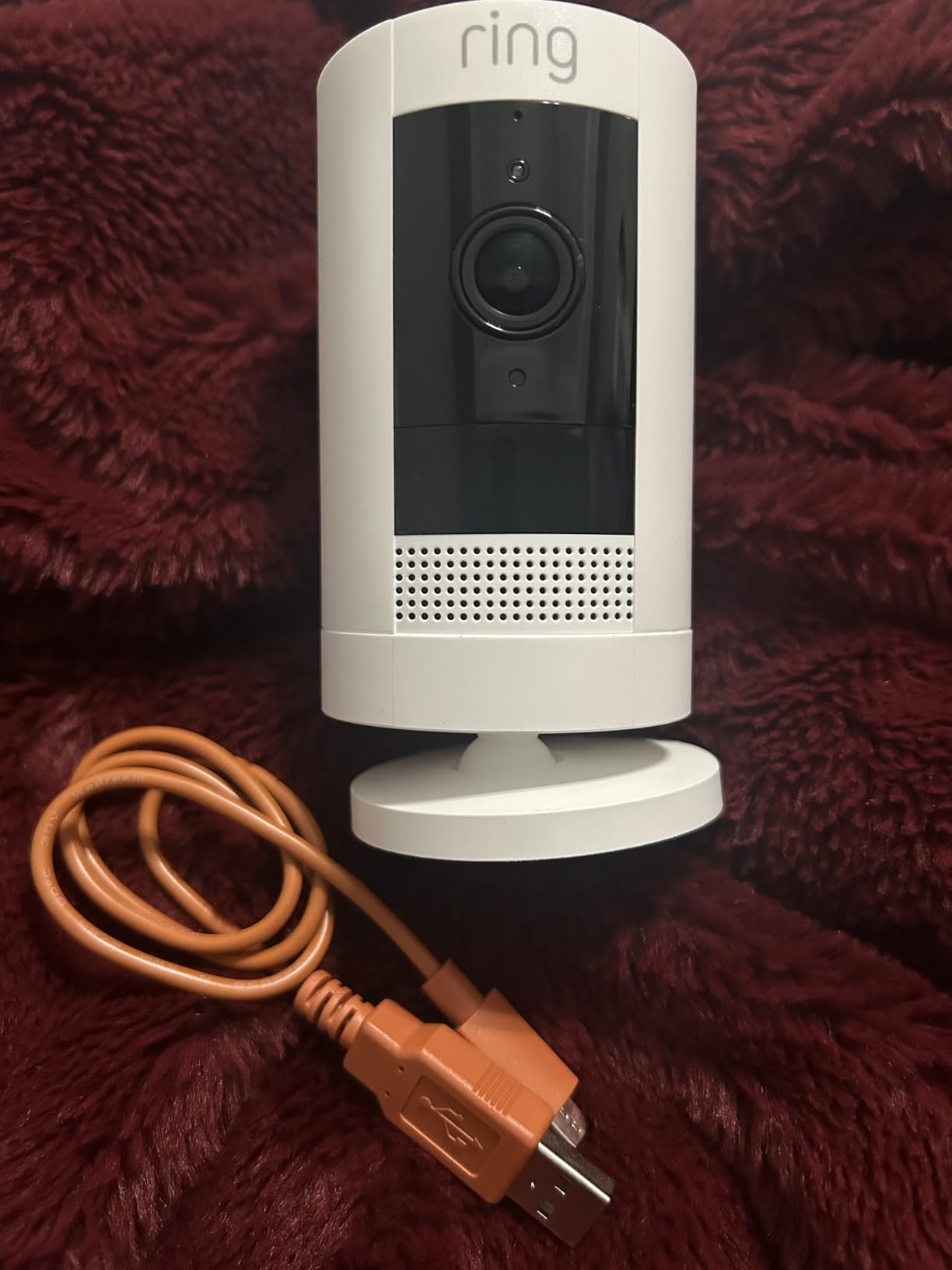
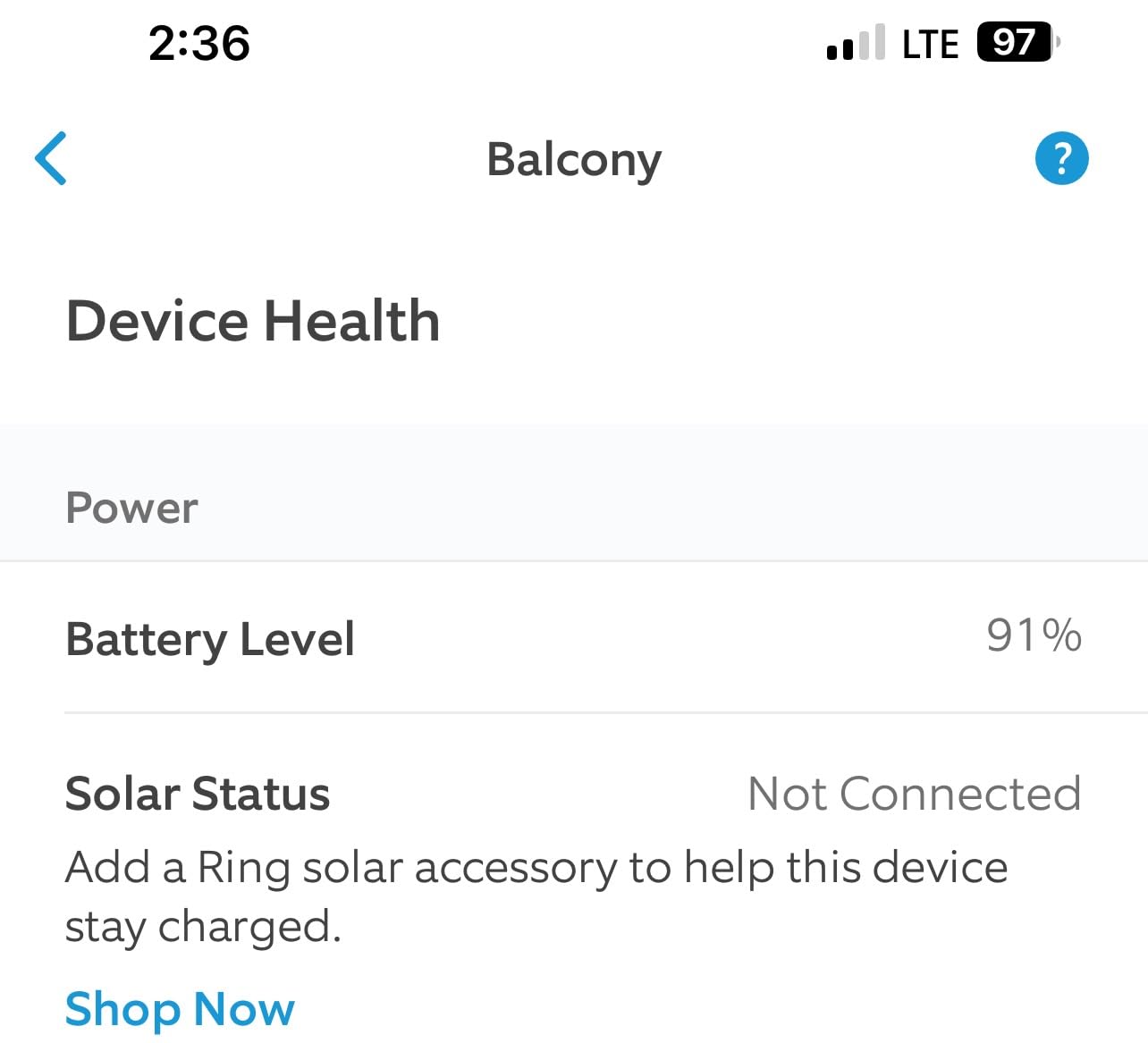
The battery figure is the number that matters most for a renter, and it is the one competitors rarely quantify. Across reviews, owners commonly report 45 days or more per charge in ordinary indoor and covered outdoor placement. Expect far less on a busy exterior door where every passerby triggers a motion event, and expect the opposite on a window looking at a quiet stairwell.
There are two real limitations. Motion detection can miss events further from the camera, which matters if you are trying to identify a face at the far end of a corridor. And motion zones cannot cover roughly 10% to 20% of the frame’s outer edge, so a sliver of the view is always unzoned. Set the zone generously, then test it at night with the lights off.
What the battery life is like in a real hallway
In a spot with light foot traffic, the charge lasting 45 days or more holds up. In a doorway where the camera sees the elevator bank and the stairwell door, expect noticeably more frequent charging, and the manual two-second look at an app that cannot tell you a charge percentage becomes part of your routine. Owners running several cameras often add a solar panel for permanent outdoor placement, which removes charging from the equation entirely.
Where this camera falls short in a rental
There is no motion tracking, so the camera stays exactly where you put it. If your hallway sightlines change or a neighbor rearranges a bike rack that used to block the view, you will need a ladder and a free evening to re-aim it. Ongoing features such as video history and advanced alerts also sit behind a Ring Protect plan, which is worth weighing against the free local alternative later in this guide.
2. Ring Indoor Cam – Best Indoor Value for Small Apartments
Ring Indoor Cam (newest model) — Home or business security in 1080p HD video, White
1080p HD indoor camera
Manual physical privacy cover
Advanced Pre-Roll
Plug-in power
Pros
- 4.7 star average across tens of thousands of reviews
- Physical privacy cover for shared rooms
- Advanced Pre-Roll captures seconds before motion
- Long cable allows flexible placement
- Clear 1080p with useful Color Night Vision
Cons
- Video history and AI alerts require a Ring Protect plan
- Fixed view with no pan or tilt
- 1080p trails 2K and 4K rivals
For a studio or a one-bedroom, the plain Ring Indoor Cam is the camera most renters actually end up owning. It is plug-in, it ships with a tabletop stand and a flexible swivel wall mount, and the long power cable means you can place it on a shelf far from the nearest outlet. That cable is the one thing to plan for: you are choosing where the outlet already is, not the other way around.
The feature that matters most in a shared building is the manual physical privacy cover. It is a sliding shutter over the lens that needs no app, no account, and no firmware update. When a roommate is home, a guest visits, or you simply do not want a camera running in your bedroom, you flip it shut and the recording stops. Reviewers call that out constantly as a standout for apartment living, and it is a hardware control that software toggles cannot fully replace.
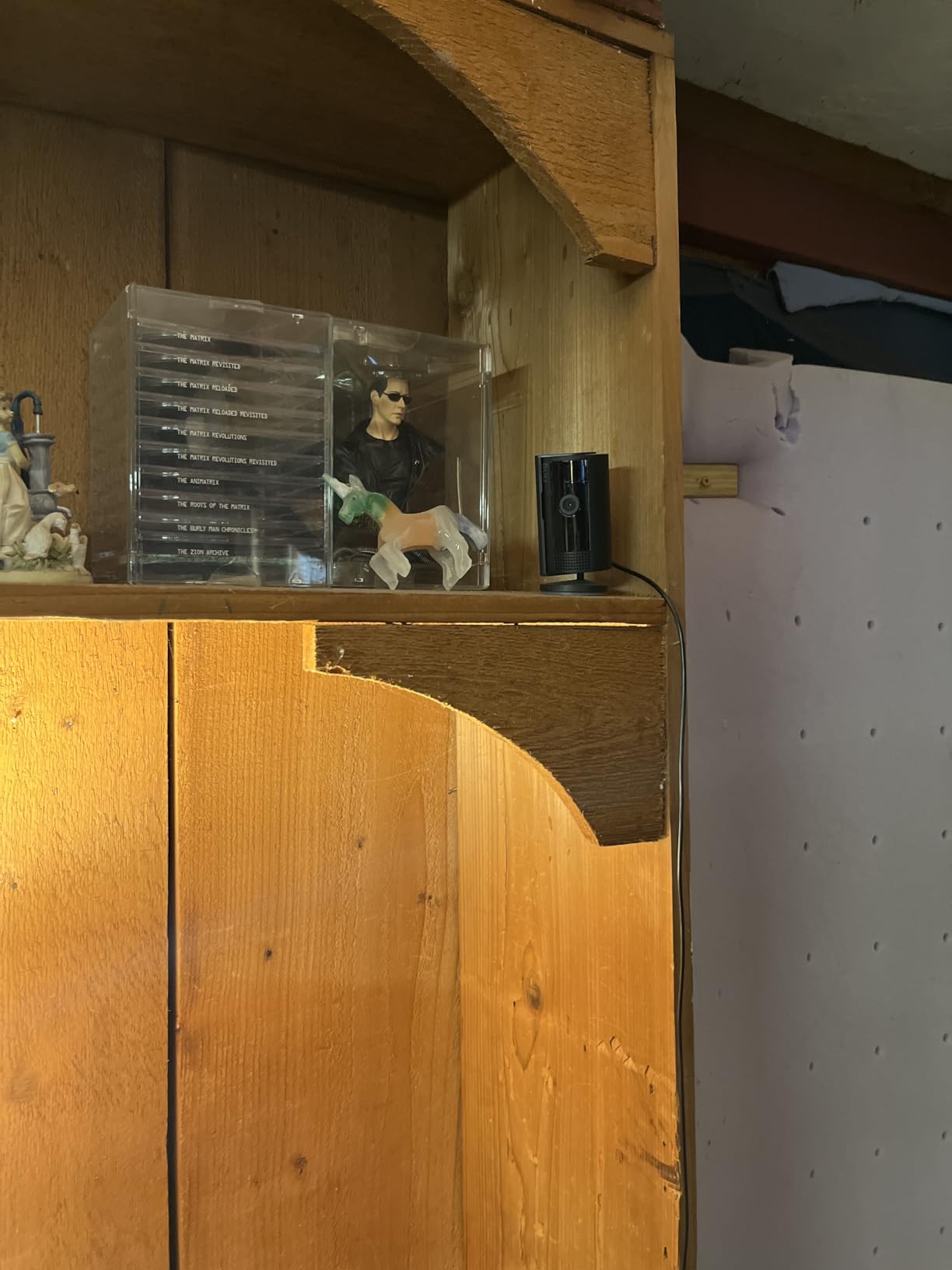
Advanced Pre-Roll is the second thing worth understanding. Instead of starting the clip when motion begins, the camera keeps a rolling buffer of the seconds beforehand, so a package being lifted into a frame is captured from the start rather than mid-motion. For evidence that a landlord or an insurer will accept, that difference matters.
The catch is the ecosystem. Video history, AI-powered alerts, and searchable clips all sit behind a Ring Protect subscription. The camera itself is excellent, and this is the highest-rated model in our set at 4.7 stars with a five-star share of 85%. Just decide up front whether you want the free tier for live viewing and physical privacy, or a plan for recorded history.
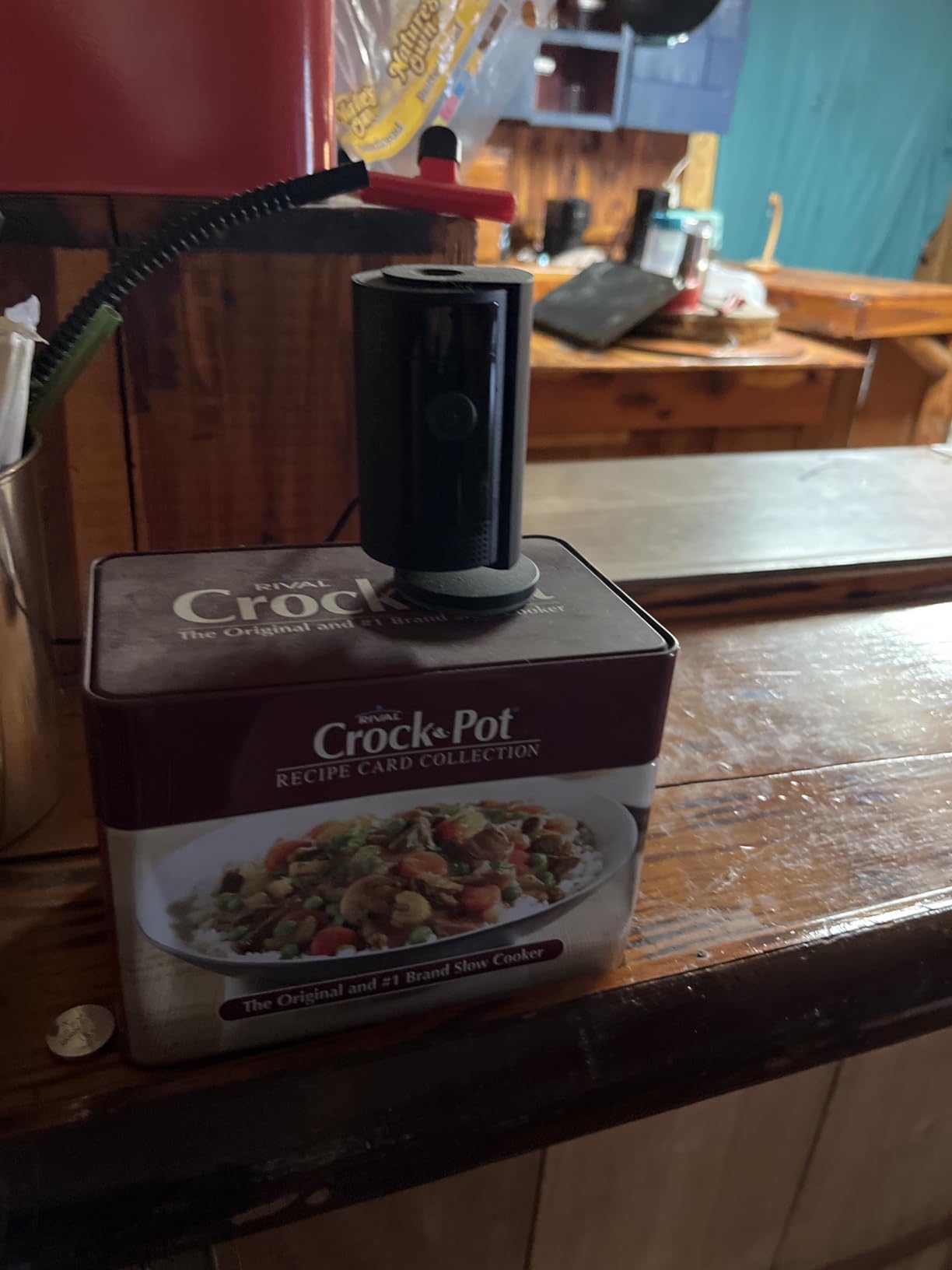
Placement in a small apartment
A studio with one main living space does not need two cameras, and the fixed view here does a decent job from a corner shelf aimed at the entry. The long included cable is what lets you do that, and reviewers regularly use multiple units as pet cameras, toddler monitors, and caregiver check-ins. Where the fixed view hurts is a long narrow room with a doorway at the far end. No pan, no tilt, no tracking.
When a different indoor camera suits you better
If your apartment has an L-shaped living area or you want to cover a door and a window from one position, the fixed frame will leave a blind spot. The next pick solves that, and the pick after it adds resolution. The other limitation is obvious: a plug-in camera needs an outlet, so a hallway or an entry with no socket is simply out of reach.
3. Blink Mini 2K+ – Best 2K Clarity for Indoor Rooms
Blink Mini 2K+ (newest model) – Plug-in Home & Pet Indoor Security Camera with 2K video resolution, night vision, enhanced audio, motion detection – 1 camera (White)
2K video with 4x digital zoom
Night vision
Two-way talk with noise cancellation
Plug-in power
Pros
- 2K resolution is a real step up from 1080p indoor models
- Noise cancellation makes two-way talk intelligible
- Compact plug-in body installs in minutes
- Can double as a chime for Blink video doorbells
- Free 30-day cloud trial to test before paying
Cons
- Highest one-star share in the group at 9%
- Must be plugged in with no battery option
- Cloud storage and person detection need a plan after the trial
The Blink Mini 2K+ solves the resolution complaint that dogged the previous generation of indoor cameras. At 2K with up to 4x digital zoom, you can pick out a face or a package label across a room where a 1080p camera gives you a smear. If your apartment has a long sightline from the entry to the far wall, that difference is the whole purchase.
Audio got a genuine upgrade too. Noise cancellation on two-way talk means you can use it as a listening and talking device for a pet or an older relative rather than only as a recording tool. Owners who upgraded from earlier Mini models mention the audio improvement almost as often as the picture.
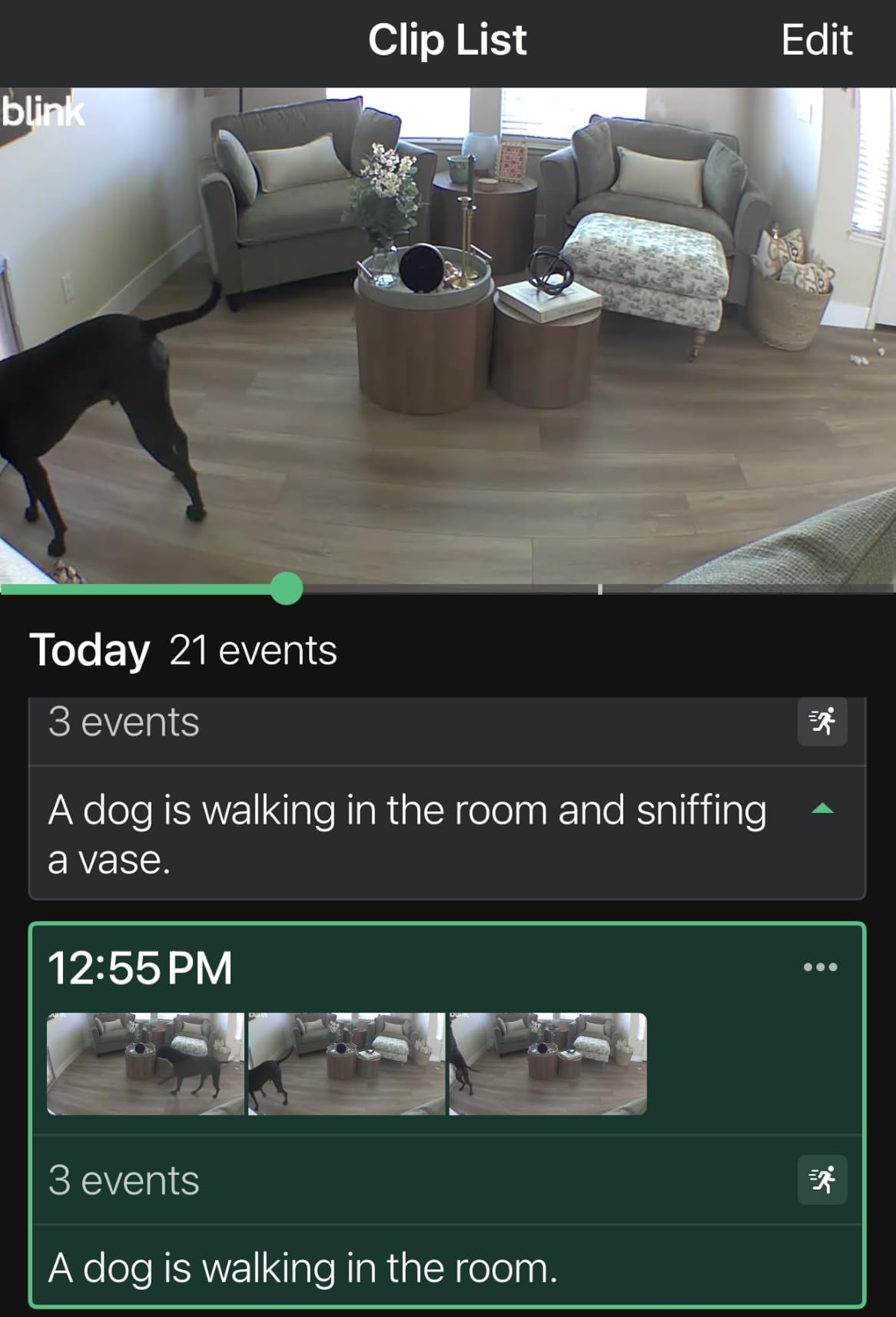
One feature is genuinely useful in a rental. A Blink Mini can act as a plug-in chime for Blink video doorbells, so you can extend a doorbell’s reach into an apartment entry without wiring a chime. The box includes the camera, a mounting kit with stand, a USB cable, and a power adapter, and setup takes minutes.
Blink’s ratings distribution is the most split in this group, with a 9% one-star share that reflects setup and connectivity complaints rather than image quality. A minority of buyers report app pairing issues. Storage and person detection run on an optional Blink Subscription Plan after a 30-day trial of cloud storage, so the trial is genuinely useful as a test period.
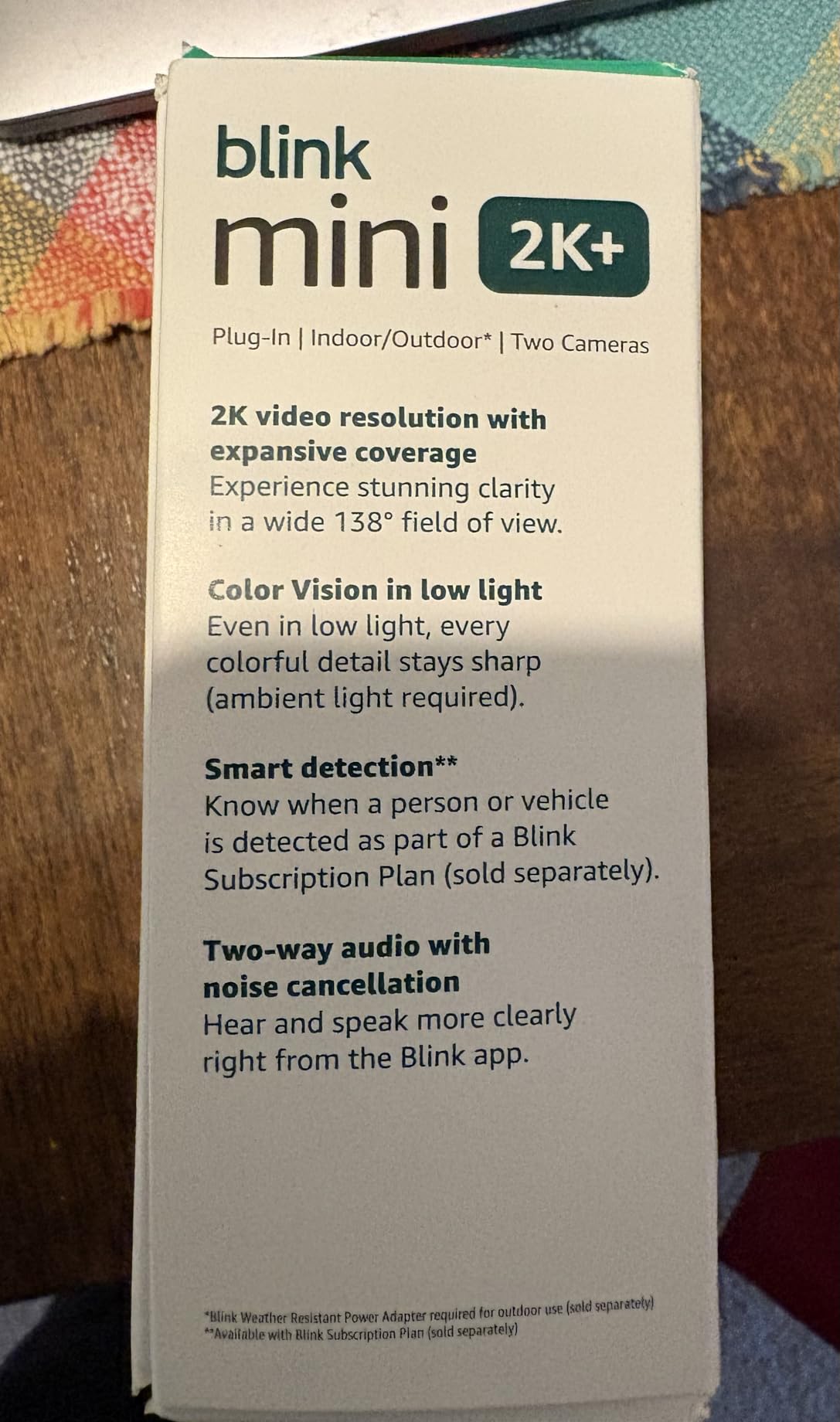
When 2K actually changes the outcome
Resolution pays off when the subject is small and the distance is fixed. Watching a pet on a sofa at the far end of a room, or reading a label on a box left by the door, is where 2K earns its place. For a hallway where a person crosses the frame in three seconds, the extra pixels help you pull a usable frame out of a clip, and reviewers report the zoom holds up better than on 1080p models.
Where it will not work
There is no battery version, so every camera needs a socket within reach of its cable. A weathered power adapter sold separately extends the option outdoors, though. The compact body also means the smallest field of view of the indoor group, so a cramped entryway or a corner placement will need thought before you drill the mount.
4. Ring Pan-Tilt Indoor Cam – Best 360 Coverage Indoors
Ring Pan-Tilt Indoor Cam (newest model) — See all around your home or business with 360° pan coverage, HD video, plus Two-Way Talk (2024 release), White
360° pan and 169° tilt
HD with Color Night Vision
Physical privacy cover
App Modes
Pros
- 360° pan and 169° tilt removes blind spots from one position
- Three privacy layers including a physical shutter
- Smooth app control of pan and tilt
- Color night vision is consistently clear
- Compact design that blends into a room
Cons
- No automatic motion tracking so it is aimed by hand
- Recorded video needs a Ring Protect subscription
- 1080p resolution trails 2K and 4K models
If one indoor camera has to cover an entire apartment, this is the one. The 360° pan and 169° tilt let one unit on a shelf or a ceiling mount see the front door, the living area, and the kitchen, which is a genuine problem-solver in an open-plan studio. Pan and tilt controls respond smoothly through the app, and owners describe setup as taking under a minute.
Privacy is handled properly here, which matters more in an apartment than almost anywhere else. There is a manual physical privacy cover, digital Privacy Zones that mask parts of the frame, and app Modes that disable streaming entirely. Three independent ways to switch a camera off is rare at this level, and reviewers in shared living situations specifically mention using Modes when people are home.
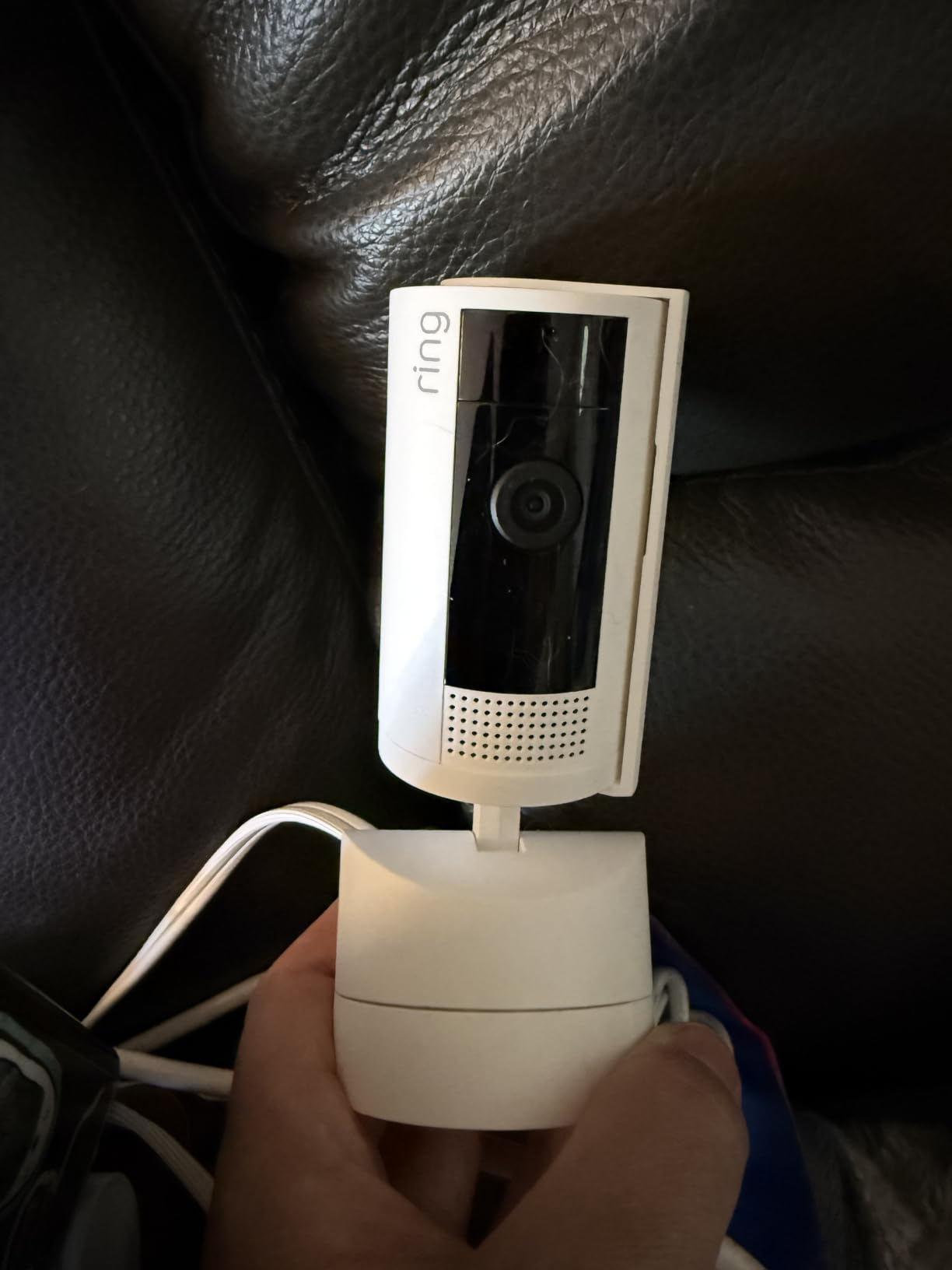
Two-way talk audio is described as better than expected for a 1080p indoor camera, and color night vision holds up well enough to tell a jacket apart from a bag. The unit comes in Starlight, White, and Black, in packs of one to four, so matching it to a rental’s decor is not a problem.
Be clear about the trade. There is no automatic motion tracking, so the camera does not follow anyone across the room. Playback and the advanced pre-roll features require Ring Protect, and 1080p is below the 2K and 4K options in this list. A loss of power can also cost you your saved angle, which is a small annoyance in a corridor with a flaky breaker.
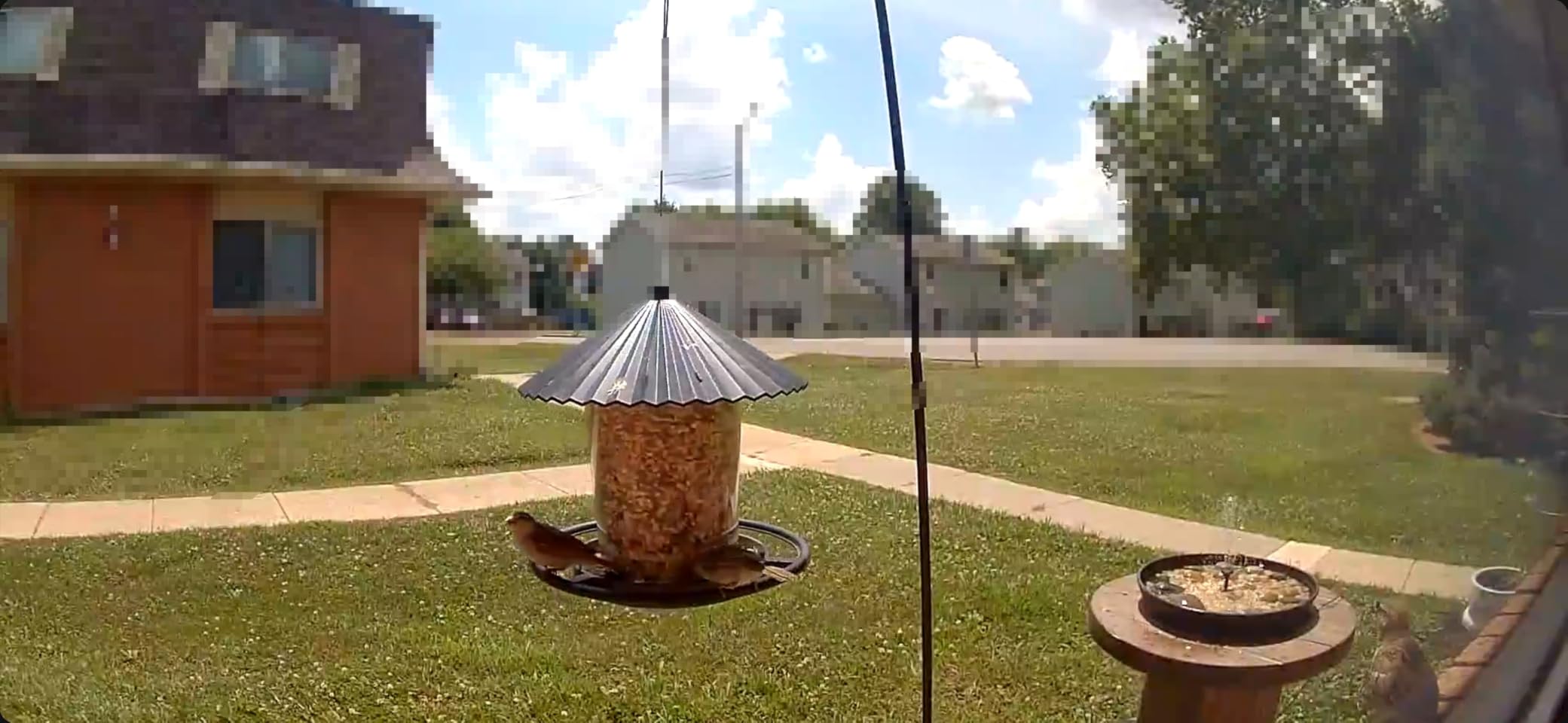
Why pan and tilt changes apartment coverage
A fixed camera sees a cone. In a square living room with the camera in one corner, that cone covers the sofa and misses the door. A pan and tilt camera gives up a little of that resolution and gets the entire room instead, which is the better trade in a place where you cannot afford two cameras on two different outlets. It is also the reason this is our pick for studio layouts.
Where the coverage stops helping
The 169° tilt is generous but not total, so very high ceilings still leave a slice of the room uncovered, and the manual aim means nobody is steering the camera toward a door when a knock happens. If your priority is a fixed view of one entry with the sharpest possible picture, the 2K indoor pick above is a better fit for you.
5. Tapo MagCam 2K+ C425 – Best No-Subscription Outdoor Pick
Tapo MagCam 2K+ Security Camera Wireless Outdoor, Battery Powered, C425
2K QHD with 142° field of view
10000mAh battery, up to 300 days
IP66 weatherproofing
512GB microSD
Pros
- On-device person vehicle and pet detection with no subscription
- microSD local storage up to 512GB
- 10000mAh battery rated up to 300 days
- IP66 housing with a magnetic base
- Full-color night vision from a Starlight sensor and spotlight
- Works with Alexa and Google Assistant
Cons
- Battery runtime drops in cold or low-sun conditions
- Google streaming is limited to Chromecast and Nest displays
- Most polarized ratings in the group with a 9% one-star share
This is the camera to buy if you want outdoor coverage and refuse to pay a monthly fee. Person, vehicle, pet, and sound detection run on the device, and recording goes to a microSD card up to 512GB. There is no plan required for either. For a balcony, a patio, or a shared entrance where you do not control the wiring, that combination is rare.
The battery is the headline number. A 10000mAh pack is rated at up to 300 days per charge, which is the longest claim in this roundup by a wide margin. The 2K QHD sensor gives 1.7x the pixels of 1080p across a 142° field of view, and the night vision reaches 49 feet with full color from a Starlight sensor plus a built-in spotlight.
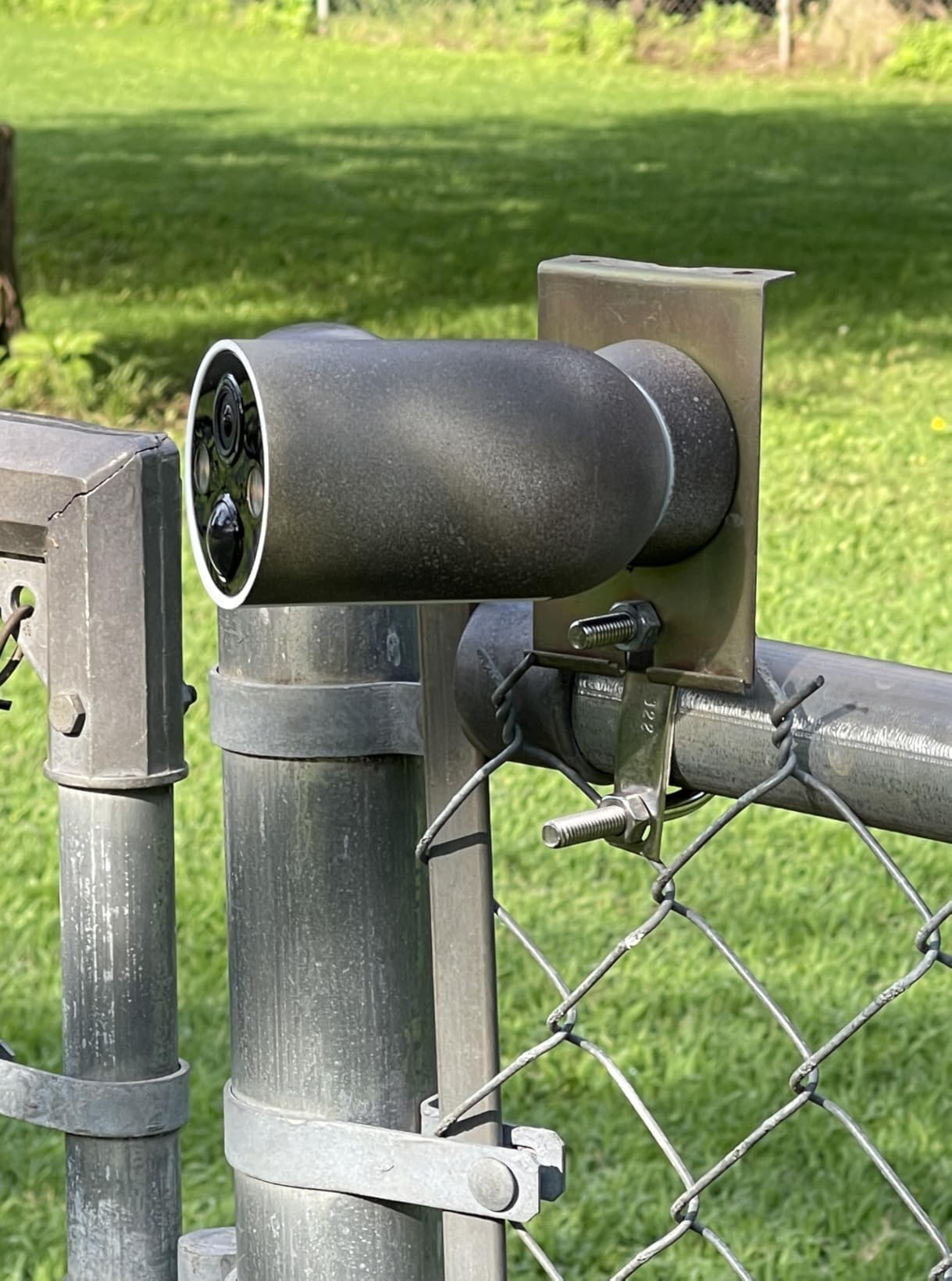
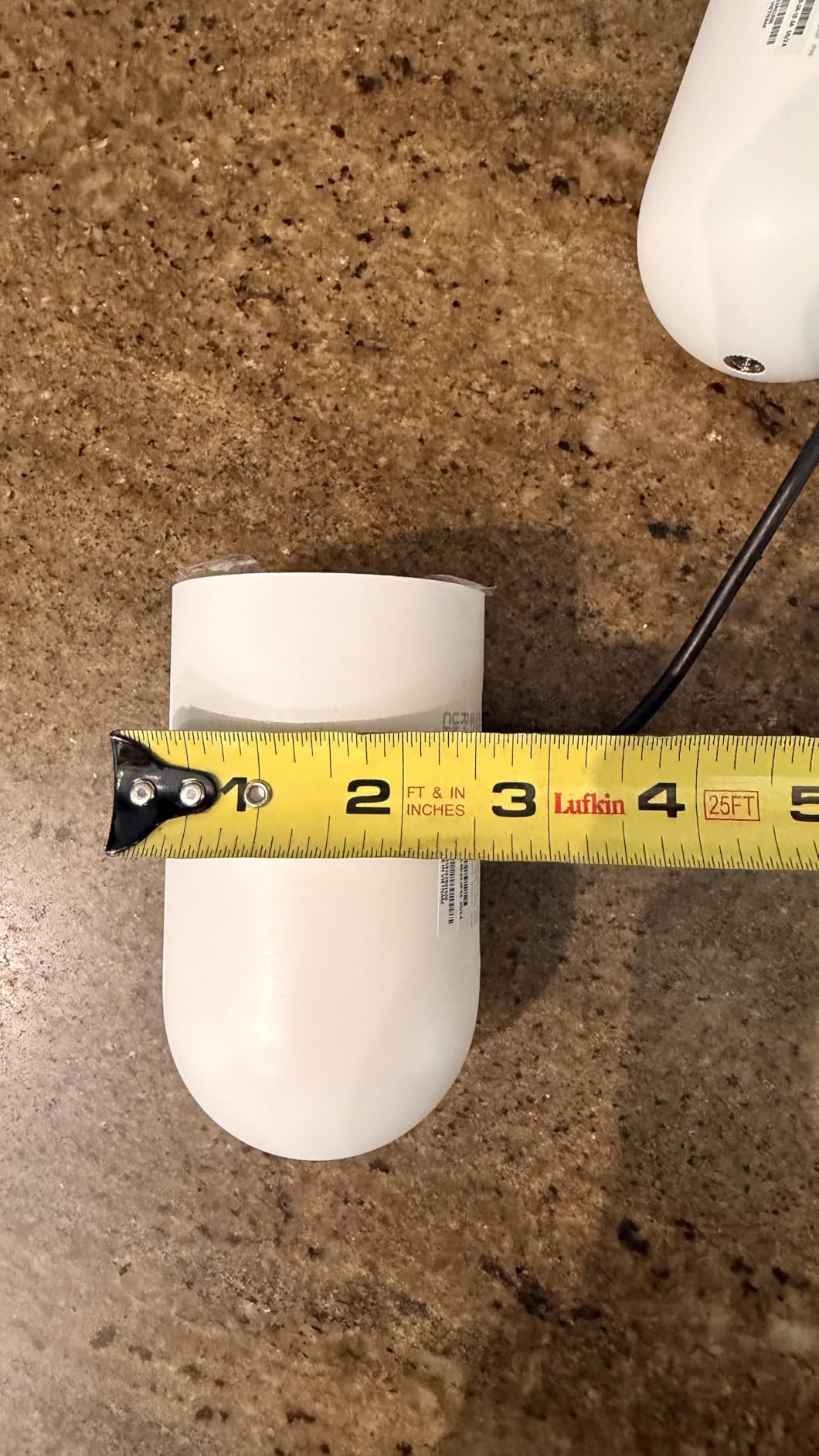
The physical design is renter-friendly in a specific way. The magnetic base means you can position the camera on a railing or a shelf and reposition it as the season changes, and the wall mount is included in the box. The unit itself weighs 649 grams and measures 3 by 4 by 5 inches, which is compact enough to hide behind a planter.
The honest warning is the 300-day figure. Real runtime falls in cold weather, in low sun, and anywhere with heavy motion activity, and the ratings distribution is the most polarized among the apartment-friendly options with a 9% one-star share, mostly around battery drain and app setup friction. An optional Tapo solar panel adds continuous power if you have a railing or a ledge with real sun.
Why local storage matters more in a rental
Cloud retention is a countdown. If the only copy of a clip lives in a vendor’s cloud under a free tier, it may be gone before you have filed anything with building management. A microSD card in the camera means the footage stays on your hardware, in your unit, under your control. For a renter, that is worth more than a cloud tier with a longer window, and it costs nothing after the card.
When the 300-day claim will not hold
Motion-heavy placement, cold months, and a balcony that gets little direct sun all pull the runtime down hard. If the camera faces a busy walkway with people passing constantly, treat 300 days as a ceiling rather than a plan. Also note that Google Assistant streaming is restricted to Chromecast and Nest displays, which is a real limit if your household is Google-first.
6. Tapo 4K Outdoor Pan/Tilt C660 KIT – Best for Balconies and Patios
Tapo 4K Outdoor Pan/Tilt Wireless Security Camera, Solar Charging, C660 KIT
4K UHD with 8MP still sensor
360° pan and 98° tilt, auto-patrol
Included solar panel
IP65 weatherproofing
Pros
- The only 4K option here
- capturing faces and plates at range
- 360° pan with automatic motion tracking
- Included solar panel plus 10000mAh battery
- 24/7 continuous capture at 1-60 second intervals
- Dual-band 5GHz and 2.4GHz Wi-Fi
- Free microSD storage up to 512GB
Cons
- Highest one-star share in the set at 11%
- Solar needs roughly 45 minutes of direct sun daily
- Wall mounting requires drilling which renters cannot do
When the question is how much detail you can pull from a distance, this is the answer. It is the only 4K UHD camera in the group, built on an 8MP still sensor, and it combines 360° pan with 98° tilt and automatic motion tracking that follows a subject across the frame. On a patio, a yard, or a parking area, that means one camera instead of three.
The kit includes a Tapo A201 solar panel and a 10000mAh battery. Roughly 45 minutes of direct sun each day runs the camera 24/7, which removes charging from your routine entirely. Recording is genuinely continuous at intervals between one and 60 seconds rather than only on motion triggers, so you get a timeline instead of a string of disconnected clips.
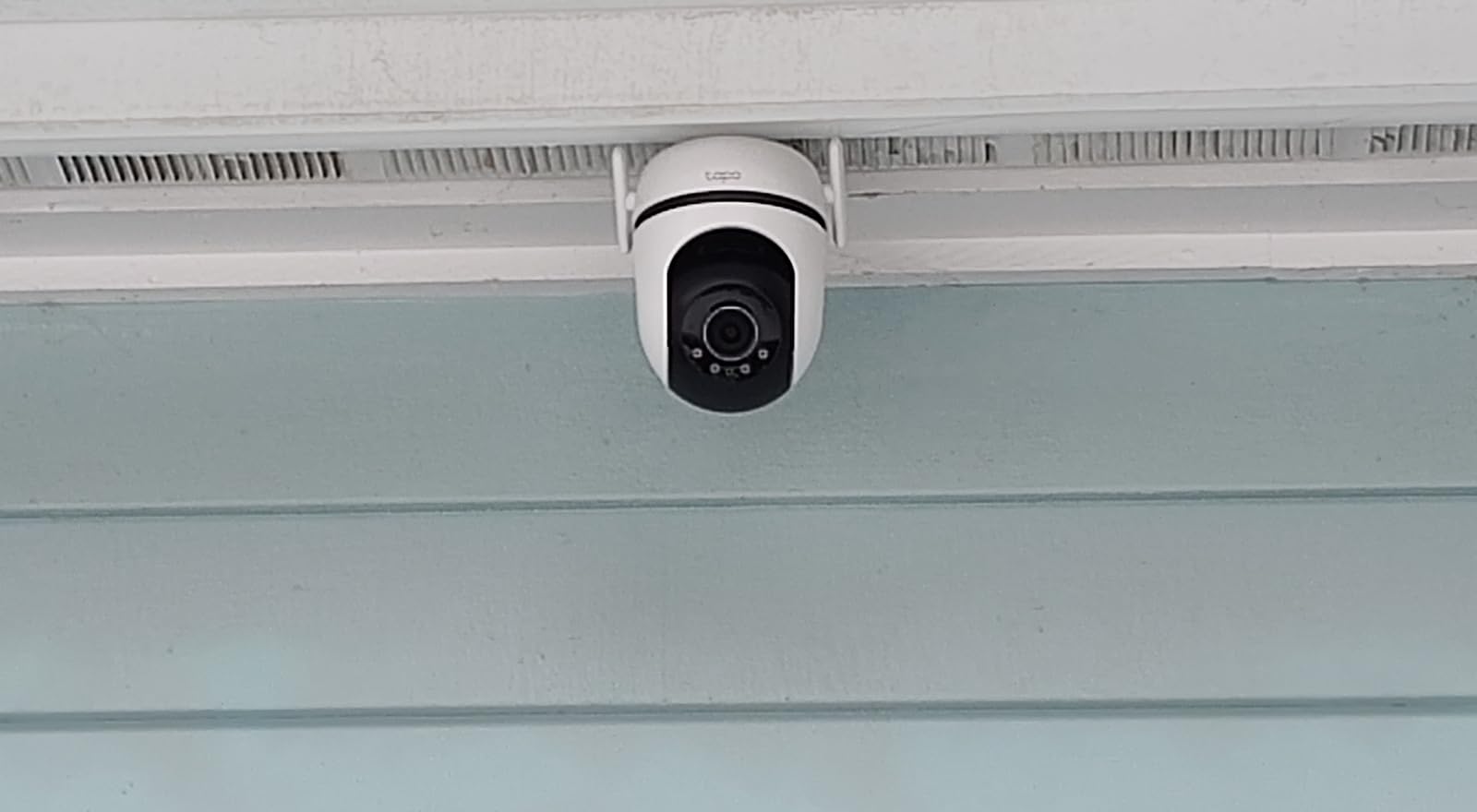
Connectivity is dual-band, meaning it can sit on 5GHz for speed or drop to 2.4GHz for range. That flexibility matters in apartment buildings where the router sits in a hallway and signal drops are common. Storage is free to a 512GB microSD card, with an optional H500 hub holding a 2.5-inch hard drive if you want more. Person, vehicle, and pet detection work without a subscription.
There is a real renter conflict here. The wall mount needs drilling, which is exactly what a lease may forbid, and this unit has the highest one-star share in the set at 11%, mostly tied to firmware and setup complaints. The pan and tilt is also mechanical, so years of outdoor exposure can affect alignment. If your building forbids holes, treat this as a patio or yard camera only when you have permission.
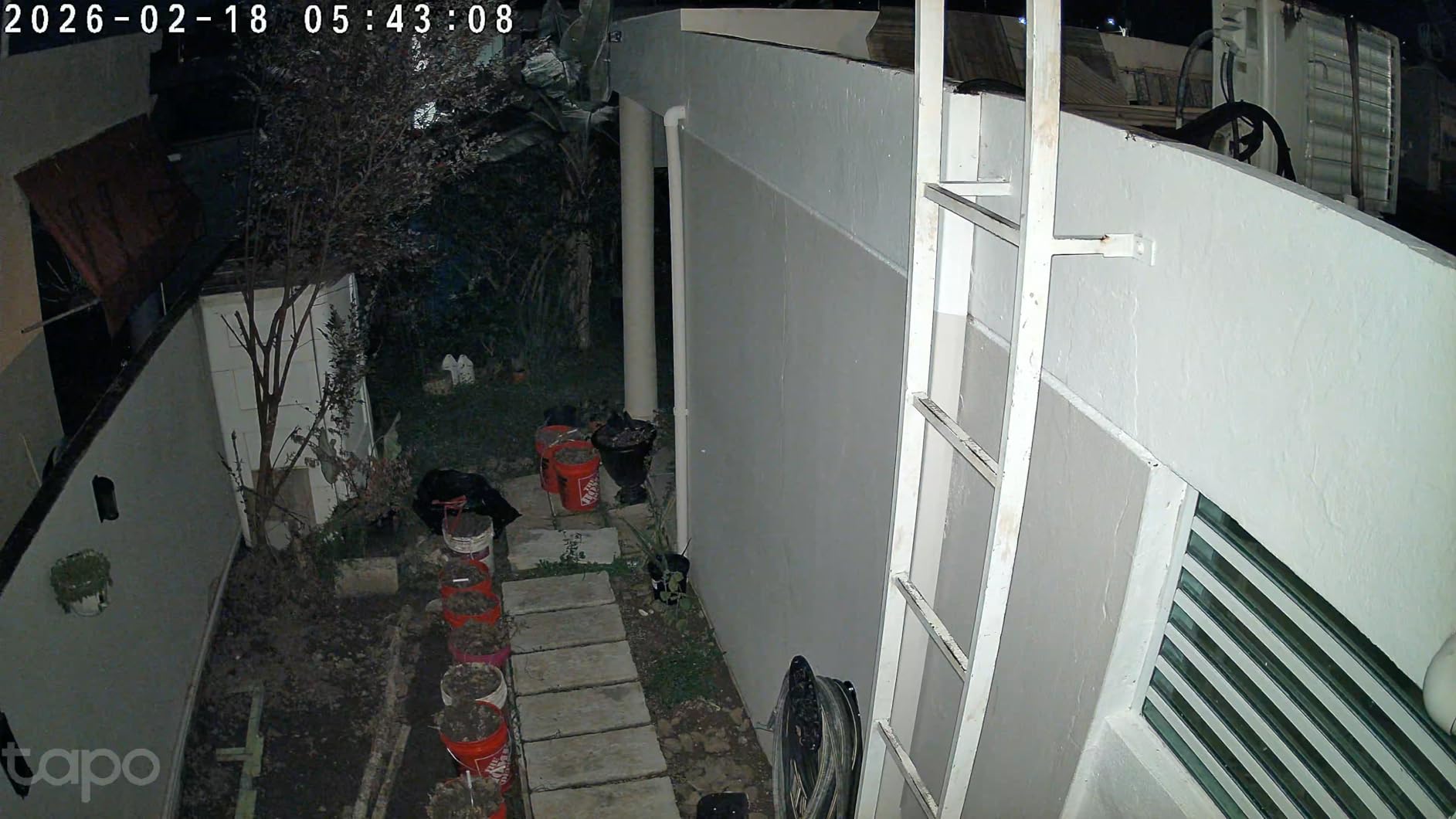
What 4K actually buys you on a balcony
Detail at range. A face crossing a shared courtyard, a license plate in a parking area, or a package label at the edge of a walkway can be cropped and still read. On 2K and 1080p footage the same crop turns to mush. The 8MP still sensor and 18x digital zoom are what make that possible, and it is the reason this camera is the choice for anyone covering space rather than a room.
The cost of that detail in a rental
Continuous capture is the quiet expense. Recording around the clock, rather than only on motion, writes to the card constantly and shortens its life, so expect to replace a microSD card more often than with a PIR-only camera. Add the drilling requirement, and this pick simply does not work in a building that takes damage deposits seriously.
7. WYZE Window Camera – Best No-Drill Window Mount
WYZE Window Camera, WiFi Indoor HD Home Security Camera, Upgraded Color Night Vision, Anti-Glare, AI-Powered Motion Detection, Easy & Quick Setup, 24/7 Recording, Works w/Alexa & Google
Window mount with hook-and-loop fastener
1080p with 120° view
Anti-glare design
24/7 local microSD recording
Pros
- Purpose-built for apartment windows which competitors barely cover
- Peel-and-stick mount needs no tools and no drilling
- Anti-glare design keeps window reflections out of the frame
- 24/7 local recording to microSD with no subscription
- Upgraded color night vision from an f/1.0 aperture
- Works with Alexa Google Assistant and IFTTT
Cons
- Lowest rating in the set at 4.1 with a 12% one-star share
- 2.4GHz Wi-Fi only
- 10 foot cable constrains placement
- Smart detection of people and pets needs the Cam Plus plan
No other camera in this roundup is built for a window, and that is precisely why it belongs in an apartment guide. This is a small cube that attaches to a window frame with a hook-and-loop fastener, no screws, no adhesive damage, no landlord conversation. It faces outward. If your concern is a street, a bike rack, or a courtyard you can see from your living room, it solves the problem in a way wall-mounted cameras cannot.
The anti-glare design is the feature that separates it from a generic indoor camera taped to a sill. Reflections from the inside of the glass are the reason most window attempts fail, and this housing is shaped to keep them out of the frame. The upgraded f/1.0 aperture and backside-illuminated sensor drive better color night vision than the 1080p sensor size suggests.
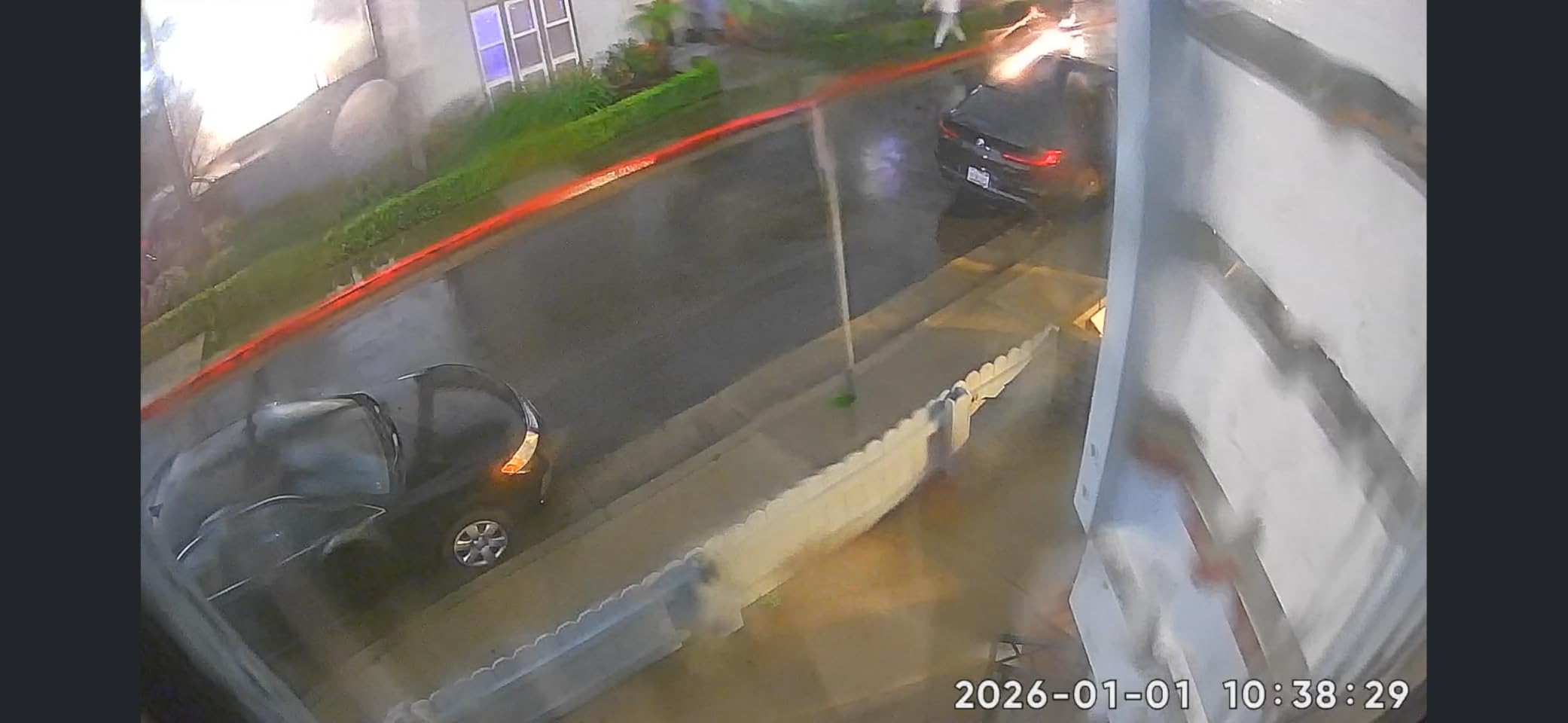
Recording runs 24/7 to a microSD card up to 512GB with no subscription, and there is a timelapse mode for long-duration clips. Setup uses Bluetooth-assisted pairing rather than QR code scanning, which is a small quality-of-life difference when you are balancing a camera on a windowsill with one hand.
Be realistic about the rest. This is the lowest-rated model here at 4.1 stars, with a 12% one-star share, and the reason is mostly hardware: 2.4GHz-only Wi-Fi, a 25-foot night vision range that is the shortest in the group, and a 2MP sensor. Motion and sound alerts are free, but AI detection of people, pets, vehicles, and packages needs the Cam Plus plan.
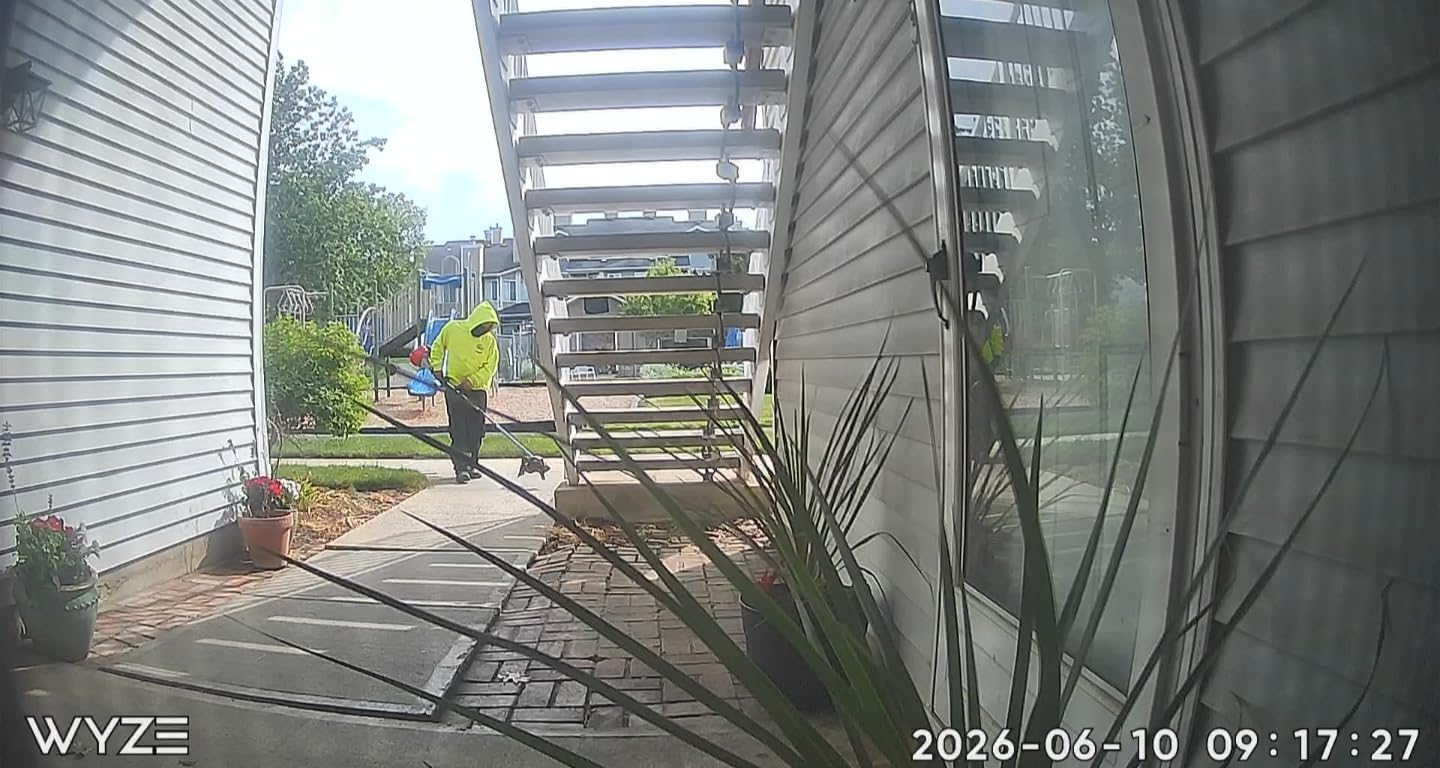
Why a window camera is worth the tradeoffs
Placement is the scarcest resource in a rental. You cannot drill the exterior wall, you may not have a balcony that faces anything useful, and hallways are often off limits. A window gives you an exterior view with zero permanent modification, and you take the whole thing with you at move-out. For a renter whose building rules forbid everything else, this is the only version of outdoor coverage that actually works.
When to skip it
If your building has thick or tinted glass, the 2.4GHz-only radio, and the shortest night vision range in this group combine badly. At night, when the image matters most, a 25-foot range means the street outside is often a dark smear. In a building with weak 2.4GHz signal in the room where the window is, expect connection drops. The 10-foot cable also dictates the window you can use.
8. VIMTAG 2.5K Two-Pack – Best Two-Camera Coverage
VIMTAG 2.5K Cameras for Home Security Outdoor/Indoor, Color Night Vision Security Camera for Baby/Pet/Dog/Nanny, Light/Siren, Motion Detection, 2-Way Audio, Work with Alexa, Cloud/Card Storage, 2Pcs
Two-camera pack
2.5K QHD resolution
IP66 indoor and outdoor
Color night vision with siren
Pros
- Two cameras in one pack
- 2.5K QHD quality above most cameras at this level
- IP66 rated so the same camera works indoors and outdoors
- Dual-band 2.4GHz and 5GHz Wi-Fi is unusual at this level
- Built-in siren and flashing light actively deter
- MicroSD storage up to 512GB with no subscription required
Cons
- The app cannot show multiple live views at once
- Cloud person and sound detection needs a subscription
- Each camera needs its own outlet because power is corded
Two cameras for the price of one is the pitch, and for a studio or a one-bedroom where you want a camera inside and a camera at the entry, the math is hard to argue with. Each unit records at 2.5K QHD effective 1440p on a 4MP still sensor, which sits above most cameras in this roundup on raw resolution alone.
These are also the only truly dual-purpose cameras here. The IP66 rating means the same hardware works on an interior shelf and on a covered balcony or patio, and the mounting options include wall, ceiling, tabletop, freestanding, door, or window.
The built-in white light, color night vision, and a flashing light plus siren mean the camera does not merely record an intruder, it tries to deter one. Human, motion, and sound detection reaches 33 feet, and a 24-month warranty is included. Reviewers report quick QR-code setup and fast replacement of a defective camera, with support hours limited to weekdays.
The most-cited limitation is the app, which cannot display multiple camera screens at once. In a two-camera setup, that is more annoying than it sounds. There is no pan or tilt, so each 105° field of view is fixed, and both cameras need an outlet because power is corded.
When two cameras beat one expensive one
If the thing you actually want is coverage of two separate places, two fixed cameras win on breadth. A studio with a front door and a balcony corner is the classic case, and reviewers report running three or more of these for whole-home and RV monitoring. Detection and recording to a 512GB card work without a plan, so the two-camera math does not hide a subscription.
Where the pack falls short
Everything is corded, so each camera needs a reachable outlet, which rules out the entry hall or the balcony corner with no socket. Person and sound detection in the cloud requires a Vimtag Cloud subscription, and one reviewer described the build quality as not premium. Treat them as capable, disposable, high-value coverage rather than a considered design object.
9. Tapo 2K Outdoor Pan/Tilt C610 KIT – Best Solar 360 Tracking
Tapo 2K Outdoor Pan/Tilt Wireless Security Camera, C610 KIT
2K with 3MP still sensor
360° pan and 130° tilt
Included solar panel
Color night vision to 33 feet
Pros
- 360° pan and 130° tilt from a single unit
- Automatic 360° motion tracking follows subjects
- Solar panel included with battery backup for cloudy stretches
- Built-in spotlights give full-color footage after dark
- Active siren and spotlight deter rather than just record
- Local storage and person detection with no subscription
Cons
- Only 156 ratings so the long-term record is thin
- Solar charging needs temperatures above 32 degrees
- Wall mounting requires drilling and 2.4GHz only
The C610 KIT sits between the C425 and the C660 in the Tapo range, and for a specific apartment it makes sense: a balcony or yard where you want the camera to turn and follow someone rather than stare at a fixed frame. It pans 360° horizontally and tilts 130° vertically, and the AI motion tracking uses that range to keep a moving subject centered.
Power comes from an included Tapo A201 solar panel with battery backup, which reviewers say holds up to three months in cloudy weather. The battery also charges directly, giving you roughly 45 minutes of direct sun for a full day. Two built-in spotlights produce color night vision out to 33 feet, and the active defense uses a siren plus a bright spotlight.
Person detection and local storage work without a subscription, and it pairs with Alexa, Google Home, and SmartThings. The 12% three-star share points to a meaningful share of mixed experiences, and with only 156 ratings this is the least reviewed product in the set, so the long-term reliability record is thinner than the Ring and Tapo flagships.
What the 360 tracking does for you
Mechanical pan and tilt plus AI tracking is the closest thing in this roundup to an intruder intervention feature without paying for one. A fixed 142° view captures a person as they cross the frame. This unit rotates to follow them, keeps them in the middle of the picture, and pairs that with a siren and spotlight. On a patio or a courtyard, that is a meaningfully different outcome from recording a blurry figure walking out of frame.
Why we ranked it below the C425
The 2K resolution here sits on a 3MP still sensor rather than the 4MP sensor in the C425, and the night vision reach is 33 feet against 49 feet. Solar charging requires temperatures above 32 degrees, which rules out winter reliability in colder regions. And the wall mount still needs drilling, so for a renter the same adhesive or freestanding workaround applies as with any other outdoor unit.
10. Noonkey Battery Pan/Tilt – Best Cord-Free Indoor Camera
Noonkey Battery Powered Wireless Indoor Security Camera, 4MP HD Pan/Tilt Pet Camera w/ 6000mAh Rechargeable, 5G&2.4G WiFi 6,Motion Detection, Color Night Vision, 2-Way Talk, Home/Pet/Baby Monitoring
6000mAh rechargeable battery
4MP with color night vision
360° pan and tilt
5GHz and 2.4GHz Wi-Fi 6
Pros
- 6000mAh battery allows placement with no outlet and no wiring
- 4MP sensor with color night vision and 3D noise reduction
- Dual-band Wi-Fi 6 including 5GHz which rivals lack
- 360° pan and tilt with automatic motion tracking
- Bluetooth-assisted pairing in about three steps
- Core recording and detection need no subscription
Cons
- Only 174 ratings so long-term reliability is thin
- TF card capacity caps at 128GB against 512GB elsewhere
- 15 fps frame rate is low beside 20-25 fps rivals
- One reviewer reported the app pushed a plan before allowing local storage
This is the pick for the part of your apartment that has no outlet. A 6000mAh rechargeable lithium battery means you can put a camera on a high shelf, in a closet, on a balcony ledge, or on top of a bookcase without running a cable or hunting for a socket. Mounting options are wall, ceiling, or tabletop, and an optional solar panel can be added later.
The image pipeline is better than the price tier suggests. A 4MP sensor records 1440p effective video with color night vision and 3D noise reduction for low light, and it pans and tilts 360° with automatic motion tracking. AI human detection filters out a lot of the irrelevant movement that causes false alerts, which is the other half of the renter annoyance problem.
Dual-band Wi-Fi 6 with both 5GHz and 2.4GHz plus Bluetooth quick pairing is unusual for an indoor camera, and it matters in apartment buildings where 2.4GHz congestion is the usual cause of connection drops. Storage is a TF card up to 128GB, with cloud as an option rather than a requirement.
Two cautions. The 15 fps frame rate is low next to 20 and 25 fps rivals, so fast movement looks less smooth. And one reviewer reported that the app initially pushed a subscription plan before allowing local card storage, which is exactly the flow you would expect a renter to dislike. With 174 ratings, the long-term record is still short.
Why battery indoor changes what you can cover
Every other plug-in camera in this roundup inherits a constraint from your wall: wherever the outlet is. A battery camera removes that. High shelves, closets, entry console tables, and balcony doors all become possible, and with 360° pan and tilt a single unit can still watch a whole room. The two-way audio works well enough that buyers use it as a baby or pet monitor, which is a common apartment use case.
When the compromises show up
Storage caps at 128GB, half of what most rivals here accept, so you will manage card rotation more often. The 15 fps capture is noticeable if you follow fast movement across the frame. And an optional solar panel is not included, so a permanent battery deployment needs an add-on. The battery also means charging on a schedule rather than once, which is a trade you accept for placement freedom.
Where Can You Mount a Camera in an Apartment?
Most renter questions about security cameras are really questions about placement, because mounting is where leases get involved. Inside your own unit you are broadly free, with two limits worth respecting: do not shoot through a wall into a neighbor’s space, and do not film a room where a roommate or guest has an expectation of privacy. Everything else is a judgment call about how you will remove it in a year.
Windows are the underrated option. The WYZE Window Camera is designed for it, and the anti-glare housing is the reason it works. Balconies and patios work if the view includes something worth recording and the camera can be secured without permanent fasteners. A suction mount, a clamp on a railing, or a magnetic base all come out cleanly.
Your front door is the most contested spot. Replacing an existing peephole with a peephole camera is the cleanest answer, because you are not adding a hole, you are using the one already there. For peephole cameras, renters on r/ApartmentHacks consistently favor them for exactly that reason, and the same threads note the practical detail of keeping a spare peephole battery on hand so the unit stays powered for arrivals. The limitation is fit: non-standard peephole diameters are common, and the unit can be easier to walk off with than a door-mounted bar.
Hallways, elevator lobbies, and other common areas are a different matter. Those spaces belong to the building, and coverage there usually needs written permission regardless of where the camera physically is. As a general rule, point your camera at your own door and the approach to it, not down a shared corridor where you will inevitably catch a neighbor’s face and daily routine.
For broader context on wire-free versus wireless setups, our guide to wireless security camera systems breaks down the differences that matter for coverage area, and our PTZ camera guide goes deeper on pan-and-tilt models like picks four, nine, and ten.
Do You Need a Subscription for an Apartment Camera?
No, not to get a working camera. Four of the ten models here record to a local microSD card and run person, vehicle, or pet detection on the device with no plan attached: the Tapo MagCam 2K+, the Tapo 4K Outdoor Pan/Tilt, the Tapo 2K Outdoor Pan/Tilt, the VIMTAG two-pack, and the WYZE Window Camera. The other options put recorded history and AI alerts behind a vendor plan.
What you get for free is usually live view, motion alerts, and continuous local recording. What a plan adds is off-site cloud backup, longer retention in the cloud, and smart detection categories such as distinguishing a person from a pet or a package. Some models offer a trial, like the Blink Mini 2K+ with 30 days of cloud storage, which is worth using before you pay for anything.
The argument for paying is redundancy. A card in a camera that gets stolen is a card an intruder also controls. Cloud storage means footage survives the theft of the device itself, which is a specific risk in a building where you do not know everyone who has a key. The argument against paying is the compounding cost: fees typically scale per camera, and a two-camera apartment pays twice.
Our advice for a rental is to start free, use local storage, and add a plan only after you have hit a real limitation rather than an imagined one. If you want a broader look at models that prioritize local recording, we have also reviewed Eufy security cameras and outdoor security cameras in more detail.
How to Choose a Wireless Security Camera for an Apartment
Start with the mounting method, not the sensor. Every other specification is worthless if the camera cannot legally and physically go where you need it. Ask three questions: does it need a hole, does it need a cable, and can you take it down without leaving marks. Peels, hook-and-loop fasteners, suction cups, magnetic bases, and plug-in power all pass. A drilled bracket does not.
Second, decide how you want to record. Local microSD storage costs nothing after the card and keeps footage in your possession. Cloud storage gives redundancy and remote access but adds a recurring fee that scales with camera count. Renters on r/homesecurity consistently describe self-monitoring with local storage as the default preference, and treat professional monitoring as unnecessary cost unless a unit is left empty for long stretches.
Third, look at the Wi-Fi band. Most indoor cameras that are not dual-band only speak 2.4GHz, which is slower but reaches further. In an apartment building where the router may be in a hallway and the walls are thick, 2.4GHz is often the band that actually works, which is why 2.4GHz-only models connect where 5GHz models struggle. If your unit is 5GHz only, or your router splits the bands, a mesh node in your own unit is the fix that costs less than replacing a camera.
Fourth, check the privacy hardware before the smart features. A manual physical privacy cover, app Modes that disable streaming, and Privacy Zones that mask part of the frame are all meaningful in a shared living space. Software-only controls depend on the app working; a physical shutter does not. Reviewers consistently single out the Ring models’ physical covers as the reason they are comfortable in a bedroom or a shared room.
Fifth, size your field of view to the room. A fixed cone covers less than people expect, and 1080p versus 2K or 4K matters more than the extra resolution does when the subject is small and the distance is long. A studio in one open space needs a pan-and-tilt unit. A two-room apartment is better served by two fixed cameras than one rotating one, and we have compared both approaches in our general wireless security camera roundup.
Finally, set realistic battery expectations. A camera facing a quiet interior wall and one facing an elevator bank are not the same device in practice. The 300-day claim on a Tapo outdoor unit and the 45-day-plus reports from Ring Stick Up Cam owners both describe light-to-moderate traffic. High-traffic entry points wear batteries down fast, and forum posters describe battery cameras as fine for a couple of months and annoying after that in busy hallways. If you cannot access the camera easily to recharge it, plan for a wired model or a solar panel instead.
Privacy, Neighbors, and Landlord Rules
Renters’ largest worry is rarely technical, and it is rarely the camera. It is the deposit. In most leases, drilling, permanent adhesive, hardwiring, and altering the electrical system are prohibited without written permission, and a security camera is exactly the kind of device that gets flagged at move-out inspection. An adhesive mount that leaves a mark is often treated the same as a hole.
The safest sequence is simple: read the lease before you buy, then send a one-line written request to your landlord or property manager describing the model and the mount you intend to use. A renter-friendly camera that mounts with a removable adhesive base is far easier to get approved than anything requiring a cable run, and many buildings approve that without any conversation at all.
Common areas belong to the building. Hallways, stairwells, elevator lobbies, laundry rooms, and parking structures are not yours to film, and a camera that captures them creates liability for you and problems for your neighbors. If you need coverage of a shared entrance, ask management what is permitted rather than mounting and hoping. Most buildings have a written policy already, and finding out after the fact is far worse than asking first.
Neighbors are the other half. A camera angled through a window at a unit across the courtyard, or one covering a neighbor’s door, will produce a conversation you do not want. If your camera’s field of view unavoidably includes shared space, use Privacy Zones to mask it, or angle the camera tighter. Recording audio in a shared space raises the stakes further, and in many jurisdictions the audio stream is where a recording becomes legally sensitive.
Finally, plan your exit. Any camera you install should come off the wall in under five minutes and leave nothing behind, and you should be able to wipe your account and factory-reset the hardware before you return the keys. That is why the best wireless security cameras for apartments in this guide lean on battery power, plug-in power, and removable mounts over anything that needs a hole.
Frequently Asked Questions
What is the best wireless camera for an apartment door?
For most apartment front doors, the best choice is a battery-powered camera that mounts on a shelf, a door frame edge, or a railing with no drilling, such as the Ring Outdoor Cam (Stick Up Cam). If you have a standard peephole, a peephole camera is even cleaner because it uses the hole that is already there. Avoid mounting anything that needs a cable run or a drilled bracket without written landlord permission.
What is the best security system for apartment renters?
A single well-placed camera beats a full system in most rentals, because systems assume you can mount contact sensors on doors and windows and hardwire a base station. Start with one camera covering your entry, add a second for a balcony or shared area if allowed, and add door sensors only after checking your lease. Self-monitoring is the default choice; professional monitoring rarely justifies its cost in a unit you are standing in.
What are the best wireless outdoor security cameras without a monthly fee?
The Tapo MagCam 2K+ (C425), the Tapo 4K Outdoor Pan/Tilt C660 KIT, the Tapo 2K Outdoor Pan/Tilt C610 KIT, and the VIMTAG 2.5K two-pack all record person, vehicle, and pet detection on the device and store footage on a microSD card up to 512GB with no plan required. The WYZE Window Camera also records 24/7 locally for free, but its AI detection needs an optional plan.
What is the difference between a wireless camera and a Wi-Fi camera?
Wireless means the camera has no video cable running back to a recorder, which is what almost every consumer security camera sold today actually is. Wi-Fi describes the radio link that carries that video. Wire-free goes further and means no power cable either, so the camera runs on a battery. A plug-in Wi-Fi camera is still wireless because the only cable is power.
Can I install a security camera in my apartment?
Usually yes, as long as you stay inside your own unit and do not modify walls, doors, or wiring without permission. Most leases prohibit drilling and permanent mounting, so choose adhesive, magnetic, suction, or plug-in mounts. Hallways, elevators, and other common areas belong to your building and need written approval, and your camera should never be aimed so that it records a neighbor’s unit.
Final Thoughts on Apartment Security Cameras
The best wireless security cameras for apartments share three traits: they mount without permanent damage, they record without a monthly bill, and they come apart when you move. Start with the Ring Outdoor Cam if you want one camera that handles a balcony, an entry shelf, and a hallway sightline. Add a Tapo MagCam 2K+ or a VIMTAG two-pack if you want local storage and no subscription. Put a WYZE Window Camera on a sill if exterior coverage is the gap you cannot solve any other way.
Check your lease first, and check that the Wi-Fi reaches where the camera goes. Those two steps decide more about your security than any resolution figure does. This roundup was updated for 2026, and every model listed here was checked against current renter feedback and ratings distributions.