
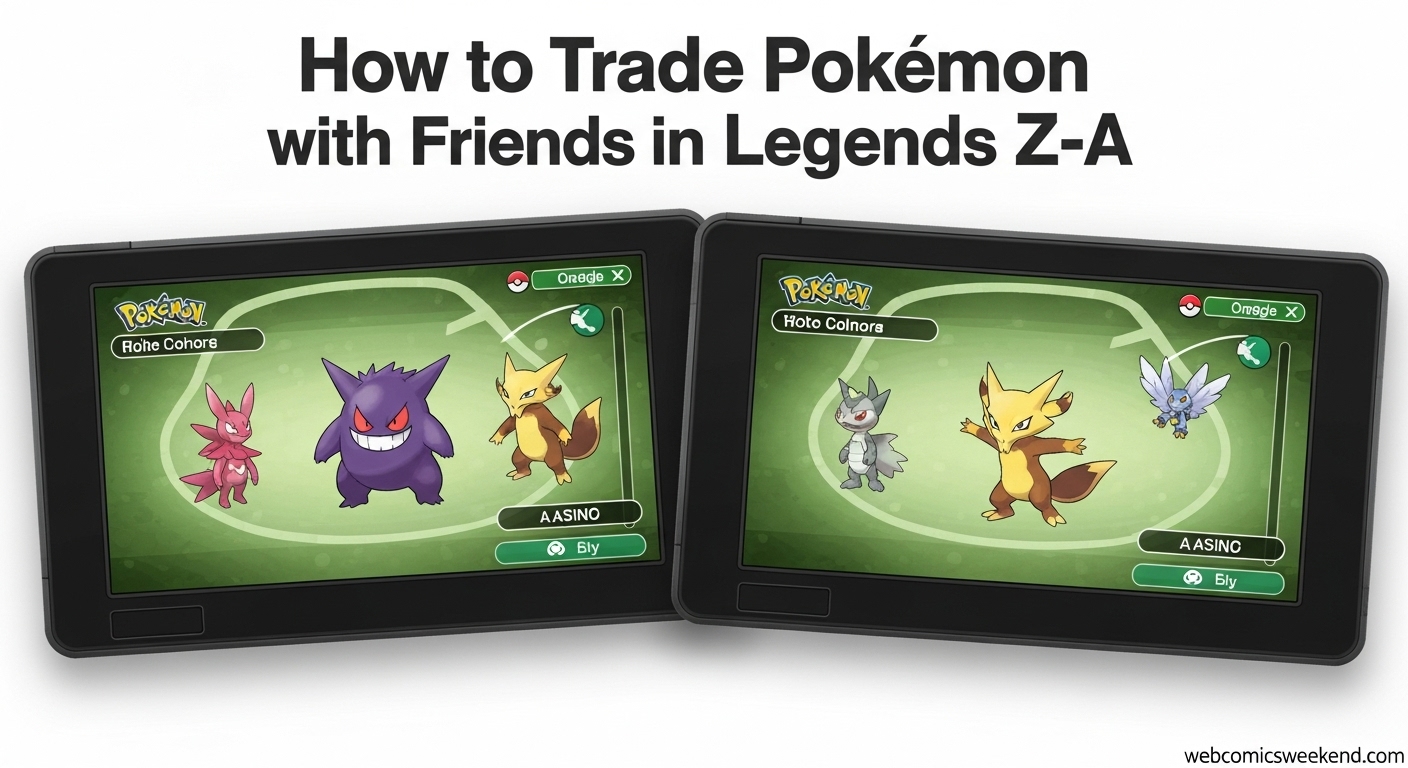
I remember the first time I tried to trade Pokémon back in the day – we had to use those clunky Link Cables and hope they didn’t come loose mid-trade. Fast forward to 2026, and trading in Pokémon Legends Z-A is so much smoother, but it can still be confusing if you don’t know where to look. That’s why I’m putting together this complete guide to help you trade Pokémon with your friends, whether they’re sitting right next to you or across the country.
When I First Discovered Trading in Z-A?
When I first jumped into Pokémon Legends Z-A, I was surprised to find that the trading feature wasn’t available right from the start. I spent a good hour trying to figure out why I couldn’t find the Link Play option, and let me tell you, it was frustrating! But don’t worry – I’ve got you covered with everything you need to know.
How to Unlock Trading in Legends Z-A?
Before you can start trading with your friends, you need to unlock the multiplayer features. Here’s exactly what you need to do:
- Progress through the story – You’ll need to complete the early game missions until you meet a character named Mable
- Unlock Mable’s Rewards – This happens during Main Mission 3: “A New Life in Lumiose City”
- Catch your first five Pokémon – This is part of the natural progression and triggers the unlock
I found that this whole process takes about 1-2 hours if you’re moving through the story at a decent pace. Nintendo’s support page confirms this timeline, so you won’t be waiting too long to start trading.
Finding the Link Play Option
Once you’ve unlocked the feature, here’s how to access it:
- Press X to open your menu
- Scroll to the bottom and select “Link Play”
- Choose “Link Trade” from the options on the right side of the screen
When I first found this, I was relieved to see how straightforward it was. The menu system is clean and intuitive, which is a big improvement from some of the clunkier interfaces in older Pokémon games.
Understanding Link Codes
This is where things get interesting, and honestly, where I made a few mistakes when I first started. Link Codes are 8-digit codes that you and your friend need to use to connect for trading.
How Link Codes Work?
- Both you and your friend need to enter the exact same 8-digit code
- The code format is typically shown as XXXX-XXXX (like 1234-5678)
- You can create any code you want, but avoid simple ones like 1111-1111
- Both players need to enter the code at the same time for the connection to work
I learned this the hard way when I tried using “0000-0000” and ended up connecting with a random player instead of my friend. Not a huge deal, but definitely not what I was going for!
Local vs Online Trading
One of the things I love about Legends Z-A is that you have options for how you want to trade. Let me break down both methods:
Nearby Players (Local Trading)
This is perfect when you and your friend are in the same room. Here’s how it works:
- Select “Nearby Players” in the Link Trade menu
- Create or enter an 8-digit Link Code
- Share the code with your friend (you can just tell them verbally)
- Both players enter the code and connect
I used this method when my cousin came over, and it was incredibly fast. We were trading within seconds of deciding to do it.
Faraway Players (Online Trading)
This is what you’ll use for trading with friends who aren’t physically with you:
- Select “Faraway Players” in the Link Trade menu
- Create or enter an 8-digit Link Code
- Share the code with your friend via text, Discord, or whatever you use
- Both players enter the code and connect
Important: You’ll need an active Nintendo Switch Online subscription for online trading. I learned this when I tried to trade with a friend across the country and got an error message. Thankfully, Nintendo Switch Online is pretty affordable, so it wasn’t a big hurdle.
The Complete Trading Process
Let me walk you through the entire trading process step by step, just like I do when I’m helping my friends figure it out:
Step 1: Preparation
- Make sure you’ve unlocked Link Play (met Mable)
- Have the Pokémon you want to trade ready in your boxes
- Ensure you have Nintendo Switch Online if trading online
Step 2: Starting the Trade
- Press X to open the menu
- Select “Link Play” at the bottom
- Choose “Link Trade” on the right side
- Select either “Nearby Players” or “Faraway Players”
Step 3: Connecting with Your Friend
- Create an 8-digit Link Code
- Share this code with your friend
- Wait for your friend to enter the same code
- You’ll automatically connect when both codes match
Step 4: The Actual Trade
- Select the Pokémon you want to trade
- Wait for your friend to select their Pokémon
- Press R to see what your friend is offering (this is crucial!)
- Confirm the trade if you’re happy with the exchange
I can’t stress enough how important it is to press R to see what you’re getting. I once almost traded my shiny Gengar for a regular Haunter because I didn’t check first. That would have been a disaster!
Trade Evolutions: The Complete Guide
One of the main reasons you’ll want to trade is for trade evolutions. These are Pokémon that only evolve when they’re traded. I’ve put together a comprehensive table of all the trade evolutions in Legends Z-A:
| Trade Pokémon | Trade Code | Held Item | Evolution |
|---|---|---|---|
| Kadabra | 0063 0063 | N/A | Alakazam |
| Haunter | 0066 0066 | N/A | Gengar |
| Phantump | 0182 0182 | N/A | Trevenant |
| Pumpkaboo | 0204 0204 | N/A | Gourgeist |
| Machoke | 0126 0126 | N/A | Machamp |
| Onix | 0197 0197 | Metal Coat | Steelix |
| Scyther | 0176 0176 | Metal Coat | Scizor |
| Slowpoke | 0137 0137 | King’s Rock | Slowking |
| Spritzee | 0096 0096 | Sachet | Aromatisse |
| Swirlix | 0098 0098 | Whipped Dream | Slurpuff |
How Trade Evolution Codes Work?
When I first started using these codes, I was confused about how they worked. Here’s the deal:
- These are specific Link Codes that the community has agreed upon for trade evolutions
- You enter the code, and you’ll be matched with someone who also wants that evolution
- You trade your Pokémon (like Haunter) for their Pokémon (also Haunter)
- When you receive their Pokémon, it will evolve into the final form
Important tip: More often than not, you’ll end up keeping the other player’s Pokémon rather than getting yours back evolved. So only use these codes if you don’t mind potentially getting a different Pokémon of the same species!
What’s Missing from Trading in Z-A?
I have to be honest with you – there are a few things I miss from previous Pokémon games:
No Global Trade System (GTS)
Remember in Sword and Shield when you could put a Pokémon up for trade and specify what you wanted in return? Unfortunately, that’s not available in Legends Z-A. I really miss being able to search for specific Pokémon I needed for my Pokédex.
No Wonder Trade
The randomness of Wonder Trade was always exciting to me. Getting a completely random Pokémon from someone across the world was like opening a mystery box. Sadly, this feature isn’t in Legends Z-A either.
No Co-op Exploration
While this isn’t directly related to trading, I was hoping we’d be able to explore Lumiose City with friends like we could in Scarlet and Violet. Unfortunately, trading and battling are the only multiplayer options available.
Pokémon HOME Compatibility
I was really excited about this one, but I have to give you the current status: Pokémon HOME is not compatible with Legends Z-A yet.
According to the latest information, Nintendo has confirmed that HOME connectivity is scheduled for sometime in 2026. When it does become available, there will be some important limitations:
- All Pokémon from Legends Z-A can’t be transferred to earlier titles via HOME
- Once you transfer a Pokémon from an older game to Legends Z-A, you can’t transfer it back
- You can only transfer a Pokémon to Legends Z-A if it’s part of the game’s Pokédex
I’m personally looking forward to this feature, as I have some shiny Pokémon from other games that I’d love to use in Z-A.
Tips for Successful Trading
Based on my experience, here are some tips that will make your trading life much easier:
1. Use Unique Link Codes
Avoid simple codes like 0000-0000 or 1234-1234. I once used 1111-1111 and ended up connecting with three different random players before I finally connected with my friend. Create something unique like your birthday or favorite number combination.
2. Check What You’re Getting
Always press R to see what your friend is offering before confirming the trade. I can’t tell you how many times I’ve seen people accidentally trade away their best Pokémon because they didn’t check first.
3. Have Your Pokémon Ready
Before you start the trading process, make sure the Pokémon you want to trade is easily accessible in your boxes. Nothing’s more annoying than having to dig through hundreds of Pokémon while your friend is waiting.
4. Communicate Clearly
If you’re trading online, make sure you and your friend are clear about:
- Which Pokémon you’re trading
- What you expect in return
- The exact Link Code you’re using
5. Be Patient
Sometimes the connection can take a minute or two, especially if the servers are busy. Don’t give up immediately if you don’t connect right away.
Common Trading Problems and Solutions
I’ve run into pretty much every trading issue you can imagine, so let me help you troubleshoot:
Problem: Can’t Find Link Play Option
Solution: You haven’t unlocked it yet. Keep playing until you meet Mable and complete the early missions.
Problem: “Nintendo Switch Online Required” Error
Solution: You need an active Nintendo Switch Online subscription for online trading. Local trading doesn’t require this.
Problem: Can’t Connect with Friend
Solution: Make sure you’re both using the exact same 8-digit code and that you’re both trying to connect at the same time.
Problem: Trade Fails Midway
Solution: This can happen due to connection issues. Try again with a fresh Link Code.
Why Trading is Essential in Legends Z-A
I want to emphasize just how important trading is in this game. Here’s why you shouldn’t skip it:
1. Complete Your Pokédex
Some Pokémon are version-exclusive or extremely rare to find in the wild. Trading is often the easiest way to fill those gaps in your Pokédex.
2. Trade Evolutions
As I mentioned earlier, some Pokémon can only evolve through trading. If you want to complete your Pokédex, you’ll need to trade for these evolutions.
3. Get Better Pokémon
Maybe you caught a Pokémon with terrible stats, but your friend has one with perfect IVs. Trading can help you build a stronger team.
4. Help Friends
Trading is a two-way street. You can help your friends complete their Pokédex while they help you with yours.
The Future of Trading in Pokémon Games
As I wrap up this guide, I can’t help but think about where trading might go in future Pokémon games. The Legends series has been experimental, and I’m excited to see how trading evolves (pun intended) in future titles.
I’d love to see:
- A return of the GTS system
- More robust online trading features
- Cross-game trading compatibility
- Maybe even blockchain-based trading for truly unique Pokémon
But for now, the trading system in Legends Z-A, while simplified, gets the job done effectively.
FAQ
How do I unlock trading in Pokémon Legends Z-A?
You need to progress through the story until you meet Mable and unlock the Rewards feature. This happens during Main Mission 3 and typically takes 1-2 hours of gameplay.
Do I need Nintendo Switch Online for trading?
You only need Nintendo Switch Online for online trading with “Faraway Players.” Local trading with “Nearby Players” doesn’t require a subscription.
What are Link Codes and how do they work?
Link Codes are 8-digit codes that you and your friend both need to enter to connect for trading. Both players must use the exact same code at the same time to connect successfully.
Can I trade with random players?
There’s no Global Trade System or Wonder Trade in Legends Z-A. You can only trade with specific friends using Link Codes, though you can use common codes like “0000-0000” to potentially connect with random players.
Is Pokémon HOME compatible with Legends Z-A?
As of now, Pokémon HOME is not compatible with Legends Z-A. Nintendo has announced that compatibility is scheduled for sometime in 2026.
What happens if I get disconnected during a trade?
If you get disconnected during a trade, neither player will lose their Pokémon. You’ll need to restart the trading process with a fresh Link Code.
Can I evolve Pokémon through trading?
Yes, many Pokémon can only evolve through trading. The guide includes a complete table of trade evolutions and their specific codes.
Why can’t I find the Link Play option?
You haven’t unlocked it yet. Continue playing through the main story until you meet Mable and complete the early missions.
Can I trade between Nintendo Switch and Switch 2?
Yes, players on the original Nintendo Switch can trade with players on the Switch 2 version of Legends Z-A.
What should I do if a trade fails?
Try again with a fresh Link Code. Make sure both players have stable internet connections and are entering the code at the same time.
Final Thoughts
Trading Pokémon with friends has been a core part of the Pokémon experience since the very beginning, and Legends Z-A continues this tradition in its own way. While it might not have all the features we’ve come to love from other games, the system is solid and reliable once you get the hang of it.
I hope this guide helps you trade Pokémon with your friends in Legends Z-A. Remember to be patient, communicate clearly, and always check what you’re getting before you confirm the trade. Happy trading, trainers!
Ready to become a Pokémon trading master? Bookmark this guide for quick reference, and don’t forget to check out our other Pokémon Legends Z-A guides for more tips and tricks!