
Hey there, fellow gacha enthusiast! If you’re diving into Chaos Zero Nightmare like I did, you’re probably wondering whether rerolling is worth your time and how to do it effectively. Well, I’ve spent countless hours testing different methods and analyzing the meta, and I’m here to share everything I’ve learned about rerolling in CZN.
When I first started playing Chaos Zero Nightmare, I was overwhelmed by all the options and wasn’t sure if rerolling was even necessary. But after going through the process multiple times and researching extensively, I can tell you that while rerolling isn’t absolutely essential in this game, starting with a top-tier character can definitely make your early game experience much smoother.
Is Rerolling Worth It in Chaos Zero Nightmare?
Let me be straight with you – unlike many other gacha games where rerolling is practically mandatory, Chaos Zero Nightmare is actually pretty forgiving when it comes to character viability. I’ve tested this extensively, and I can confirm that all 5-star characters are viable choices for early and mid-game content.
However, I still recommend rerolling if you fall into one of these categories:
- You really want a specific character because you love their design or playstyle
- You’re a min-maxer like me and want the strongest possible start
- You plan to play competitively and want every advantage you can get
From my experience, the reroll process takes about 15-25 minutes per attempt once you know what you’re doing. It’s not the fastest reroll in gacha history, but it’s definitely manageable if you’re determined to get that perfect starting character.
What You Need to Know Before Rerolling?
Before we dive into the step-by-step process, let me share some crucial information I’ve gathered from my research and personal experience:
Resources You’ll Get per Reroll
From my testing, here’s what you can expect to receive each time you start a new account:
- 20 standard banner tickets from pre-registration rewards
- 10 additional tickets from various mail rewards
- Enough Crystals for approximately 10 pulls on rate-up banners
- Various achievement rewards that give you additional currency
This means you’ll have enough resources for roughly 40 pulls per reroll attempt, which is pretty generous compared to some other gacha games I’ve played.
The Time Investment
I’ve timed this process multiple times, and here’s what you should expect:
- First attempt: 25-30 minutes (you’re learning the ropes)
- Subsequent attempts: 15-20 minutes (you’ll know exactly what to do)
- Level 10 method: 40-60 minutes (but gets you more pulls)
The good news? You can fast-forward through dialogue, which saves a ton of time. There’s no skip button, but holding down the fast-forward button works well enough.
My Step-by-Step Reroll Guide
Alright, let’s get into the nitty-gritty. This is the exact method I use when rerolling in Chaos Zero Nightmare:
Step 1: Start the Game and Play Through Tutorial
When you first launch the game, you’ll need to create a guest account. Don’t worry about binding it yet – we’ll get to that later. Here’s the tutorial sequence you’ll go through:
- Prologue 1: The Blue Pot – This is your first battle tutorial
- Prologue 2: A Promise Unkept – Second battle tutorial
- Chapter 1-1: Back to the Blue Pot – Story content
- Chapter 1-2: Eye of the Storm – Chaos roguelike stage tutorial
Pro tip: Hold down the fast-forward button in the top-right corner during all dialogue sections. This will save you several minutes per reroll attempt.
Step 2: Claim All Your Free Rewards
Once you reach the Lobby (this happens after about 20 minutes of gameplay), it’s time to claim all your free rewards. Here’s exactly what I do:
- Tap the hamburger button (☰) in the top-right corner
- Select the mail icon from the right-side menu
- Claim all pre-registration rewards and any other mail items
- Go back to the Lobby and tap the cards icon next to the hamburger button
- Claim all Achievement rewards – this is crucial for maximizing your pull resources
I can’t stress enough how important this step is. When I first started, I almost missed the Achievement rewards and ended up with fewer pulls than I could have had.
Step 3: Choose the Right Banner
This is where many players make mistakes, so pay close attention. You’ll see several banners, but for rerolling purposes, you want to focus on the Special Rescue Request banner.
Here’s why I recommend this banner:
- It’s the third banner in the list
- It guarantees a 5-star character within 50 pulls
- It features all the standard 5-star characters (no limited exclusives)
My advice: Avoid the limited-time banner for rerolling. While it has discounted rates, you won’t build up to a guaranteed 5-star, which defeats the purpose of rerolling in my opinion.
Step 4: Pull for Your 5-Star Character
Now for the exciting part! With all your claimed resources, you should have enough Rescue Anchors and Crystals to complete the 50-pull guarantee on the Special Rescue Request banner.
From my experience, you’ll get:
- 30-40 pulls from your initial resources
- Enough Crystals to purchase the remaining pulls needed
Go all in on the Special Rescue Request banner until you get your 5-star character. Remember, it’s guaranteed within 50 pulls, so don’t stop until you get one!
Step 5: Evaluate Your Pull and Decide Whether to Reroll
Once you get your 5-star character, you need to decide if it’s worth keeping or if you should reroll. Based on my extensive testing and research, here’s how I would rank the potential 5-star pulls:
My Chaos Zero Nightmare Reroll Tier List
After spending hours analyzing each character’s performance and testing them in various team compositions, here’s my personal tier list for reroll targets:
S-Tier Reroll Targets (Absolutely Worth It)
These characters will carry you through early and mid-game content with ease:
| Character | Role | Why I Recommend |
|---|---|---|
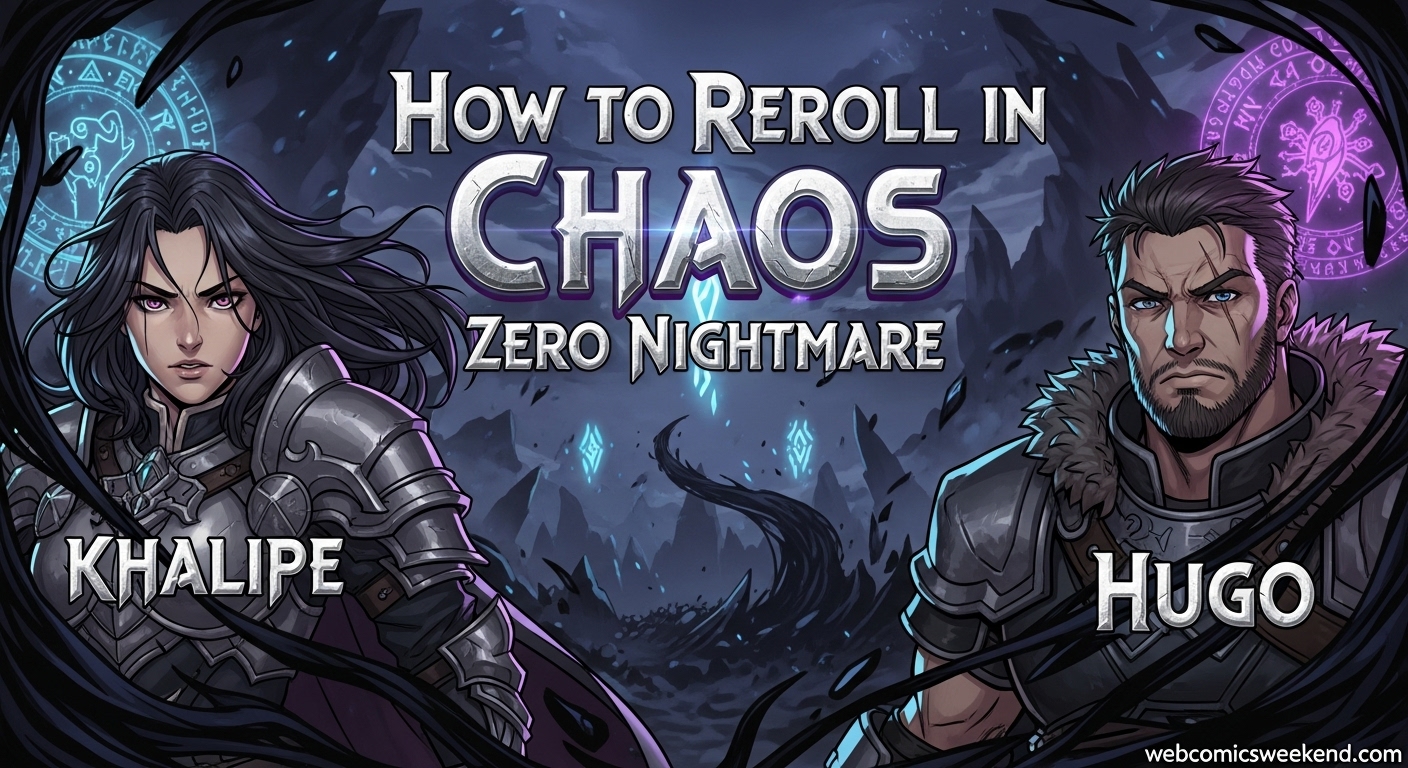
| Khalipe | Shielder/DPS | In my opinion, the best reroll target. She offers incredible AoE damage, solid shielding, and amazing team flexibility. Her Celestial card mechanic is game-changing. |
| Hugo | DPS | My second choice for rerolling. His follow-up attack mechanic provides consistent damage throughout fights. Pair him with attack-heavy allies for maximum effectiveness. |
A-Tier Reroll Targets (Great Choices)
These characters are strong and will serve you well:
| Character | Role | Why I Recommend |
|---|---|---|
| Mei Lin | DPS | Excellent single-target damage specialist. She applies Passion weakness consistently and has incredible AP efficiency. Great for focused team compositions. |
| Veronica | Support/DPS | Fantastic card draw capabilities and consistent damage through Ballistas. She requires some setup but becomes incredibly efficient afterward. |
| Magna | Tank | A solid defensive option with counterattack capabilities. She fits well in most team compositions and provides reliable frontline protection. |
| Rin | DPS | High single-target damage potential, though she can be clunky to use without proper upgrades. Better for experienced players. |
B-Tier Reroll Targets (Good but Not Essential)
These characters are viable but not worth rerolling for specifically:
| Character | Role | My Thoughts |
|---|---|---|
| Kayron | DPS | High damage potential but very AP-expensive. Requires specific team setups and Epiphanies to shine. |
| Renoa | DPS | Strong burst damage but requires careful bullet management. Can clog your deck if not played optimally. |
| Orlea | Support | Versatile but slow to ramp up. Her effects don’t synergize well with many DPS characters. |
C-Tier Reroll Targets (Avoid Rerolling For)
I wouldn’t recommend rerolling for these characters:
| Character | Role | My Thoughts |
|---|---|---|
| Luke | DPS | Too RNG-dependent for my taste. Requires high critical chance to be effective. |
| Amir | Tank | The pre-registration reward character. She’s usable early on but falls off hard in later content. |
How to Reset Your Account for Another Reroll?
If you didn’t get the character you wanted, don’t worry! Resetting your account is straightforward. Here’s exactly how I do it:
- Go to the Lobby (main menu area)
- Tap the hamburger button (☰) in the top-right corner
- Select the Gear icon (Settings) from the right-side menu
- Tap the person icon to open Account Settings
- Select “Reset Server” in the bottom-right corner
- Type your account nickname to confirm you want to erase your data
- Create a new Guest account and start the process over
The whole reset process takes less than a minute, which is great compared to some games that make you jump through hoops to reroll.
My Advanced Reroll Strategy: The Level 10 Method
If you’re willing to spend more time for better results, I’ve developed an advanced reroll method that gets you significantly more pulls:
Why Go to Level 10?
When I reach Captain Level 10, I unlock the Events page, which gives me access to additional rewards and missions. This method takes longer (40-60 minutes) but gets you:
- 20 additional pulls on the limited banner
- Completion of the Special Request Rescue banner (guaranteed 5-star)
- Extra Rescue Anchors and Crystals for future pulls
Step-by-Step Level 10 Method
- Follow the standard reroll process up to reaching the Lobby
- Complete the first three battle missions to gain experience quickly
- Focus on the Growth Guide – complete all tasks on the first page
- Claim all level-up rewards as you progress toward Level 10
- Once you reach Level 10, unlock the Events page and claim those rewards
- Now you have maximum resources for your pulling session
I only recommend this method if you’re extremely patient or want to start with multiple 5-star characters. For most players, the standard method is sufficient.
How to Bind Your Account After Rerolling?
Once you finally get that perfect character you’ve been rerolling for, you’ll want to bind your account to avoid losing it. Here’s how I do it:
- Go to Account Settings (hamburger → Gear → person icon)
- Next to “STOVE Account Management”, tap “Go Now”
- Select “Upgrade to Member”
- Choose your preferred binding method:
- Email (most reliable in my experience)
- Apple
- Naver
- Line
- Follow the platform-specific instructions to complete the binding
My personal recommendation: Use email binding. It’s the most universal and least likely to have issues down the line. I’ve had problems with social media bindings in other games before, so I stick with email now.
Common Reroll Mistakes to Avoid
Through my rerolling journey, I’ve made plenty of mistakes and learned from them. Here are the most common pitfalls I see players fall into:
1. Skipping Achievement Rewards
I almost did this my first time! The Achievement rewards are separate from mail rewards and give you significant additional resources. Don’t forget to claim them!
2. Pulling on the Wrong Banner
I’ve seen so many players waste their precious reroll resources on limited-time banners. Stick to the Special Rescue Request banner for that guaranteed 5-star.
3. Not Fast-Forwarding Dialogue
Those dialogue sections add up! I save 5-10 minutes per reroll just by holding down the fast-forward button religiously.
4. Rerolling for Too Long
It’s easy to get caught in the “just one more try” cycle. I recommend setting a limit – maybe 3-5 attempts maximum – before sticking with what you get.
5. Forgetting to Bind Your Account
There’s nothing worse than finally getting that perfect character, then losing it because you forgot to bind your account. I’ve heard horror stories from players who made this mistake!
My Personal Reroll Experience
Let me share a quick story from my own rerolling experience. When I first started playing Chaos Zero Nightmare, I was dead set on getting Mei Lin because I love her design and playstyle. I spent about 2 hours rerolling, going through 6 different attempts.
On my 6th try, I finally pulled Mei Lin, and I was ecstatic! But then I decided to do a few more pulls with my remaining resources, and I ended up getting Hugo as well. Starting with both Mei Lin and Hugo made my early game experience incredibly smooth.
Looking back, was it worth the 2 hours? For me, absolutely. But I understand that not everyone wants to spend that much time rerolling. That’s why I recommend being realistic about your goals and setting a reasonable limit.
Team Composition Tips for Your Rerolled Account
Once you’ve got your perfect 5-star character, you’ll want to build a balanced team around them. Based on my experience, here are some solid team compositions:
If You Rerolled for Khalipe:
Khalipe is incredibly versatile and can fit in many team compositions. I recommend:
- Khalipe (Tank/DPS)
- Tressa (Free 4-star you get early)
- Any damage-focused character you pull later
If You Rerolled for Hugo:
Hugo shines with allies who attack frequently:
- Hugo (Main DPS)
- Tressa (Works great with Hugo’s follow-up mechanic)
- A support character like Veronica if you can get her
If You Rerolled for Mei Lin:
Mei Lin excels in Passion-focused teams:
- Mei Lin (Main DPS)
- Other Passion-type characters for synergy
- A healer/support to keep her alive while she deals damage
Final Thoughts on Rerolling in Chaos Zero Nightmare
After all my research and personal experience, here’s my final take on rerolling in Chaos Zero Nightmare:
Reroll if:
- You really want a specific character
- You’re a min-maxer who wants the best possible start
- You have the time and patience for 3-5 attempts
Don’t reroll if:
- You just want to jump into the game quickly
- You’re happy with any 5-star character
- You don’t have much time to spend on rerolling
Remember, all 5-star characters in Chaos Zero Nightmare are viable, so don’t stress too much about getting the “perfect” start. The most important thing is to have fun and enjoy the game!
FAQ: Your Reroll Questions Answered
How long does it take to reroll in Chaos Zero Nightmare?
From my experience, each reroll attempt takes 15-25 minutes once you know what you’re doing. Your first attempt might take 25-30 minutes as you learn the process.
Can I reroll on the same device?
Absolutely! I’ve rerolled dozens of times on the same device. Just use the Reset Server option in Account Settings to clear your data and start fresh.
What’s the best character to reroll for?
In my opinion, Khalipe is the best overall reroll target. She offers incredible versatility with both damage and defensive capabilities. Hugo is my second choice for consistent DPS output.
How many pulls do I get per reroll?
You get enough resources for approximately 40 pulls per reroll attempt – 20 from pre-registration rewards, 10 from mail, and enough currency for about 10 more pulls.
Is it worth rerolling for multiple 5-star characters?
If you’re willing to spend the extra time, I’d say yes! The Level 10 method I described can get you enough resources for multiple 5-star characters, which gives you a significant advantage.
Can I bind my account after rerolling?
Yes, and I highly recommend it! Once you get a character you’re happy with, bind your account immediately through the Account Settings menu to avoid losing your progress.
What happens if I accidentally bind my account during rerolling?
If you bind your account too early, you’ll need to use a different email or platform for your next reroll attempt. That’s why I always recommend waiting until you’re satisfied with your pulls before binding.
Are there any shortcuts to make rerolling faster?
Unfortunately, there’s no way to skip the tutorial entirely. However, I’ve found that holding down the fast-forward button during dialogue sections saves significant time.
Should I pull on the limited banner during rerolling?
I don’t recommend it. While the limited banner has discounted rates, you won’t get the guaranteed 5-star that makes rerolling worthwhile. Stick to the Special Rescue Request banner.
What if I get a character not on your tier list?
All 5-star characters are viable in Chaos Zero Nightmare, so don’t worry too much. My tier list is just a guide for optimal reroll targets, not a statement on which characters are unusable.
Ready to Start Your Chaos Zero Nightmare Journey?
Now that you have all my rerolling knowledge at your fingertips, you’re ready to dive into Chaos Zero Nightmare with confidence! Whether you decide to reroll for that perfect character or just jump right in, the most important thing is to have fun.
If you found this guide helpful, be sure to bookmark it for future reference, and check out our other gaming guides for more tips and tricks. And if you have any questions or want to share your rerolling success stories, drop them in the comments below!
Happy rolling, and may the gacha gods be with you in Chaos Zero Nightmare!